

Quick Tip – Enable/Show Activities on Notes in D365 CRM
In this blog, we will see how we can show activities on Notes in D365 CRM.
Step 1 – Click on Entity and check marked Activities.
Save and publish the Entity.

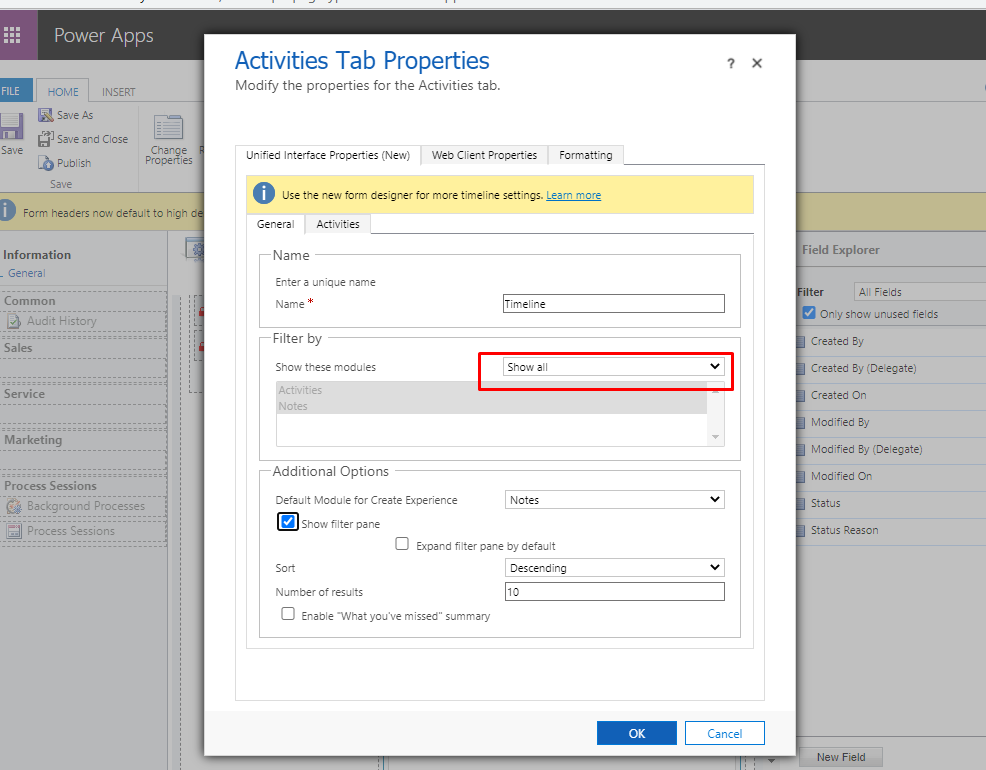
Step 2 – Open Main form where you have added timeline, Double click on timeline notes and mark filter by as Show all.
Save and Publish the form.
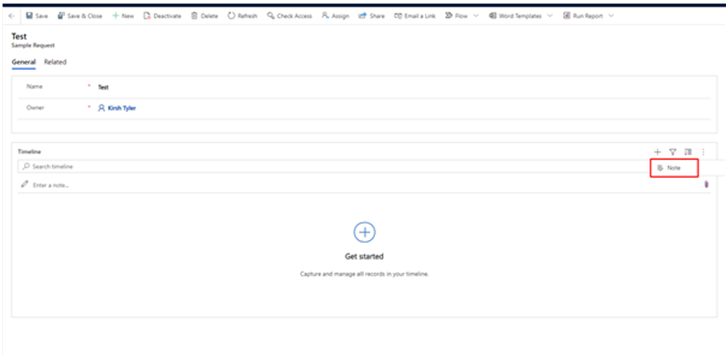
Output before enabling the activities
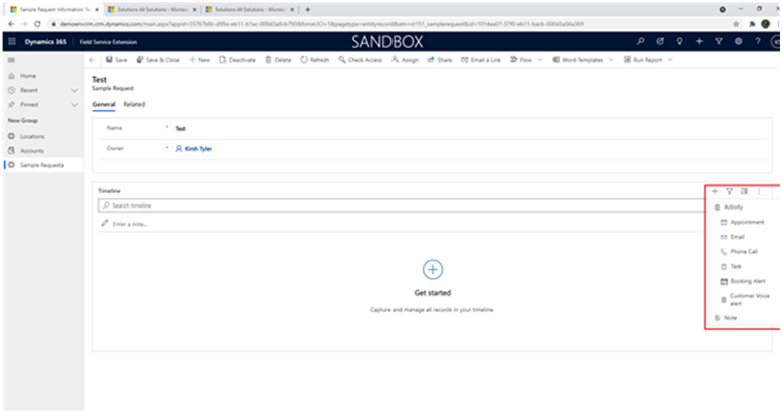
Output after enabling the activities
Related posts:

Resolving SSL/TLS Secure Channel Trust Errors in Dynamics 365 Finance and Operations

How to change a Bill of material (BOM) item on a production order

How to Set Up a Local Development Environment for D365 Finance and Operations Without Azure Costs
![Shopify Meets Dynamics 365 Finance and Operations: A Guide to Integration [Part 2]](https://www.cloudfronts.in/wp-content/uploads/2024/12/DALL·E-2024-12-14-12.29.44-A-professional-illustration-depicting-the-integration-between-Shopify-and-Dynamics-365-Finance-and-Operations.-The-image-shows-Shopify-on-one-side-wit-150x150.webp)
