

Register an application entity in Azure Active Directory
The following steps are to be followed to register an application entity in Azure Active Directory:-
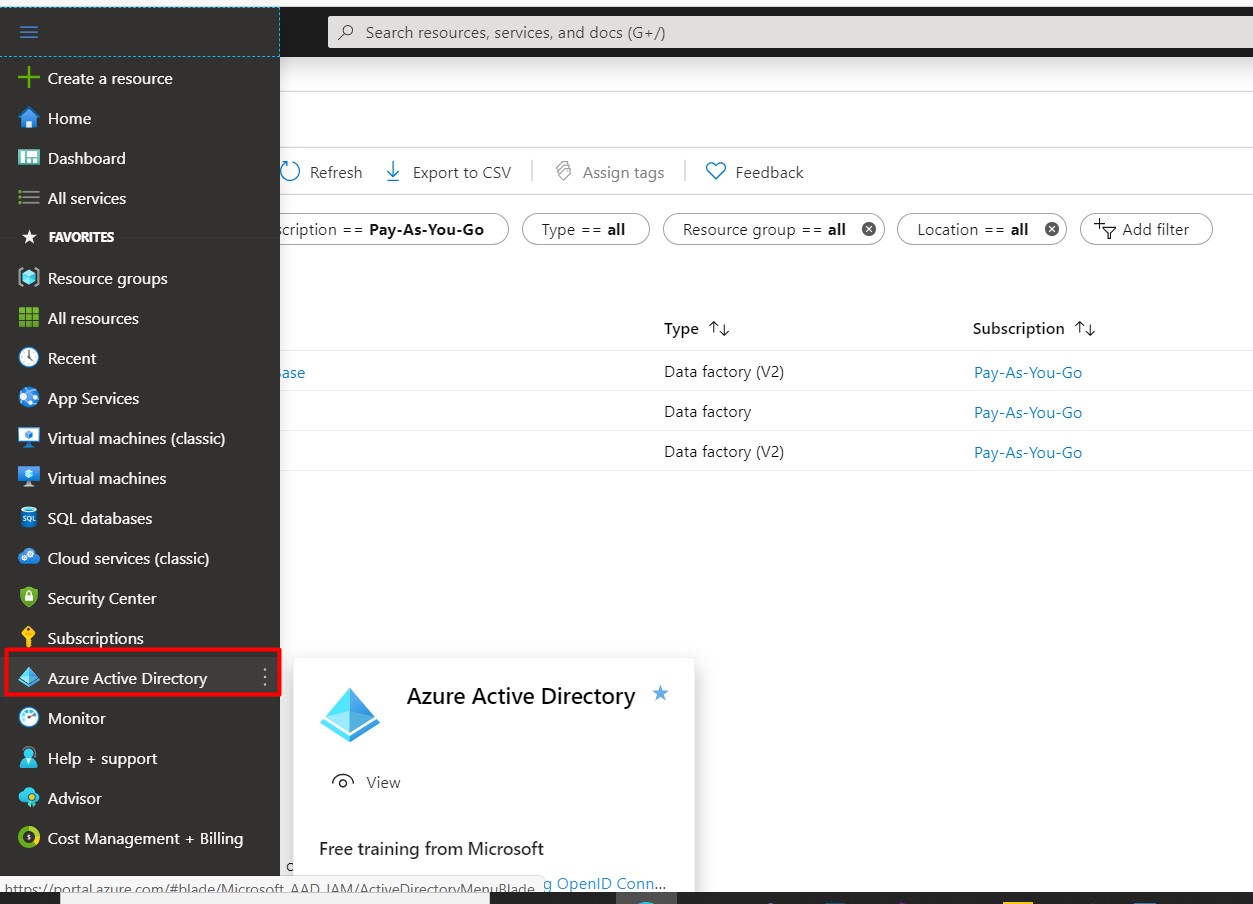
- Go to Azure Active Directory and Click on App Registrations.
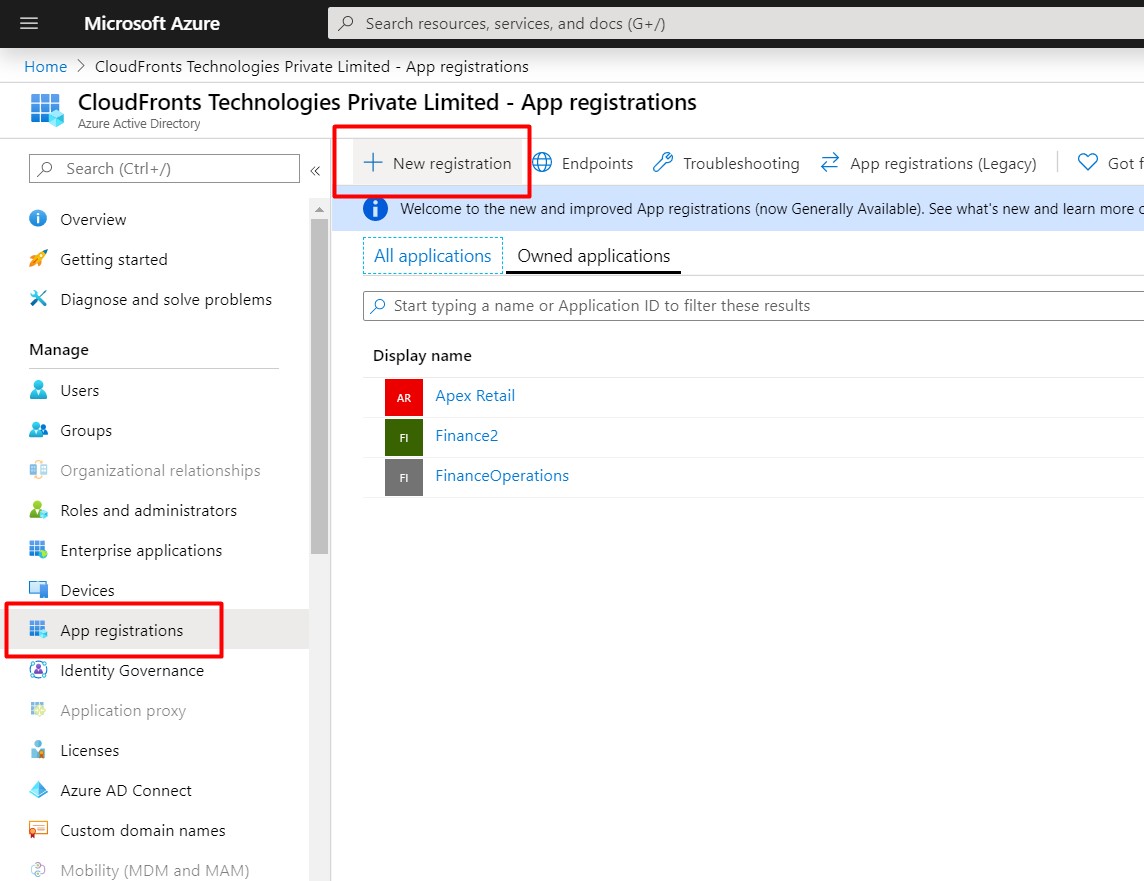
- Click on New Registration, Enter a name and the Redirect URL and click Register.
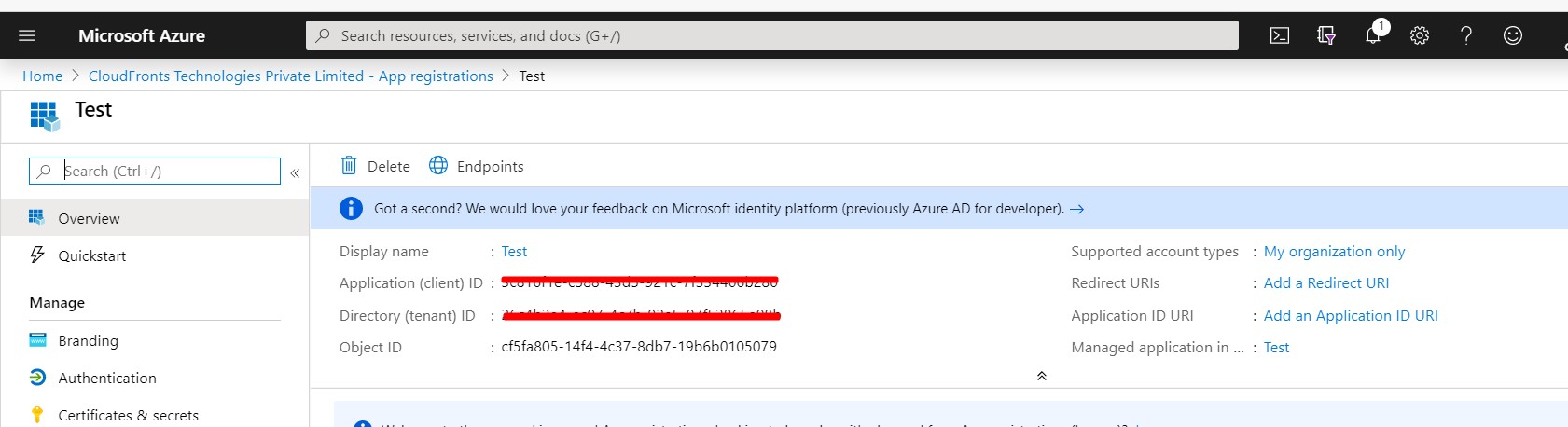
- Copy and save the Application(client) ID and Tenant ID in a text file.
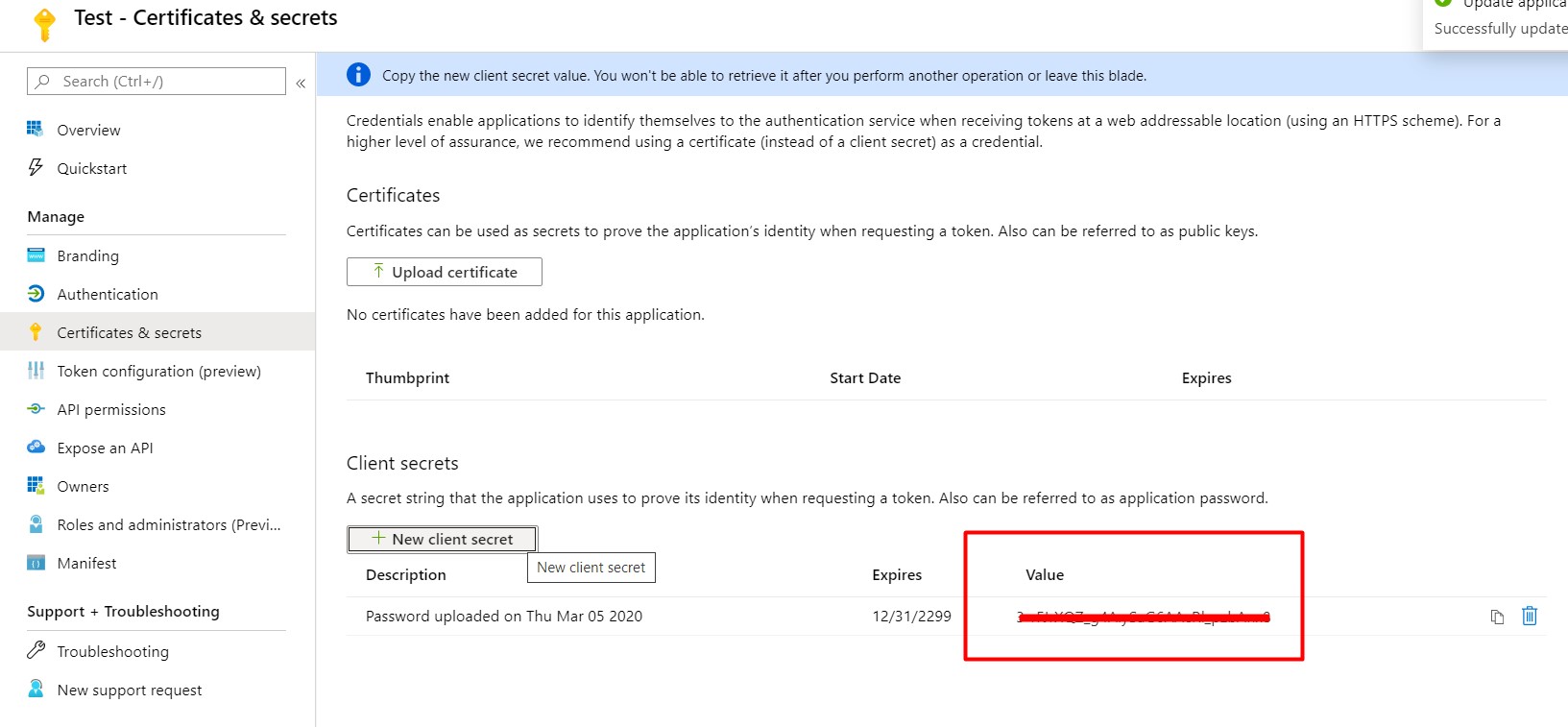
- Generate a key for the Client ID from Certificate & secrets section.Go to Certificate & secrets and click + New Client Secret.
Related posts:

Resolving SSL/TLS Secure Channel Trust Errors in Dynamics 365 Finance and Operations

How to change a Bill of material (BOM) item on a production order
![Shopify Meets Dynamics 365 Finance and Operations: A Guide to Integration [Part 2]](https://www.cloudfronts.in/wp-content/uploads/2024/12/DALL·E-2024-12-14-12.29.44-A-professional-illustration-depicting-the-integration-between-Shopify-and-Dynamics-365-Finance-and-Operations.-The-image-shows-Shopify-on-one-side-wit-150x150.webp)
Shopify Meets Dynamics 365 Finance and Operations: A Guide to Integration [Part 2]
