

Unit Of Measure Issue in D365 Commerce (Retail)
When a product can be sold, purchased or stored in more than one unit of measure, it’s important that you set up the correct unit of measure conversions.
I recently came across an issue where the unit of measure conversions I created in HQ was not showing up on POS.
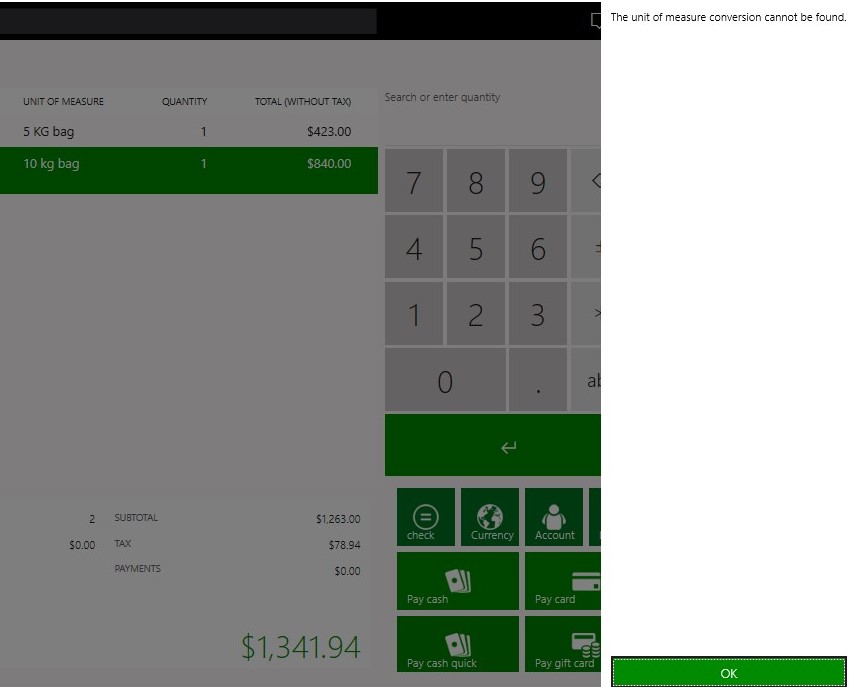
As you can see in the above image I kept receiving this error. Finally I fixed it after a lot of research and trials. The issue was very minor but it took a lot of time to detect it.
Go to units and make sure the language selected in Translated unit descriptions is similar at store level and in workers form as well and then you should not face this issue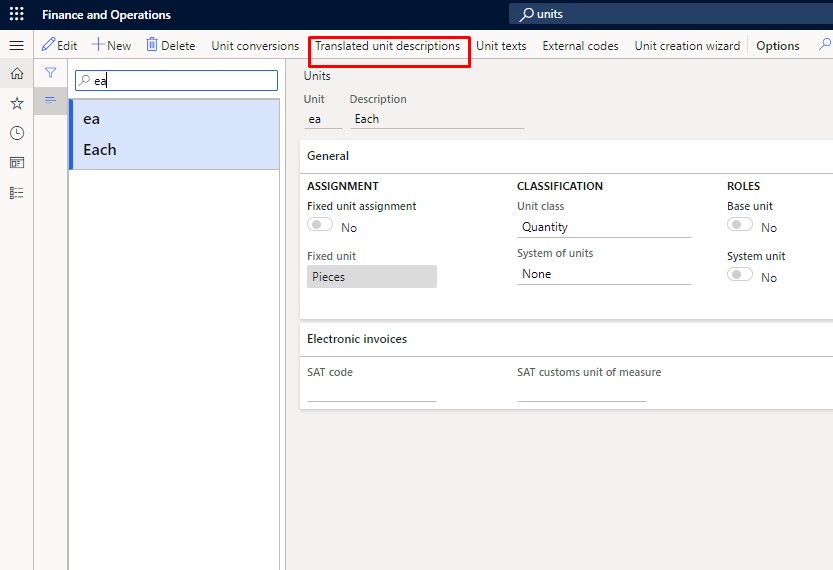
Hope this helps!
Related posts:

Resolving SSL/TLS Secure Channel Trust Errors in Dynamics 365 Finance and Operations

How to change a Bill of material (BOM) item on a production order
![Shopify Meets Dynamics 365 Finance and Operations: A Guide to Integration [Part 2]](https://www.cloudfronts.in/wp-content/uploads/2024/12/DALL·E-2024-12-14-12.29.44-A-professional-illustration-depicting-the-integration-between-Shopify-and-Dynamics-365-Finance-and-Operations.-The-image-shows-Shopify-on-one-side-wit-150x150.webp)
Shopify Meets Dynamics 365 Finance and Operations: A Guide to Integration [Part 2]
