

Load Option set from D365 CRM to Power BI data model
Steps:
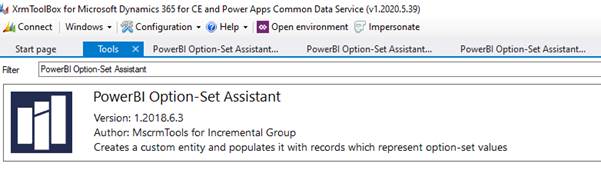
Open Xrm Toolbox and add Tool “PowerBI option-Set Assistant”
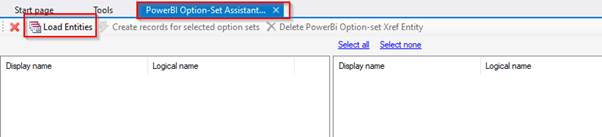
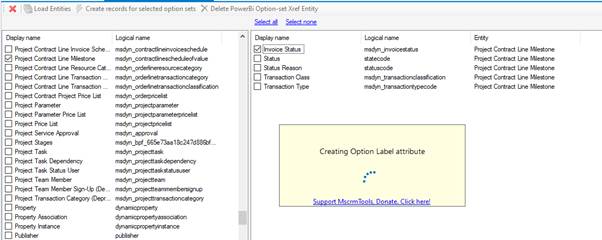
Open the tool and Click on load entities, it will load all the entities.
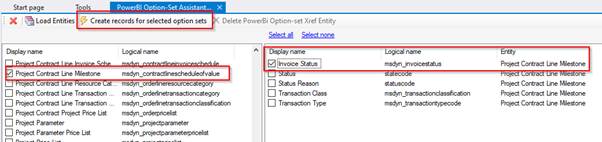
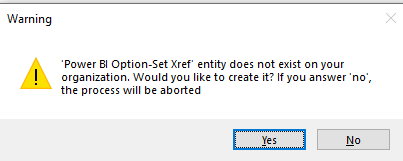
Select the entity and field name from which we want to retrieve data, click on “Create records for selected option sets”. It will prompt that it will create new entity, click on Yes and proceed.it will create a new entity for option set.
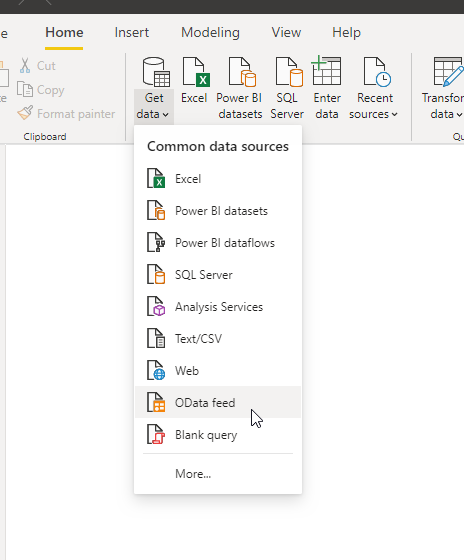
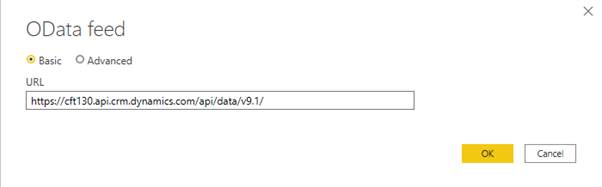
Now go to power bi and create connection using OData feed.
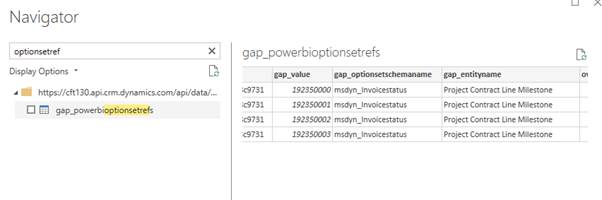
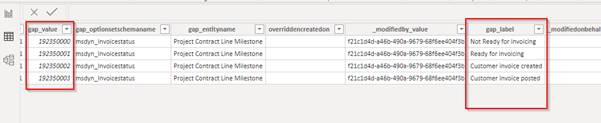
Now we can see,”gap_powerbioptionsetrefs” entity created and we can load this into power bi model.
Hope this helps!
Related posts:

Resolving SSL/TLS Secure Channel Trust Errors in Dynamics 365 Finance and Operations

How to change a Bill of material (BOM) item on a production order
![Shopify Meets Dynamics 365 Finance and Operations: A Guide to Integration [Part 2]](https://www.cloudfronts.in/wp-content/uploads/2024/12/DALL·E-2024-12-14-12.29.44-A-professional-illustration-depicting-the-integration-between-Shopify-and-Dynamics-365-Finance-and-Operations.-The-image-shows-Shopify-on-one-side-wit-150x150.webp)
Shopify Meets Dynamics 365 Finance and Operations: A Guide to Integration [Part 2]
