

Featured Dashboard in Power BI
Introduction:
In this article, we will learn how to set a default dashboard when you login to Power BI Service. Default Dashboard is termed as ‘Featured Dashboard’ in Power BI.
Steps for configuring featured dashboard:
- Login to Power BI Service
- Open the Dashboard you need to display when you open Power BI Service.
- Click ‘Set as featured’ on the top navigation bar of your dashboard.
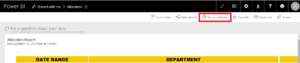
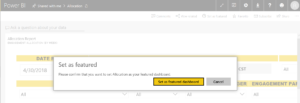
- A Pop-up window will appear for confirmation. Click on ‘Set as featured dashboard’ button.
1
Related posts:

Resolving SSL/TLS Secure Channel Trust Errors in Dynamics 365 Finance and Operations

How to change a Bill of material (BOM) item on a production order
![Shopify Meets Dynamics 365 Finance and Operations: A Guide to Integration [Part 2]](https://www.cloudfronts.in/wp-content/uploads/2024/12/DALL·E-2024-12-14-12.29.44-A-professional-illustration-depicting-the-integration-between-Shopify-and-Dynamics-365-Finance-and-Operations.-The-image-shows-Shopify-on-one-side-wit-150x150.webp)
Shopify Meets Dynamics 365 Finance and Operations: A Guide to Integration [Part 2]
