

Soft Booking Resource from Project Team Members View in PSA
Introduction:
In the current 8.2 version of D365 PSA, we can only Hard Book a Resource from the Project Team Member View whereas in the v9.0, we can Soft Book from the Project Team Member View from with a few extra clicks.
v8.2 – Current
- There is a button called Hard Book which lets you Hard Book the resource selected as shown below
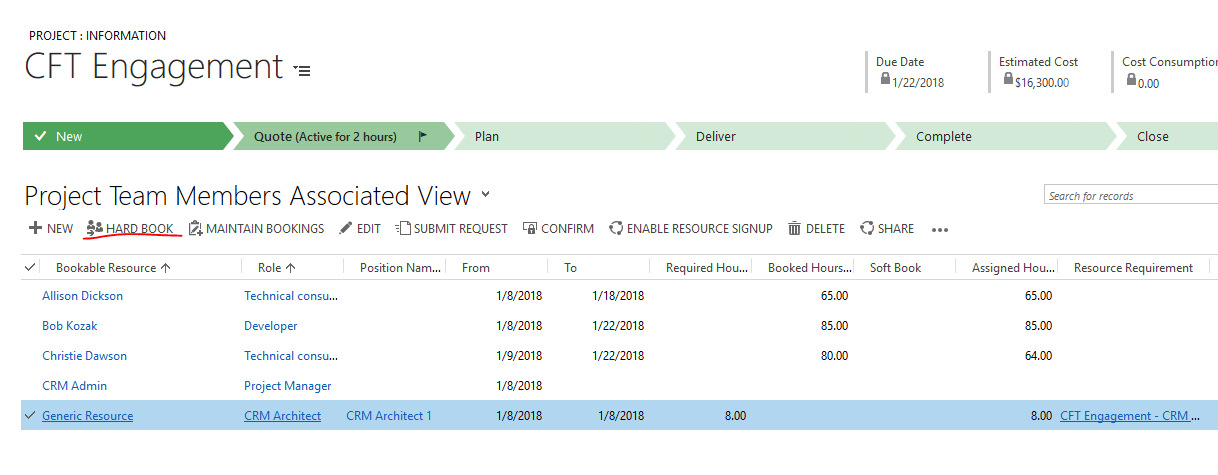
- Then, you can plainly Hard Book the resource.
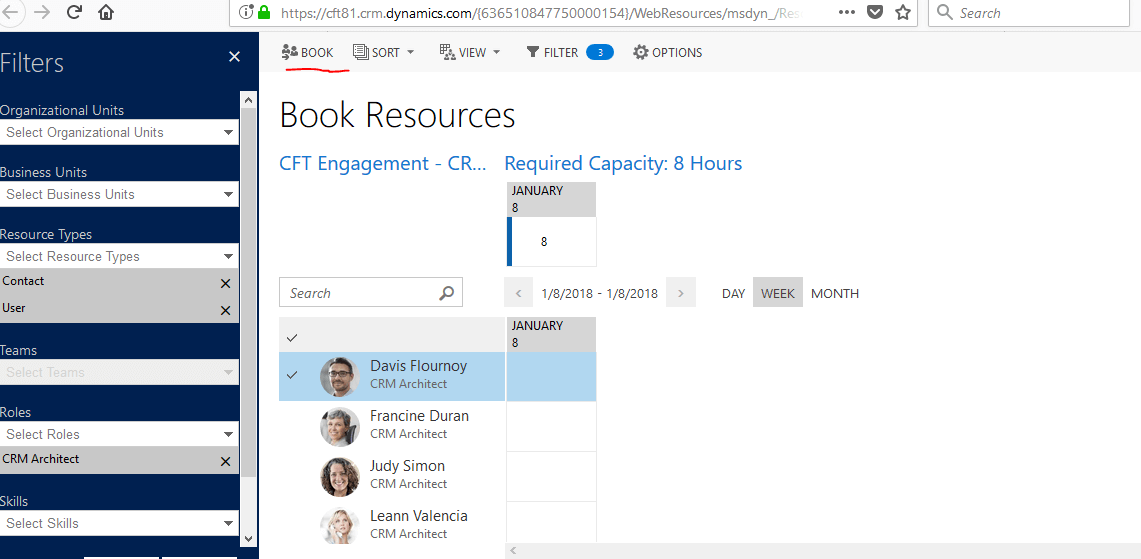
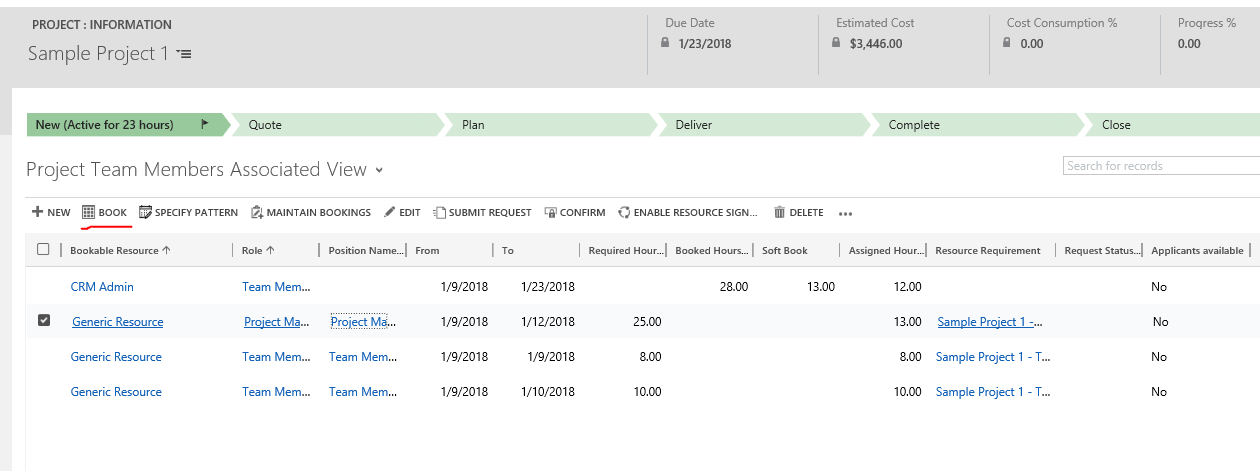
v9.0
- There is a generic option called as Book in the Project Team Member Associated View
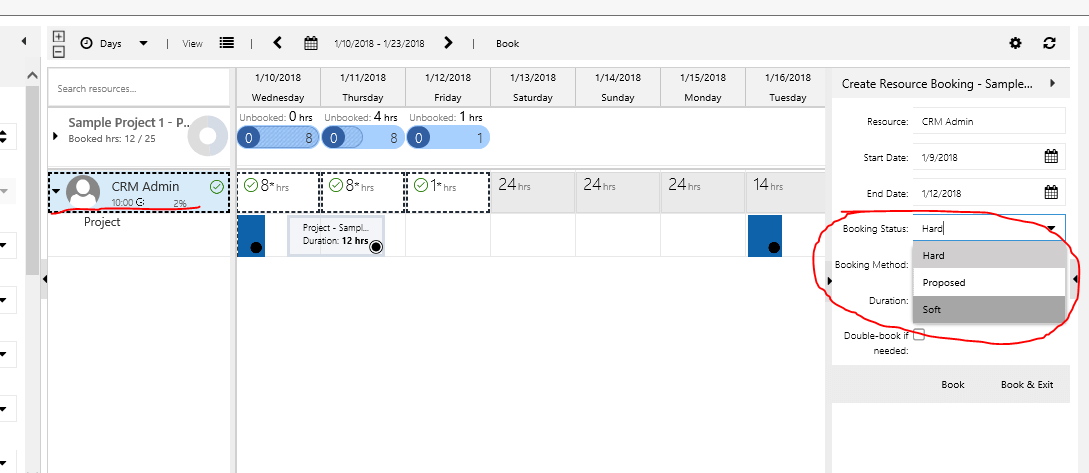
- On clicking the same, a separate window opens with the selected Resource to Book them
Conclusion
Soft Booking from Project Team Members Associated View is not possible in v8.2 but is possible in the v9.0 version.
Related posts:

Resolving SSL/TLS Secure Channel Trust Errors in Dynamics 365 Finance and Operations

How to change a Bill of material (BOM) item on a production order
![Shopify Meets Dynamics 365 Finance and Operations: A Guide to Integration [Part 2]](https://www.cloudfronts.in/wp-content/uploads/2024/12/DALL·E-2024-12-14-12.29.44-A-professional-illustration-depicting-the-integration-between-Shopify-and-Dynamics-365-Finance-and-Operations.-The-image-shows-Shopify-on-one-side-wit-150x150.webp)
Shopify Meets Dynamics 365 Finance and Operations: A Guide to Integration [Part 2]
