

D365 V9 Alert Dialog
Introduction:
This blog explains how to show alerts in D365 V9.
Details:
We often get requirement to show alerts in D365 V9 Forms and can be achieved using below syntax.
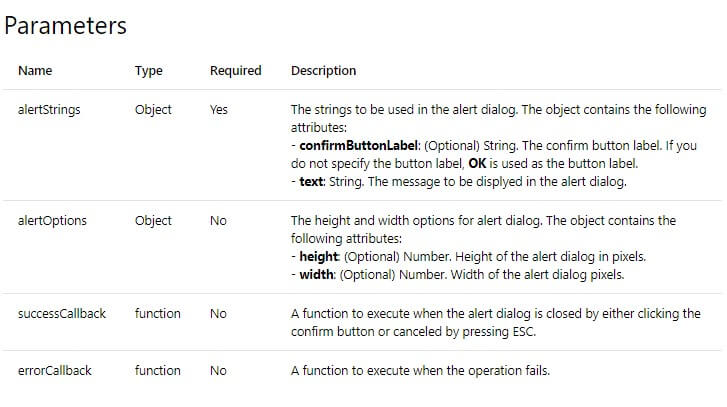
Xrm.Navigation.openAlertDialog(alertStrings,alertOptions).then(closeCallback,errorCallback);
Example:
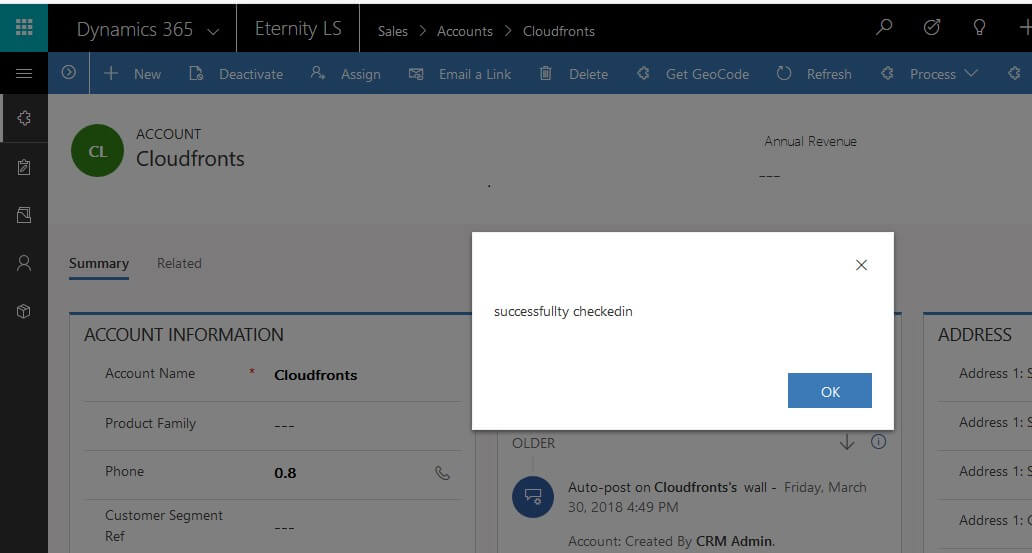
1. Alert with no callbacks.
var alertStrings = { text: "successfully checkedin." };
var alertOptions = { height: 120, width: 260 };
Xrm.Navigation.openAlertDialog(alertStrings, alertOptions).then( function () { }  );
2. Alert with callback method.
var alertStrings = { confirmButtonLabel: "Yes", text: "This is an alert." };
var alertOptions = { height: 120, width: 260 };
Xrm.Navigation.openAlertDialog(alertStrings, alertOptions).then(
    function success(result) {
        console.log("Alert dialog closed");
    },
    function (error) {
        concole.log(error.message);
    }
);
Note: Xrm.Utility.alertDialog(message,onCloseCallback) is been deprecated.
Related posts:

Resolving SSL/TLS Secure Channel Trust Errors in Dynamics 365 Finance and Operations

How to change a Bill of material (BOM) item on a production order
![Shopify Meets Dynamics 365 Finance and Operations: A Guide to Integration [Part 2]](https://www.cloudfronts.in/wp-content/uploads/2024/12/DALL·E-2024-12-14-12.29.44-A-professional-illustration-depicting-the-integration-between-Shopify-and-Dynamics-365-Finance-and-Operations.-The-image-shows-Shopify-on-one-side-wit-150x150.webp)
Shopify Meets Dynamics 365 Finance and Operations: A Guide to Integration [Part 2]
