

Calculated Currency Field doesn’t support Min or Max values
Introduction:
This is an observation I made when one of our clients wanted to have a limit on the calculated fields. Let’s say, a lower limit of the currency field that is expected to throw an error (or somehow not allow) the currency going in negative values for a calculated field.
Observation:
Now, I want to keep the Minimum Value as $0. I’ll keep the Minimum value as 0 so that when I can make it as Calculated Field, the Minimum Value gets locked by $0 I’ve entered. See screenshot below:
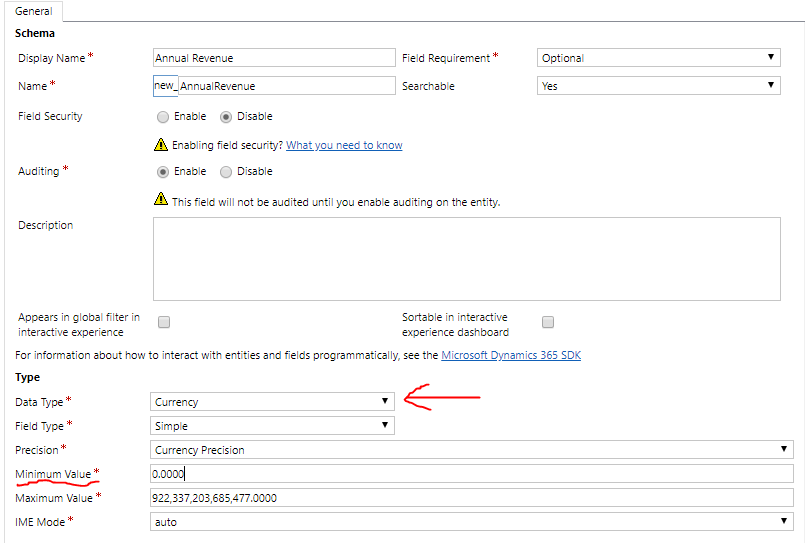
But, as soon as I make it as Calculated Field and click on Save, this happens-
- It still appears that I will save it as 0
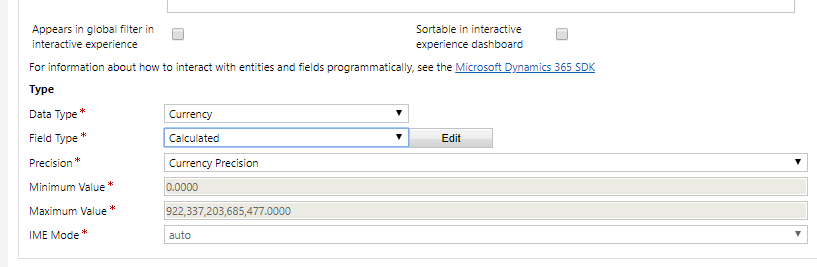
- But, it creates the field, locks the minimum field and then defaults it back to the original minimum value.
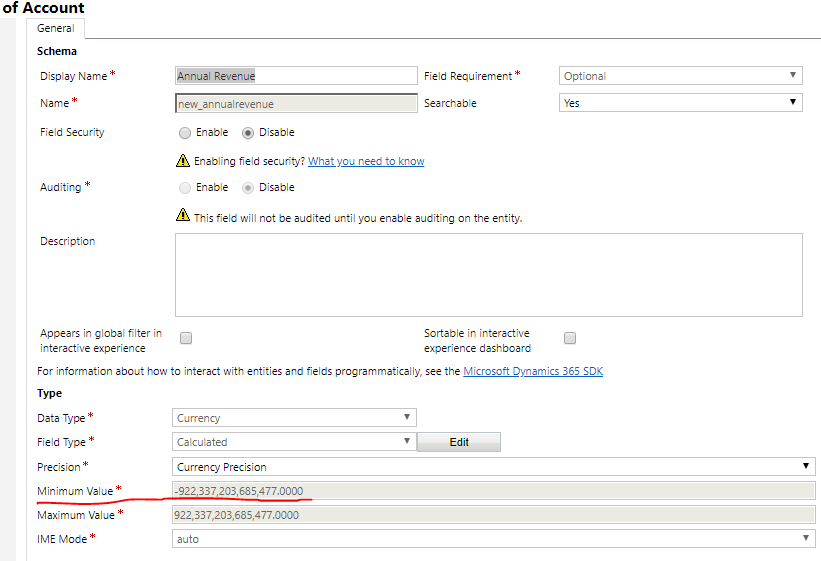
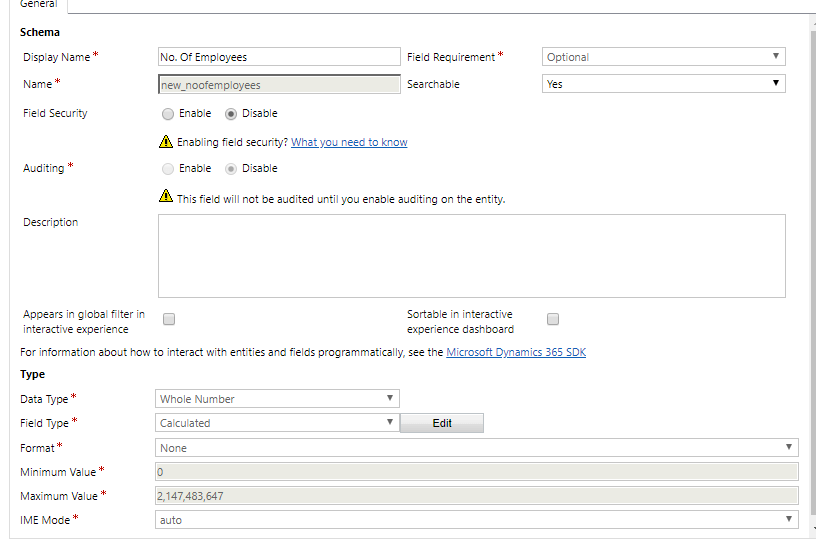
Bottom line: We cannot have our own Minimum Value on the Calculated Currency fields. But however, I found that this is allowed for other calculated fields. Like the Whole Number.
Related posts:

Resolving SSL/TLS Secure Channel Trust Errors in Dynamics 365 Finance and Operations

How to change a Bill of material (BOM) item on a production order
![Shopify Meets Dynamics 365 Finance and Operations: A Guide to Integration [Part 2]](https://www.cloudfronts.in/wp-content/uploads/2024/12/DALL·E-2024-12-14-12.29.44-A-professional-illustration-depicting-the-integration-between-Shopify-and-Dynamics-365-Finance-and-Operations.-The-image-shows-Shopify-on-one-side-wit-150x150.webp)
Shopify Meets Dynamics 365 Finance and Operations: A Guide to Integration [Part 2]
