

Change planned purchase order status as draft insted of default approved
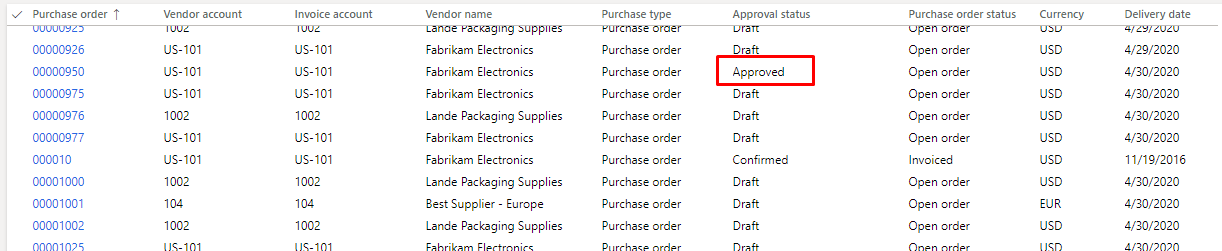
When we create purchase order using planned order its default approval status will be approved as displayed in screenshot.
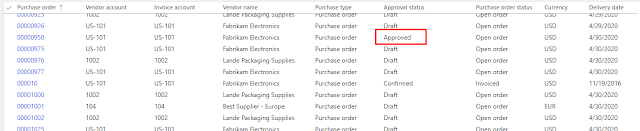
To change that status to draft write following code where we will change its status to draft and further code to is to remove version of purchase order which necessary to make delete button enabled on purchase order form
code:-
/// <summary>
/// extension of class: ReqTransPoMarkFirm
/// </summary>
[ExtensionOf(classStr(ReqTransPoMarkFirm))]
final class ReqTransPoMarkFirmCFSClass_Extension
{
public container conPurchOrders;
/// <summary>
/// updatePurchTable
/// </summary>
/// <param name = “_purchTable”>_purchTable</param>
protected void updatePurchTable(PurchTable _purchTable)
{
conPurchOrders += _purchTable.PurchId;
next updatePurchTable(_purchTable);
}
/// <summary>
/// purchTablePostProcessing
/// </summary>
protected void purchTablePostProcessing()
{
next purchTablePostProcessing();
for (int i = 1; i <= conLen(conPurchOrders); i++)
{
PurchTable purchTable = PurchTable::find(conPeek(conPurchOrders, i), true);
if(purchTable.RecId)
{
ttsbegin;
//delete the version created for po
PurchTableVersion purchTableVersion = PurchTableVersion::findLatest(purchTable.PurchId, purchTable.DataAreaId, true);
if(purchTableVersion.RecId)
{
purchTableVersion.delete();
}
purchTable.ChangeRequestRequired = NoYes::No;
purchTable.DocumentState = VersioningDocumentState::Draft;
purchTable.update();
ttscommit;
}
}
}
}
To change that status to draft write following code where we will change its status to draft and further code to is to remove version of purchase order which necessary to make delete button enabled on purchase order form
code:-
/// <summary>
/// extension of class: ReqTransPoMarkFirm
/// </summary>
[ExtensionOf(classStr(ReqTransPoMarkFirm))]
final class ReqTransPoMarkFirmCFSClass_Extension
{
public container conPurchOrders;
/// <summary>
/// updatePurchTable
/// </summary>
/// <param name = “_purchTable”>_purchTable</param>
protected void updatePurchTable(PurchTable _purchTable)
{
conPurchOrders += _purchTable.PurchId;
next updatePurchTable(_purchTable);
}
/// <summary>
/// purchTablePostProcessing
/// </summary>
protected void purchTablePostProcessing()
{
next purchTablePostProcessing();
for (int i = 1; i <= conLen(conPurchOrders); i++)
{
PurchTable purchTable = PurchTable::find(conPeek(conPurchOrders, i), true);
if(purchTable.RecId)
{
ttsbegin;
//delete the version created for po
PurchTableVersion purchTableVersion = PurchTableVersion::findLatest(purchTable.PurchId, purchTable.DataAreaId, true);
if(purchTableVersion.RecId)
{
purchTableVersion.delete();
}
purchTable.ChangeRequestRequired = NoYes::No;
purchTable.DocumentState = VersioningDocumentState::Draft;
purchTable.update();
ttscommit;
}
}
}
}
I hope this will helo you,thank you
Related posts:

Resolving SSL/TLS Secure Channel Trust Errors in Dynamics 365 Finance and Operations

How to change a Bill of material (BOM) item on a production order

How to Set Up a Local Development Environment for D365 Finance and Operations Without Azure Costs
![Shopify Meets Dynamics 365 Finance and Operations: A Guide to Integration [Part 2]](https://www.cloudfronts.in/wp-content/uploads/2024/12/DALL·E-2024-12-14-12.29.44-A-professional-illustration-depicting-the-integration-between-Shopify-and-Dynamics-365-Finance-and-Operations.-The-image-shows-Shopify-on-one-side-wit-150x150.webp)
