

Remove Commas from whole number field in CRM D365
Introduction: In this blog we will see how to remove commas from whole number field.
Use case : we were using the whole number field but after creation we noticed that there is comma in numbers.
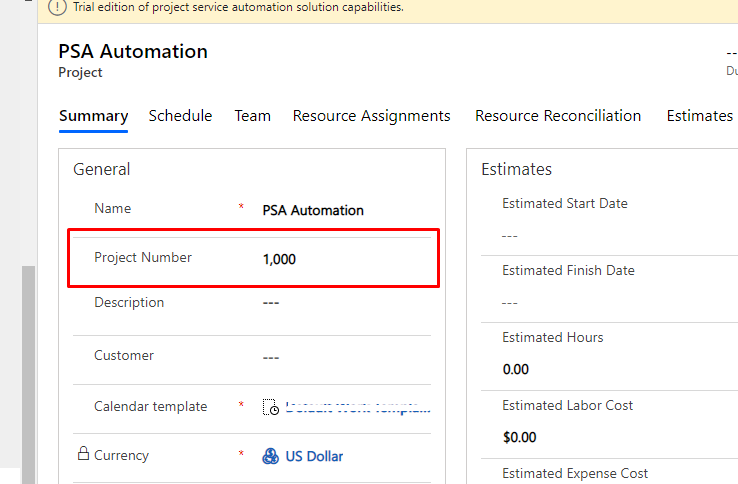
Solution:
Step 1 : go to settings -> click on settings icon -> Options
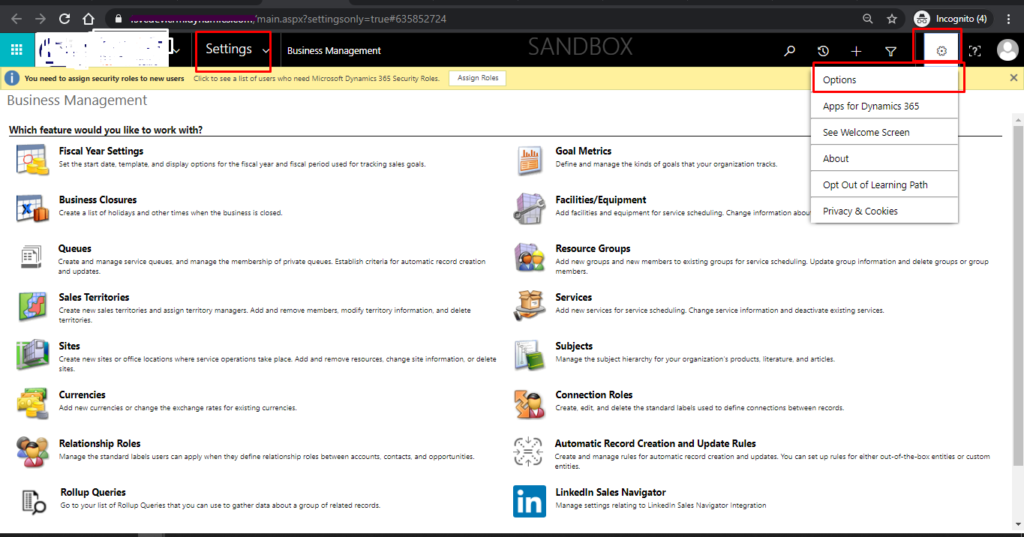
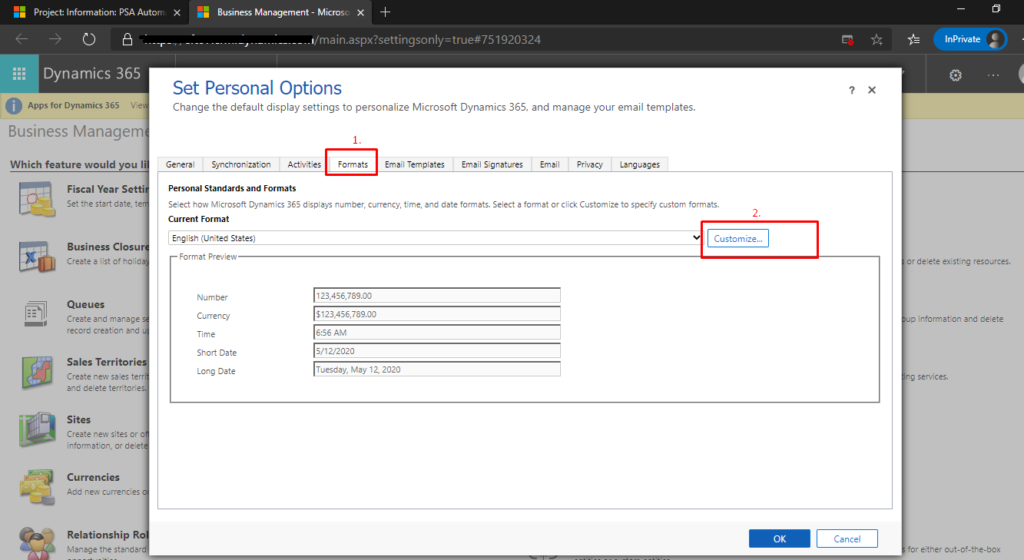
Step 2: After clicking on Options, below screen will be displayed.
Click on Formats -> Customizations
After clicking on Customizations, in Digit group , select Options and click OK.
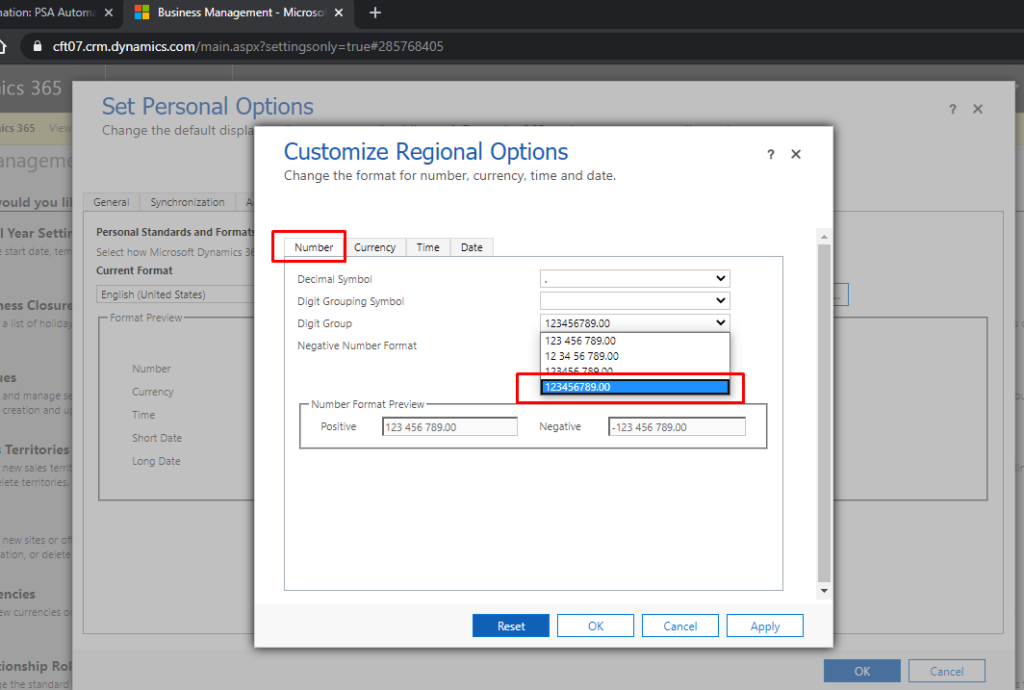
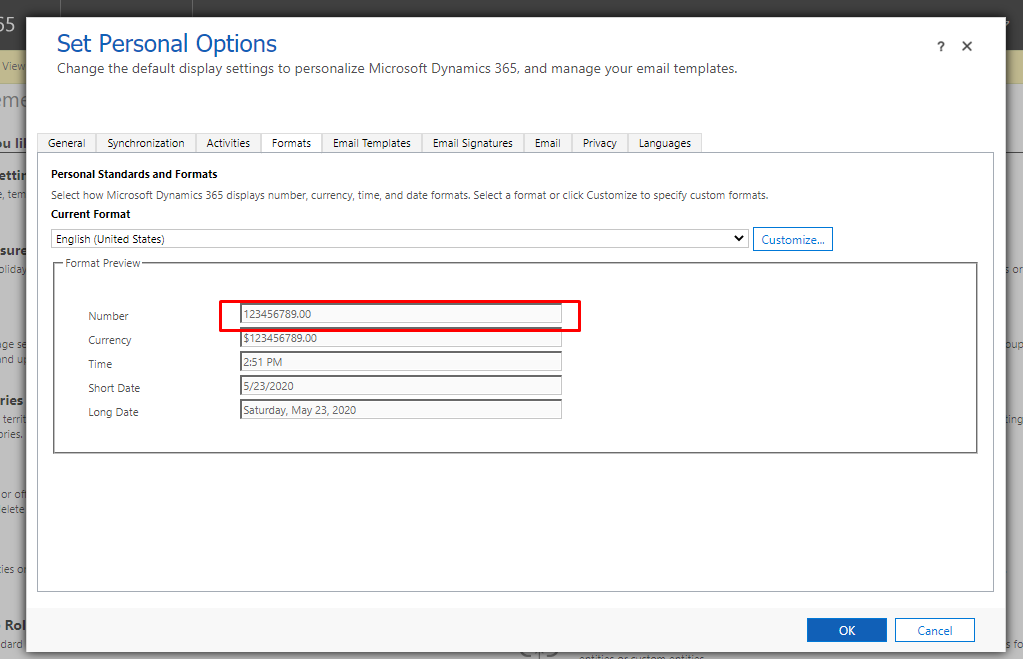
click OK.
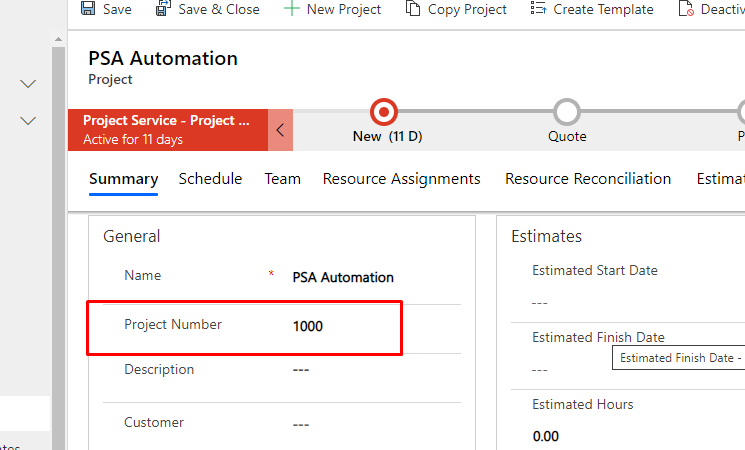
Output:
Related posts:

Resolving SSL/TLS Secure Channel Trust Errors in Dynamics 365 Finance and Operations

How to change a Bill of material (BOM) item on a production order

How to Set Up a Local Development Environment for D365 Finance and Operations Without Azure Costs
![Shopify Meets Dynamics 365 Finance and Operations: A Guide to Integration [Part 2]](https://www.cloudfronts.in/wp-content/uploads/2024/12/DALL·E-2024-12-14-12.29.44-A-professional-illustration-depicting-the-integration-between-Shopify-and-Dynamics-365-Finance-and-Operations.-The-image-shows-Shopify-on-one-side-wit-150x150.webp)
