

Remove Hover from Primary Navigation Bar Power App Portal
I had a requirement from a client to remove the hover from the header navigation on the customer portal.
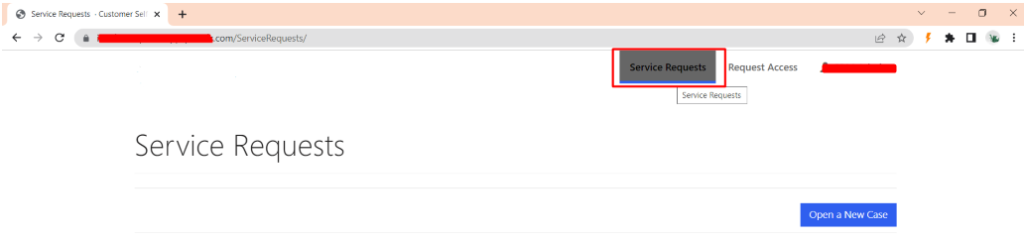
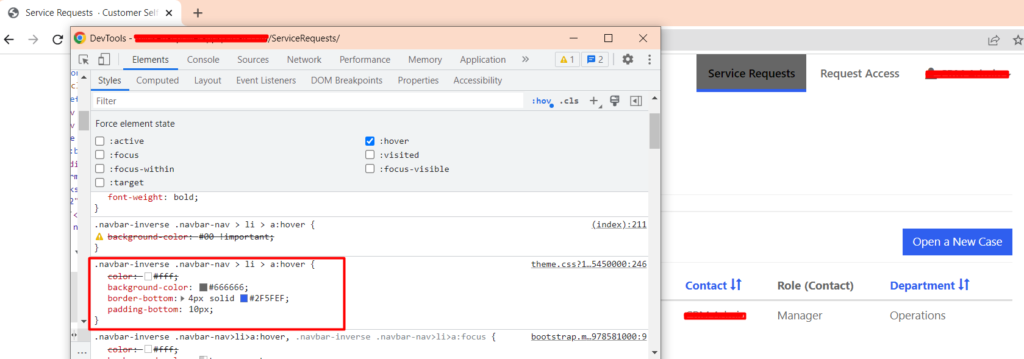
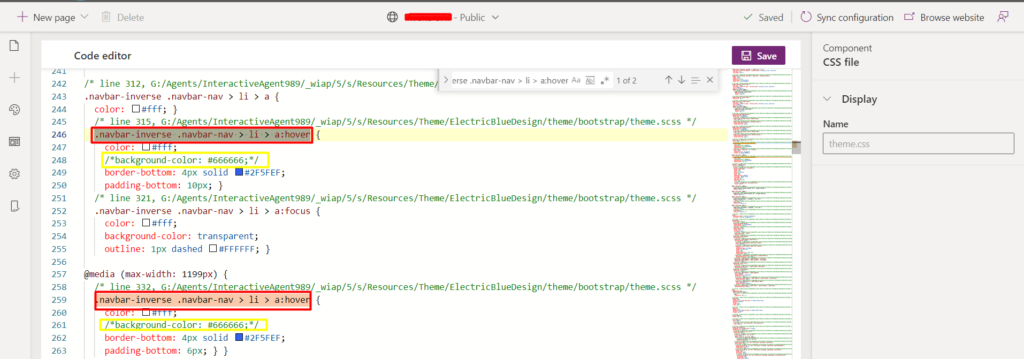
Here is how we do it, if we inspect, we can see that this is handled by a style element “.navbar-inverse .navbar-nav > li > a:hover“
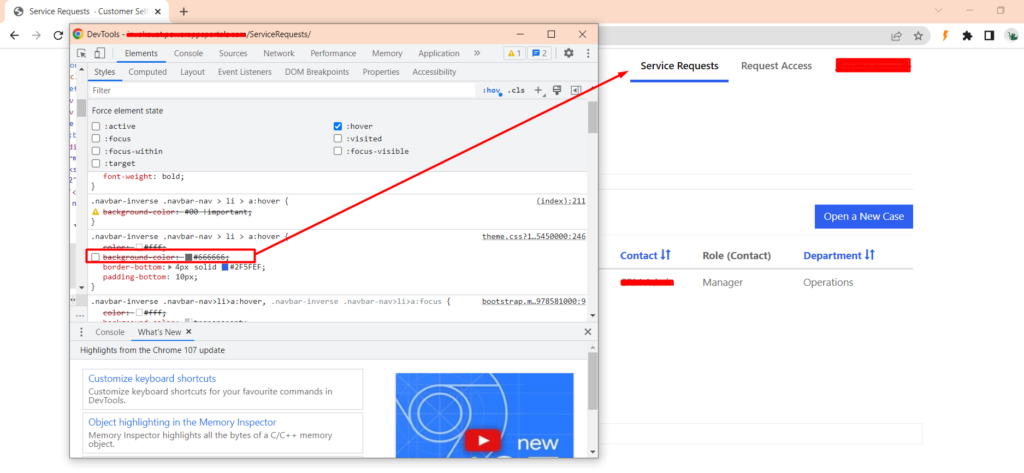
Now if we removed the background colour here is how it looks.
Now let’s make these changes in the code, edit your portal and open the portal in the Power Apps gallery and go to themes.
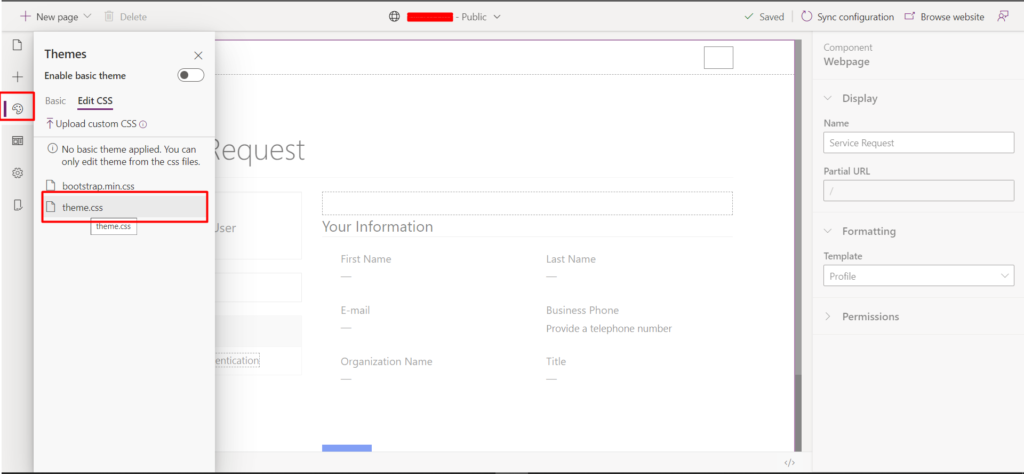
Search for the style element and comment or remove the background colour.
Hope this helps!
Related posts:

Resolving SSL/TLS Secure Channel Trust Errors in Dynamics 365 Finance and Operations

How to change a Bill of material (BOM) item on a production order
![Shopify Meets Dynamics 365 Finance and Operations: A Guide to Integration [Part 2]](https://www.cloudfronts.in/wp-content/uploads/2024/12/DALL·E-2024-12-14-12.29.44-A-professional-illustration-depicting-the-integration-between-Shopify-and-Dynamics-365-Finance-and-Operations.-The-image-shows-Shopify-on-one-side-wit-150x150.webp)
Shopify Meets Dynamics 365 Finance and Operations: A Guide to Integration [Part 2]
