

[Solved] Resource not found for the segment in Power Automate
Introduction:
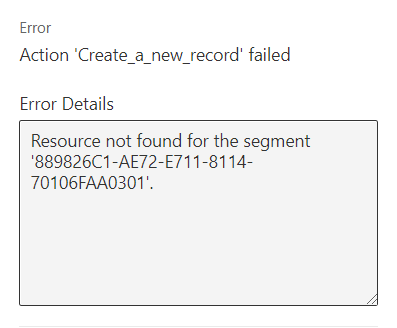
Using Common data service(Current environment) connector to create a record, if we are trying to populate lookup field we might get the below error message.
Solution:
When you use the current environment connector.
To populate a look up field, we need to specify the plural name of the entity and then the record GUID.
Eg: opportunities(GUID).
If we use the below approach, we will get the error Resource not found for the segment.
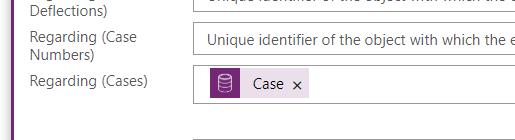
Use the below method to resolve the same.

Related posts:

Resolving SSL/TLS Secure Channel Trust Errors in Dynamics 365 Finance and Operations

How to change a Bill of material (BOM) item on a production order
![Shopify Meets Dynamics 365 Finance and Operations: A Guide to Integration [Part 2]](https://www.cloudfronts.in/wp-content/uploads/2024/12/DALL·E-2024-12-14-12.29.44-A-professional-illustration-depicting-the-integration-between-Shopify-and-Dynamics-365-Finance-and-Operations.-The-image-shows-Shopify-on-one-side-wit-150x150.webp)
Shopify Meets Dynamics 365 Finance and Operations: A Guide to Integration [Part 2]
