

Remove duplicate values from an array using Power Automate Flow
Hello everyone!
In this blog, we will demonstrate how to schedule a flow that sends emails to all the owners of opportunities using Power Automate Flow.
Scheduled flows are the best option for actions that need to be automated on a schedule and will run at a specific time or date. For instance, using this approach, you might schedule a daily data upload to Dynamics 365 or SharePoint.
Use Case: Power Automate flow sends a reminder notification to the owners of Opportunities. To avoid multiple emails being sent to the same owner, we need to remove duplicate email addresses.
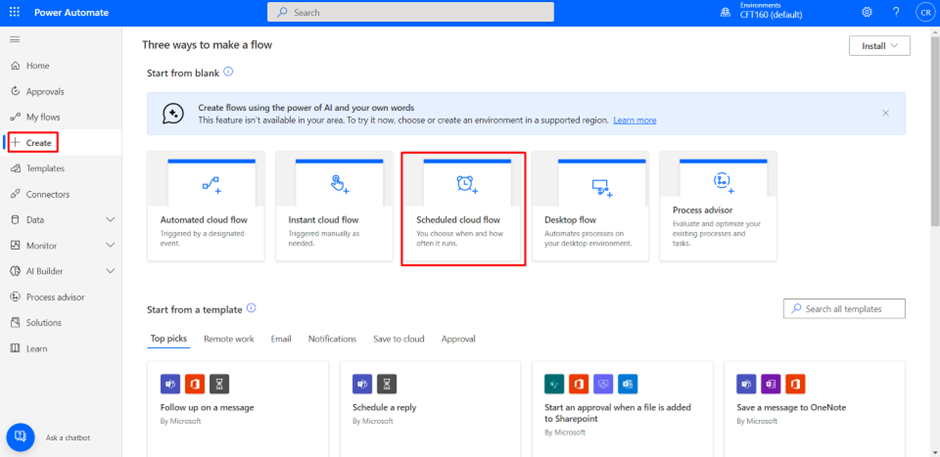
Step 1: Log in to the required Power Apps environment using URL make.powerapps.com by providing username and password, click on Create on the left-hand side as shown below, and click on Scheduled cloud Flow.
Step 2: Mention the date and time.
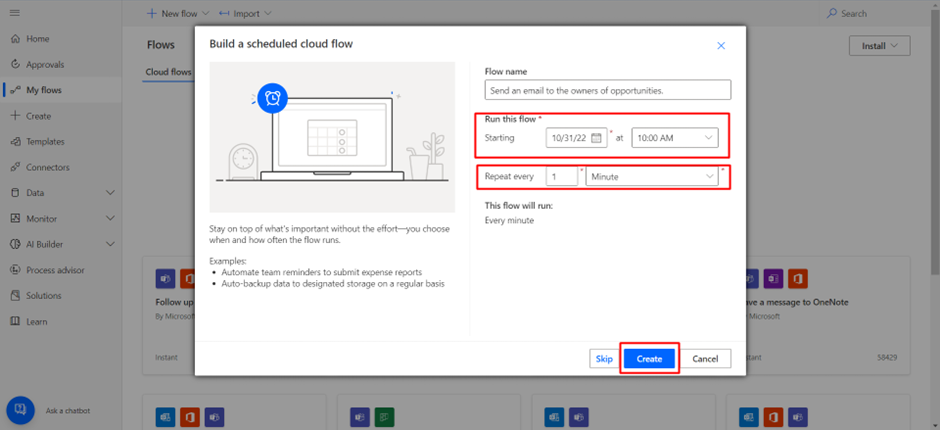
It will appear as this.
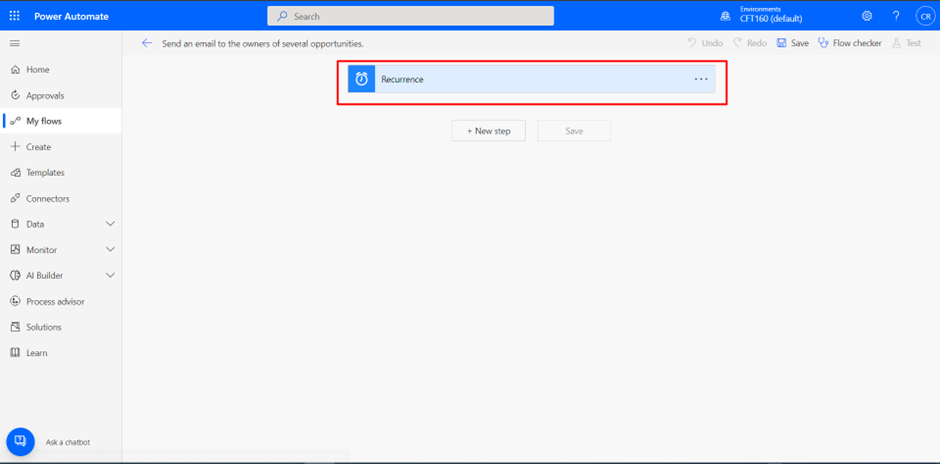
Step 3: Initialize a variable ‘Email_addresses’ of type Array which will store all the email addresses.
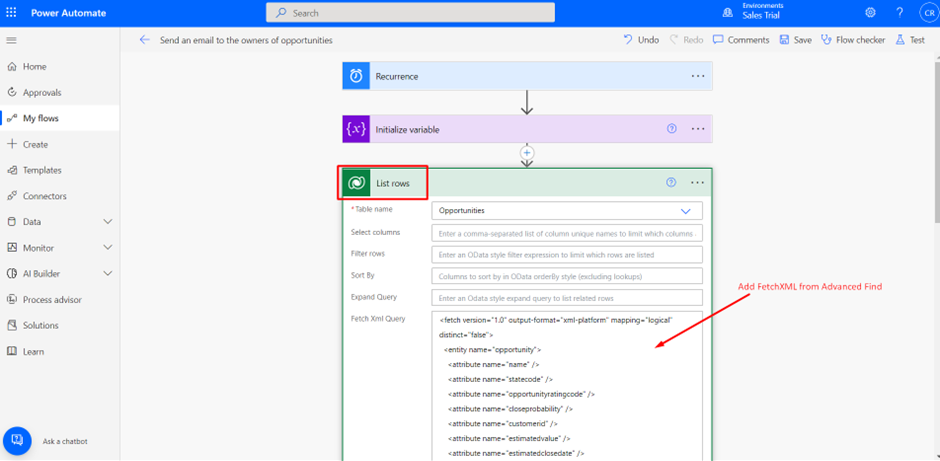
Step 4: Use List Rows to find the desired records from the required table. Select the table name. Also, I added the FetchXML code to fetch the required details of an entity.
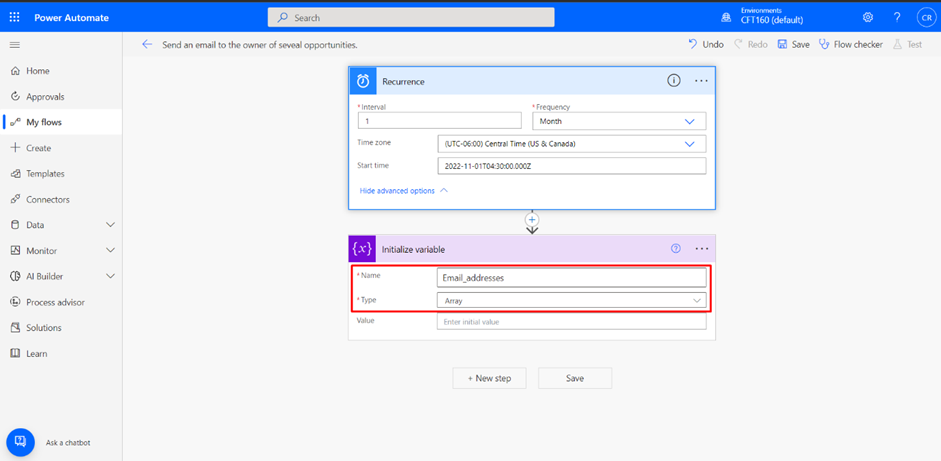
Step 5: Add an ‘Apply to Each’ loop and insert the previous step’s value. This is done so that the value in every iteration is stored in the Array Variable. Add a step of ‘Set variable’ to store the email addresses in the Array.

Step 6: Add a new step ‘Compose’ and declare an empty array. This helps to save time when comparing with larger sets.

Step 7: Apply the Union function which removes duplicate values.
union(variables(‘Email_addresses’),outputs(‘Empty_Array’))
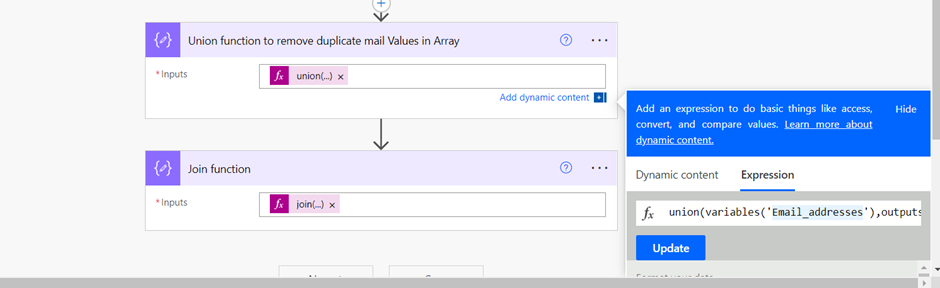
Step 8: Apply the Join function to extract the email addresses.
join(array(outputs(‘Union_function_to_remove_duplicate_mail_Values_in_Array’)),’,’)
Hope this helps!
Related posts:

Resolving SSL/TLS Secure Channel Trust Errors in Dynamics 365 Finance and Operations

How to change a Bill of material (BOM) item on a production order
![Shopify Meets Dynamics 365 Finance and Operations: A Guide to Integration [Part 2]](https://www.cloudfronts.in/wp-content/uploads/2024/12/DALL·E-2024-12-14-12.29.44-A-professional-illustration-depicting-the-integration-between-Shopify-and-Dynamics-365-Finance-and-Operations.-The-image-shows-Shopify-on-one-side-wit-150x150.webp)
Shopify Meets Dynamics 365 Finance and Operations: A Guide to Integration [Part 2]
