

Highlight Duplicate Records in Canvas PowerApps in Gallery Control
Hi All,
Let’s see how to highlight duplicate records in Gallery control what works on data source or collection.
In this example: I’ll be using a collection that I will highlight in 2 ways
- Any Records that are duplicate
- Find selected Items that are duplicate
Use-case: I want to highlight duplicate ‘Project Allocation’ entries submitted. If someone has submitted a entry that has on Same Project twice needs to be highlighted.
Step 1: I created a collection to replicate the scenario
Step 2: Add the formula in ‘Template Fill‘ property in Gallery Control.
If(
   CountRows(
      Filter(colData, Name = ThisItem.Name && Project = ThisItem.Project)
   ) > 1,
   ColorFade(ColorValue("#" & Mid(Rand(), 3, 6)), 60%),
   RGBA(0, 0, 0, 0)
)
Note: I have used random color style in my gallery, so output will be as follows
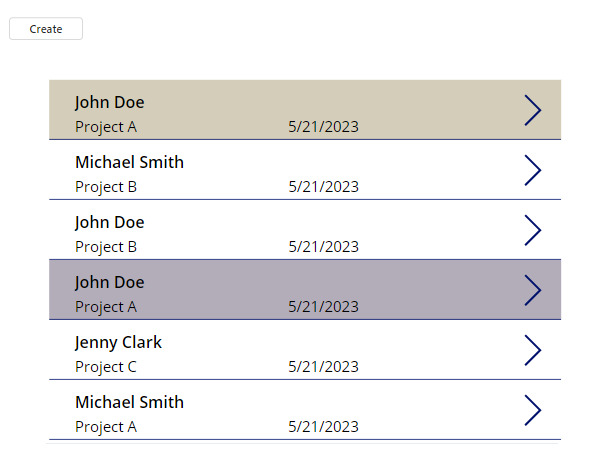
For highlight only selected items in the gallery, the code will be as follows
If(
    ThisItem.Name = Gallery1.Selected.Name,
    ColorFade(ColorValue("#" & Mid(Rand(), 3, 6)), 60%),
    RGBA(0, 0, 0, 0)
)
Therefore, output will be as follows
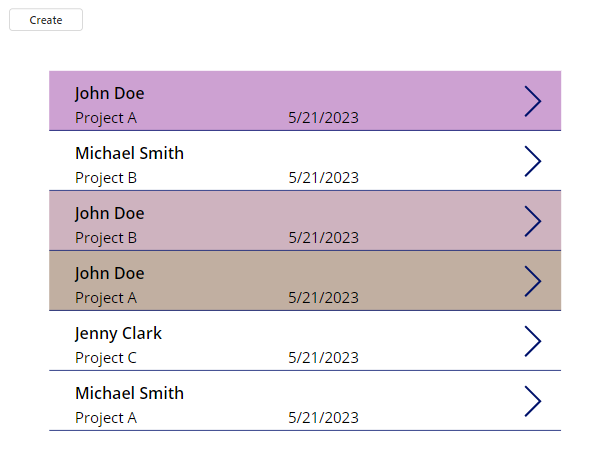
Hope this helps
Related posts:

Resolving SSL/TLS Secure Channel Trust Errors in Dynamics 365 Finance and Operations

How to change a Bill of material (BOM) item on a production order
![Shopify Meets Dynamics 365 Finance and Operations: A Guide to Integration [Part 2]](https://www.cloudfronts.in/wp-content/uploads/2024/12/DALL·E-2024-12-14-12.29.44-A-professional-illustration-depicting-the-integration-between-Shopify-and-Dynamics-365-Finance-and-Operations.-The-image-shows-Shopify-on-one-side-wit-150x150.webp)
Shopify Meets Dynamics 365 Finance and Operations: A Guide to Integration [Part 2]
