

Working with SSIS Configurations and Deployment Model
Package configurations is very important to achieve flexibility SSIS package, easy configurations allow used to changes and reuse the solutions in different environment with them customize settings and rules.
SSIS package supports different types of configurations, these package configurations is also depended on deployment model.
In this blog we will discuss about the Project Parameter configuration using the Project Deployment model.
- Let’s make the SSIS package Solution to Project Deployment model.
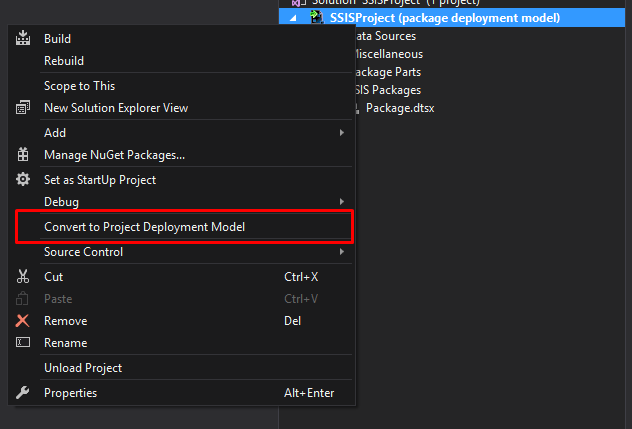
- Right Click on the SSISProject Solution Name, Click Project Deployment Model.
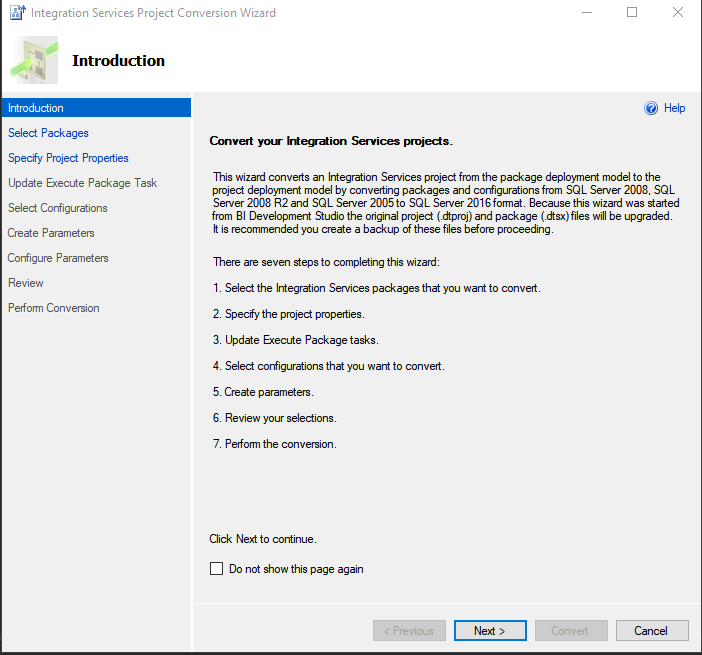
- Follow the Wizard:
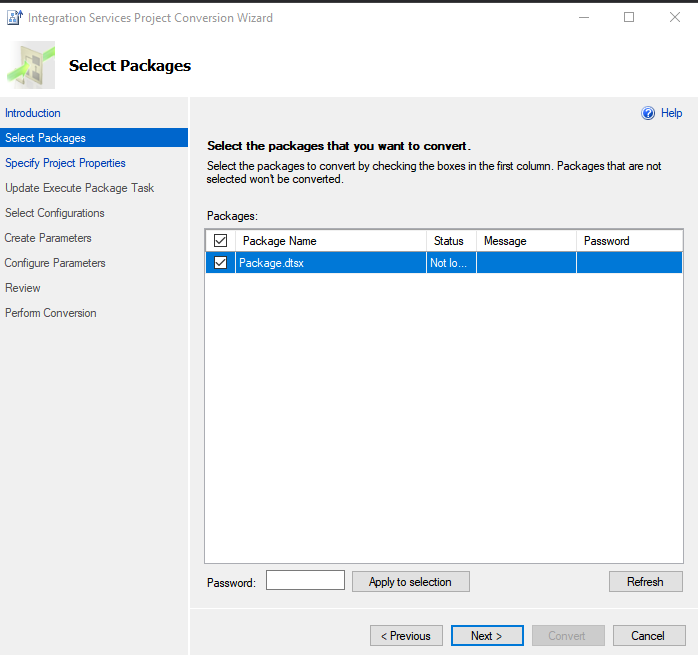
- Click Next: This will provide you list of packages that you need to convert, then click next.
- Next will be setting up the protection Layer for the Package:
- Then Click on Next and then it will convert your Solution to Project Deployment model.


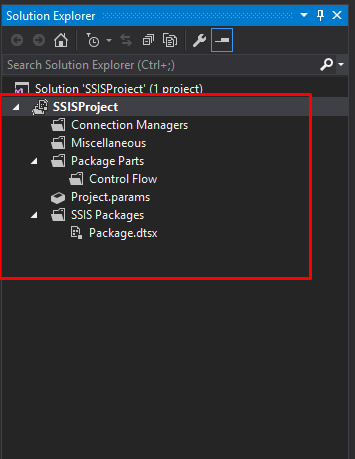
Project Deployment Model allows you to configure the package at project level, it groups the Package configurations together that allows user to easily configure Parameter.
Related posts:

Resolving SSL/TLS Secure Channel Trust Errors in Dynamics 365 Finance and Operations

How to change a Bill of material (BOM) item on a production order
![Shopify Meets Dynamics 365 Finance and Operations: A Guide to Integration [Part 2]](https://www.cloudfronts.in/wp-content/uploads/2024/12/DALL·E-2024-12-14-12.29.44-A-professional-illustration-depicting-the-integration-between-Shopify-and-Dynamics-365-Finance-and-Operations.-The-image-shows-Shopify-on-one-side-wit-150x150.webp)
Shopify Meets Dynamics 365 Finance and Operations: A Guide to Integration [Part 2]
