

Top-N Questions & Answers in Power BI
Introduction:
With the latest update of Power BI, you can now ask top-n type questions and get answers based on your dataset. Questions like ‘What are the top 3 products by sales?’ or ‘Top Manufacturer by country’ are examples.
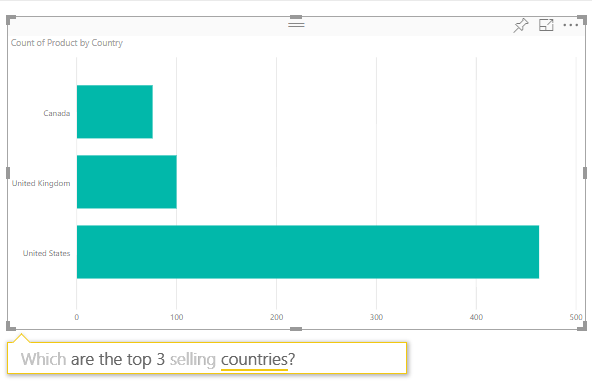
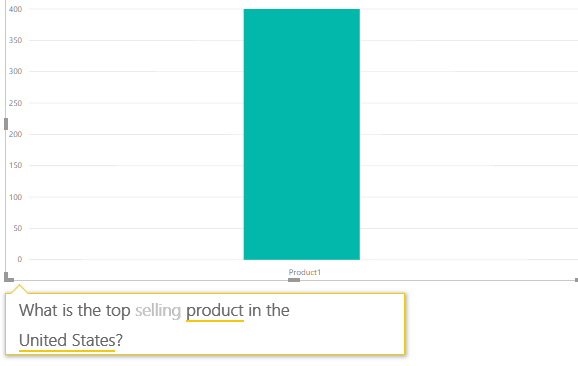
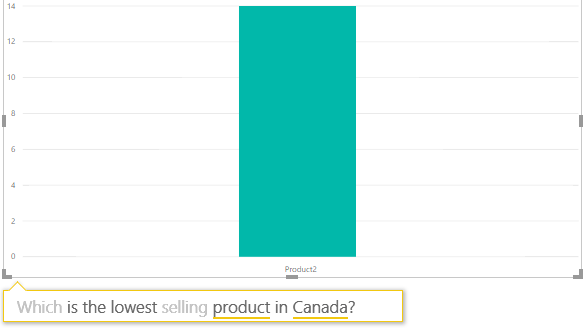
This is also valid for bottom-n type questions like ‘Least selling product in a country’.
Steps:
1. Go to your PowerBI Workspace and select your report.
2. Click on the ‘Edit’ button.
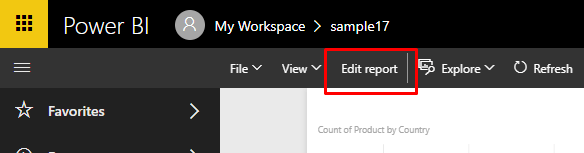
3. Select ‘Ask a question’.
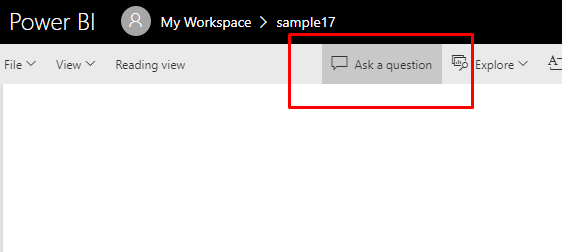
4. Type in your question and the visualization will form with the answer based on your dataset.
5. Make changes to your Axis, Legend and Value fields if required.
Conclusion:
This feature enables the User to obtain important information from the dataset quickly and easily using natural language thereby enhancing the capability of Power BI to provide self-serving business intelligence.
Related posts:

Resolving SSL/TLS Secure Channel Trust Errors in Dynamics 365 Finance and Operations

How to change a Bill of material (BOM) item on a production order
![Shopify Meets Dynamics 365 Finance and Operations: A Guide to Integration [Part 2]](https://www.cloudfronts.in/wp-content/uploads/2024/12/DALL·E-2024-12-14-12.29.44-A-professional-illustration-depicting-the-integration-between-Shopify-and-Dynamics-365-Finance-and-Operations.-The-image-shows-Shopify-on-one-side-wit-150x150.webp)
Shopify Meets Dynamics 365 Finance and Operations: A Guide to Integration [Part 2]
