

Gain Business Insights faster by generating Power BI Reports quickly with just 1 click in Dataverse
Hi All,
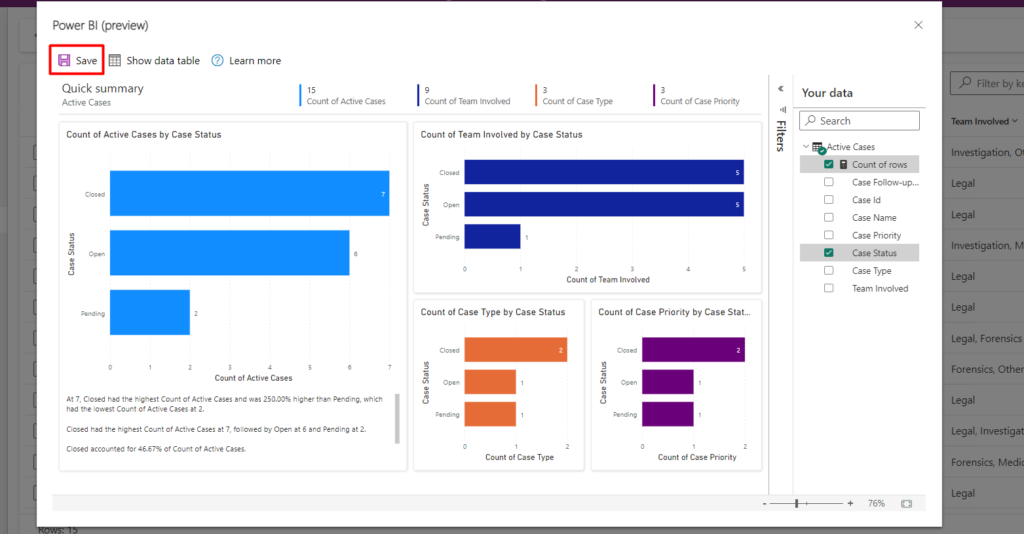
I’m going to show a useful feature that you can leverage to view and create instant Power BI visuals that is generated automatically based on the current view.
Just an example: How it looks
Steps to achieve this:
Step 1: You need to enable this feature in Model-Driven App itself
Edit Model-Driven App -> Settings -> Features -> ‘Enable Power BI quick report visualization on a table‘. Save and publish the settings
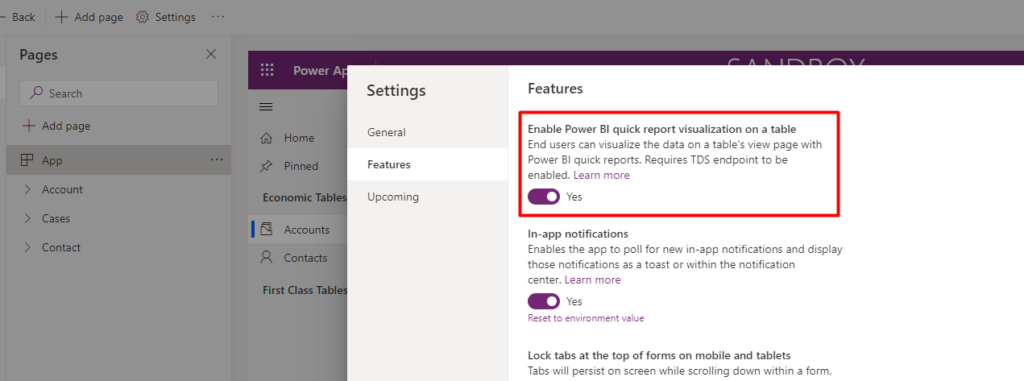
Note: You also need ‘TDS endpoint‘ enabled in the environment feature settings
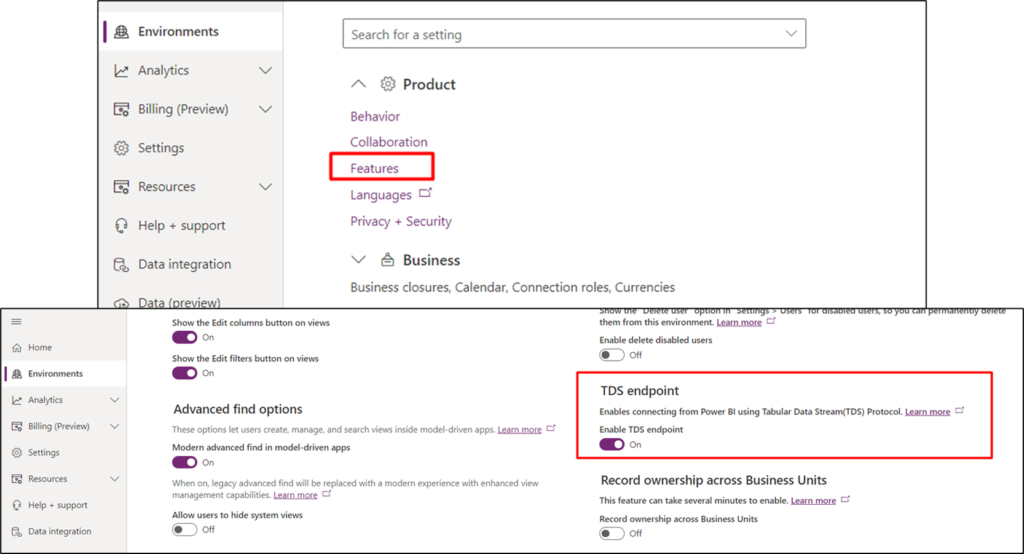
Step 2: Refresh your browser and navigate to any table records view ( I took cases in the example)
Step 3: Click the ‘Visualize this view‘ button on the command bar
Note: You need to add the necessary columns in the current view if you want to show those columns in Power BI Reports
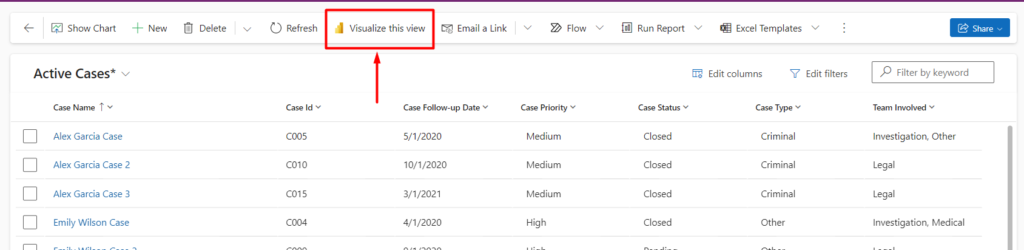
Step 4: You can now see the Report generated automatically within a few mins.
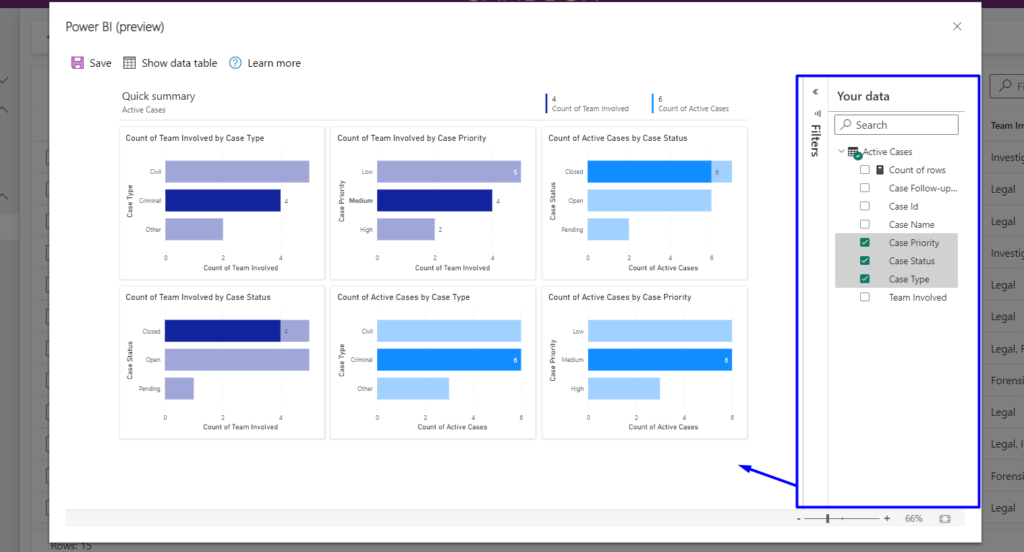
You can save these Reports if all necessary information is displayed here.
Hope this helped you get faster Business Insights with auto-generated Power BI visuals.
Related posts:

Resolving SSL/TLS Secure Channel Trust Errors in Dynamics 365 Finance and Operations

How to change a Bill of material (BOM) item on a production order
![Shopify Meets Dynamics 365 Finance and Operations: A Guide to Integration [Part 2]](https://www.cloudfronts.in/wp-content/uploads/2024/12/DALL·E-2024-12-14-12.29.44-A-professional-illustration-depicting-the-integration-between-Shopify-and-Dynamics-365-Finance-and-Operations.-The-image-shows-Shopify-on-one-side-wit-150x150.webp)
Shopify Meets Dynamics 365 Finance and Operations: A Guide to Integration [Part 2]
