

Add rows to Power BI dataset for date range
Hi in this blog we will see how we can add rows to power bi dataset for a given date range.
For example if you have a dataset which has start and end date and you want rows for each date between this range then this blog will help you.
Step 1:
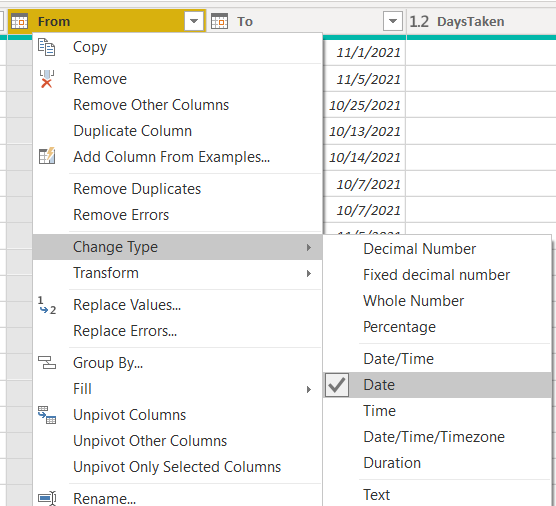
Open Power BI load your dataset and go to transform data. Right click on your from date column and change its type to date.
Step 2:
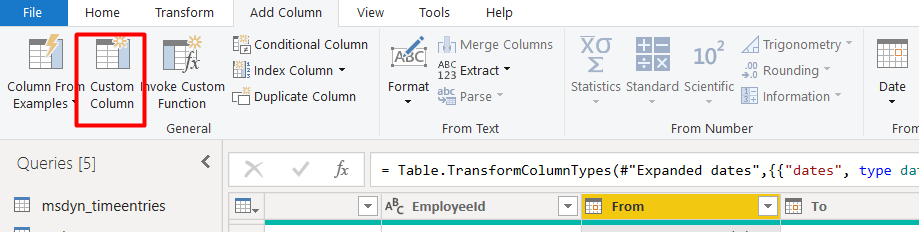
From add columns click on custom column
Step 3:
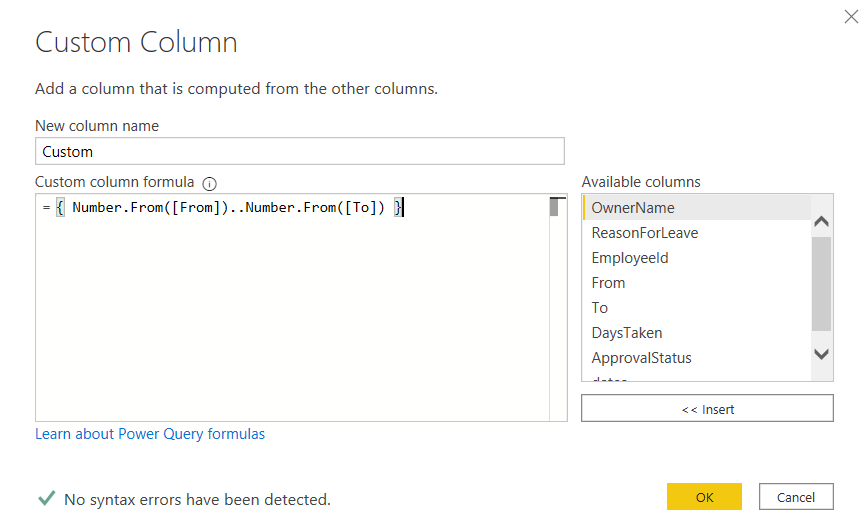
In custom column formula add following code:
{ Number.From([From])..Number.From([To]) }
Step 4:
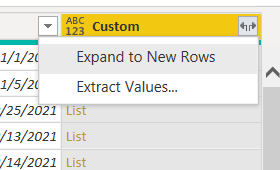
Expand this column to new rows to get your result.
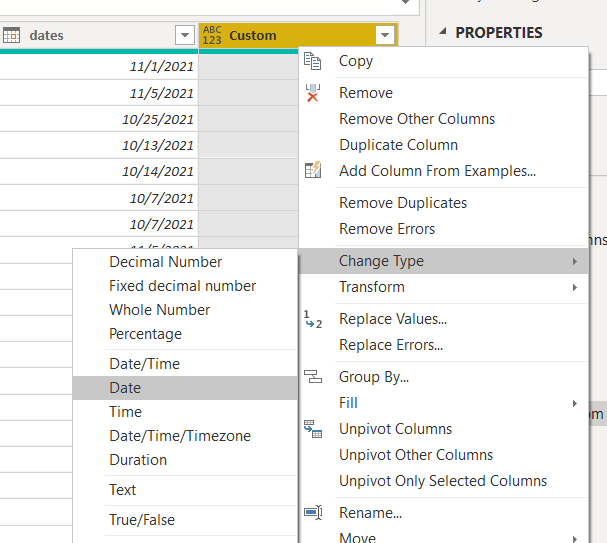
Step 5:
Change the datatype of this column to date.
In this way you can prepare your dataset for all the dates present in your From and To column.
Hope this helps.
Related posts:

Resolving SSL/TLS Secure Channel Trust Errors in Dynamics 365 Finance and Operations

How to change a Bill of material (BOM) item on a production order
![Shopify Meets Dynamics 365 Finance and Operations: A Guide to Integration [Part 2]](https://www.cloudfronts.in/wp-content/uploads/2024/12/DALL·E-2024-12-14-12.29.44-A-professional-illustration-depicting-the-integration-between-Shopify-and-Dynamics-365-Finance-and-Operations.-The-image-shows-Shopify-on-one-side-wit-150x150.webp)
Shopify Meets Dynamics 365 Finance and Operations: A Guide to Integration [Part 2]
