

Hide Tab using JavaScript
Introduction :
In this blog we will see how to hide tab using JavaScript.

Implementation :
Step 1 : Javascript for hiding tab :
var hideTab ={
hideTabs: function (executionContext)
{

          var formContext = executionContext.getFormContext();
            formContext.ui.tabs.get("OpportunityLinesTab").setVisible(false);
    },
};
Step 2 : Upload script on load of form -> ok -> Save and Publish .

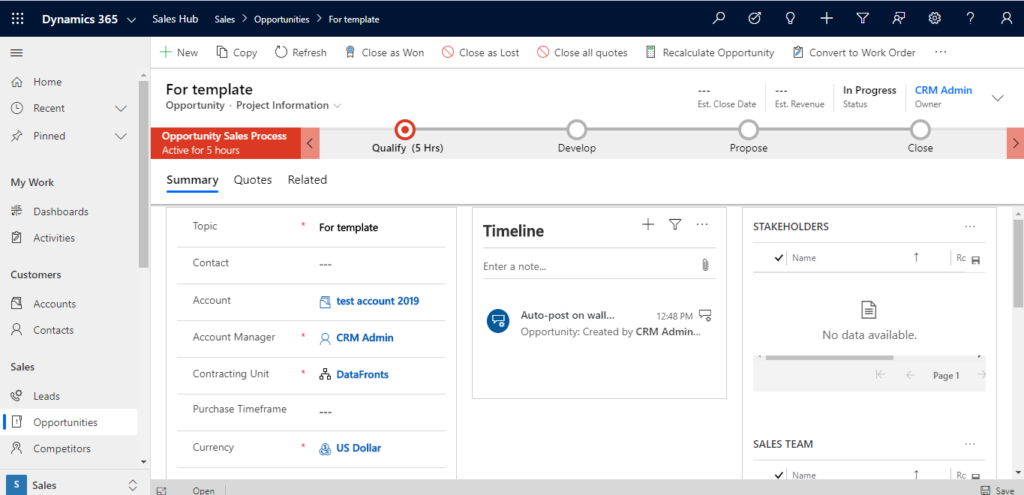
Result :
Hope this helps
Related posts:

Resolving SSL/TLS Secure Channel Trust Errors in Dynamics 365 Finance and Operations

How to change a Bill of material (BOM) item on a production order

How to Set Up a Local Development Environment for D365 Finance and Operations Without Azure Costs
![Shopify Meets Dynamics 365 Finance and Operations: A Guide to Integration [Part 2]](https://www.cloudfronts.in/wp-content/uploads/2024/12/DALL·E-2024-12-14-12.29.44-A-professional-illustration-depicting-the-integration-between-Shopify-and-Dynamics-365-Finance-and-Operations.-The-image-shows-Shopify-on-one-side-wit-150x150.webp)
