

Setting up email-based alert notifications for Integration Project in CDS
Error handling is very important part of any integration project, it is also very important to fix the issue when it is recognized, so it is very important to take action to resolve it earliest.
In the Integration project of CDS we can setup email alert option in following way.
- First go to Admin Center
- Go to Data Integration -> Select the project -> Go to Scheduling
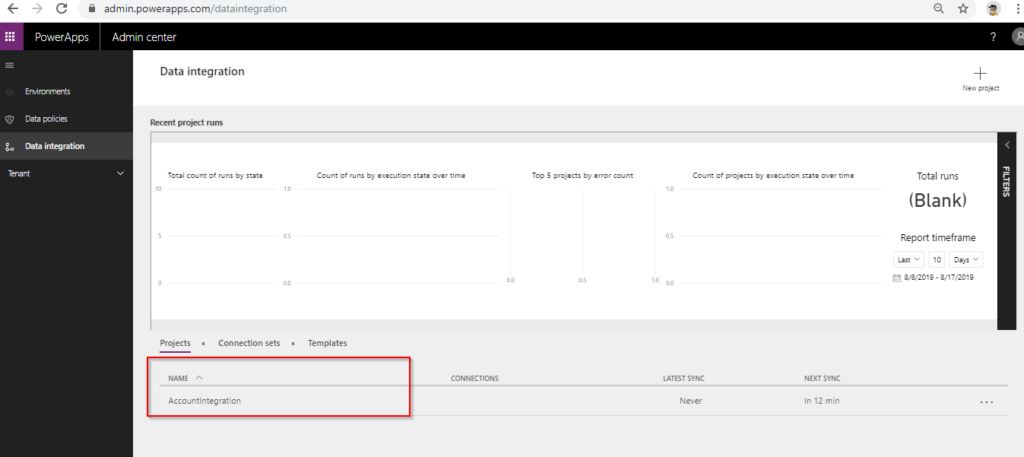

- Following window will appear
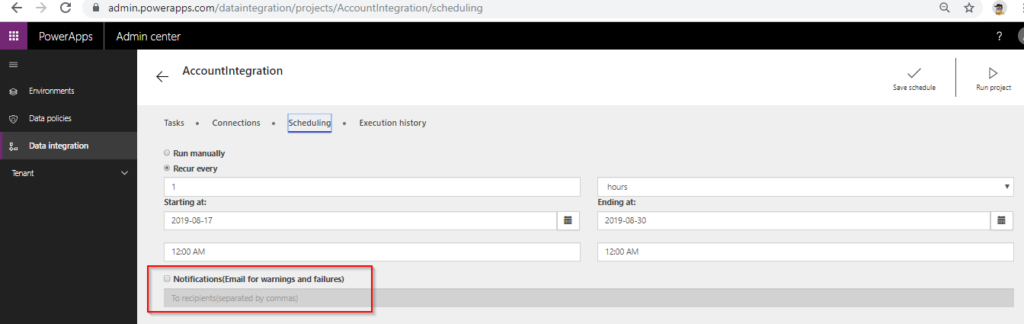
- Tick the checkbox and specify the email address on which we wanted to receive the alerts and click on save.
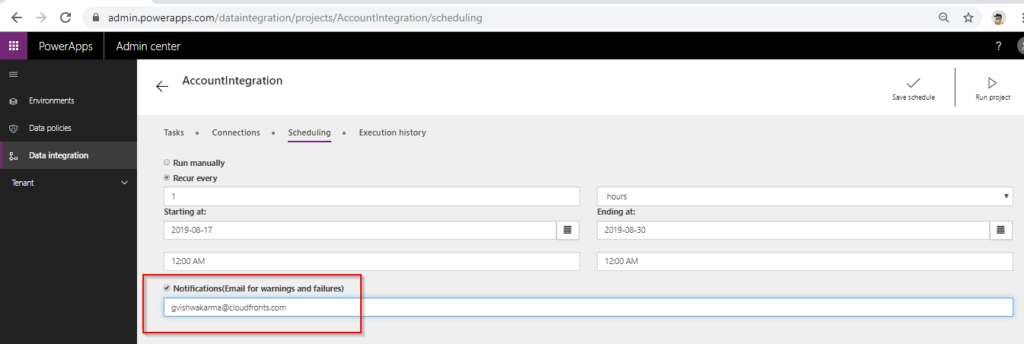
In this way we can set up the email alert notification for Integration progress in CDS.
Related posts:

Resolving SSL/TLS Secure Channel Trust Errors in Dynamics 365 Finance and Operations

How to change a Bill of material (BOM) item on a production order

How to Set Up a Local Development Environment for D365 Finance and Operations Without Azure Costs
![Shopify Meets Dynamics 365 Finance and Operations: A Guide to Integration [Part 2]](https://www.cloudfronts.in/wp-content/uploads/2024/12/DALL·E-2024-12-14-12.29.44-A-professional-illustration-depicting-the-integration-between-Shopify-and-Dynamics-365-Finance-and-Operations.-The-image-shows-Shopify-on-one-side-wit-150x150.webp)
