

How to create AX (D365 F&0) Connection in SSIS
Introduction:
Creating a Connection is one of the first Steps during integration of data. While performing Integration with AX or more specifically Dynamics 365 for Finance and Operations create a connection using the following steps.
Step 1:
Right Click on Connection Managers and click on New Connection Manager.
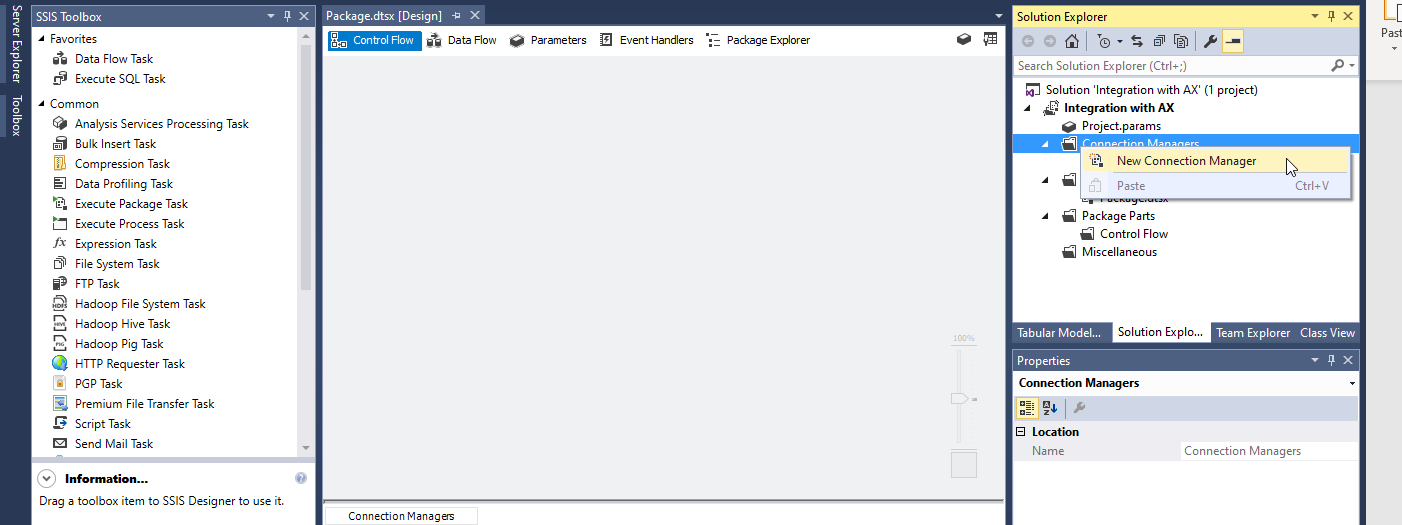
Choose the Dynamics CRM option.
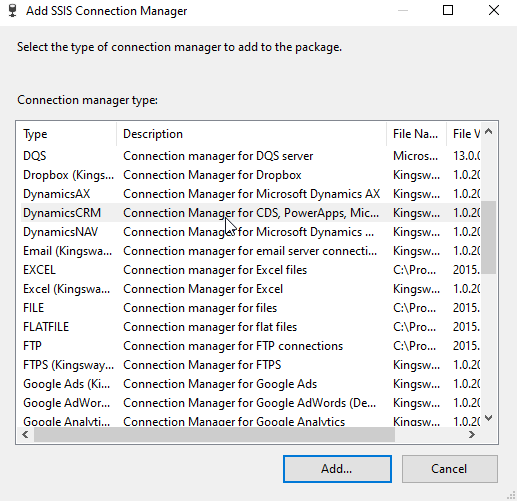
Step 2:
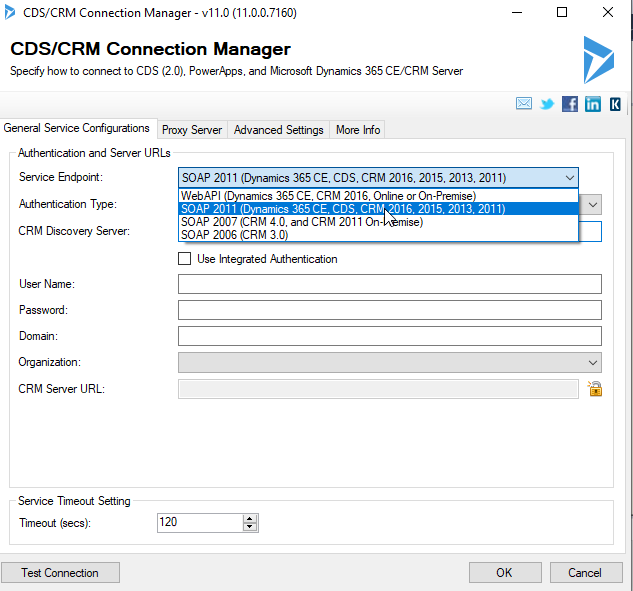
Choose the SOAP 2011 Option for Service Endpoint option.
Step 3:
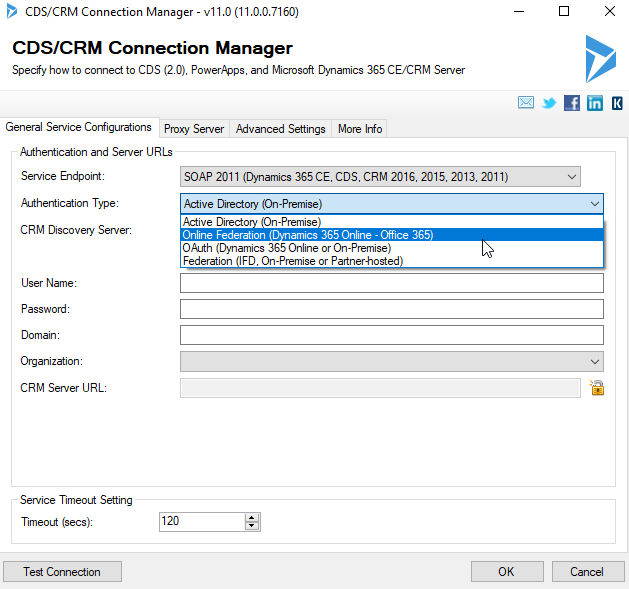
Choose the Online Federation for Authentication Type option.
Step 4:
In the CRM Discovery Option copy the endpoint address from Settings > Customizations > Developer Resources > Copy Endpoint Address.
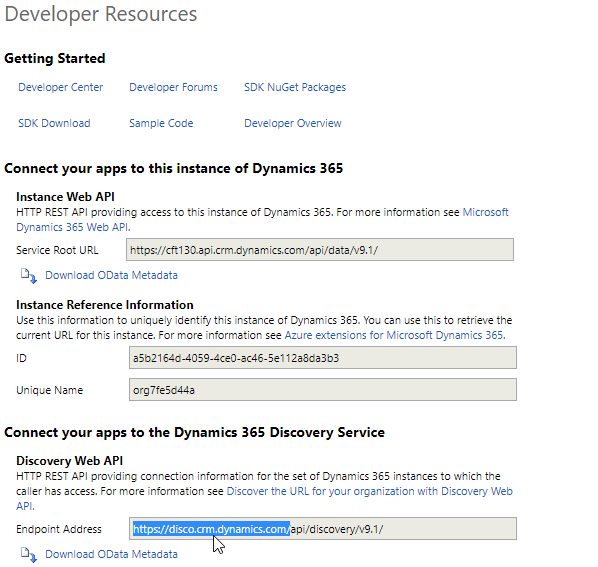
Step 5:
Paste this in CRM Discovery Section. Enter the Username and Password of your CRM account.

Step 6:
Choose the required organization from the dropdown.
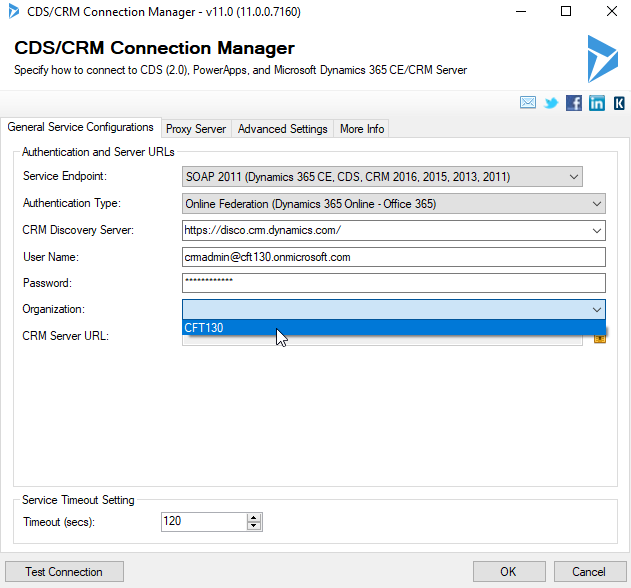
Step 7:
Click on Test Connection and then OK after successful testing.

Conclusion:
Thus we have successfully created a connection with Dynamics CRM and we can now Integrate data using it a source /destination.
Related posts:

Resolving SSL/TLS Secure Channel Trust Errors in Dynamics 365 Finance and Operations

How to change a Bill of material (BOM) item on a production order

How to Set Up a Local Development Environment for D365 Finance and Operations Without Azure Costs
![Shopify Meets Dynamics 365 Finance and Operations: A Guide to Integration [Part 2]](https://www.cloudfronts.in/wp-content/uploads/2024/12/DALL·E-2024-12-14-12.29.44-A-professional-illustration-depicting-the-integration-between-Shopify-and-Dynamics-365-Finance-and-Operations.-The-image-shows-Shopify-on-one-side-wit-150x150.webp)
