

Find hidden entities in CRM using Metadata Document generator from XRM ToolBox
Problem Statement: I had a requirement where I needed to check the fields on the Entity POST, however in CRM customization, I could not find the entity POST though it was visible in advanced Find.
Solution: To view all the data related to any hidden field, you can use the Metadata Generator in XRM Toolbox
- Connect to your environment on XRM Toolbox.
- Search for Metadata Document Generator
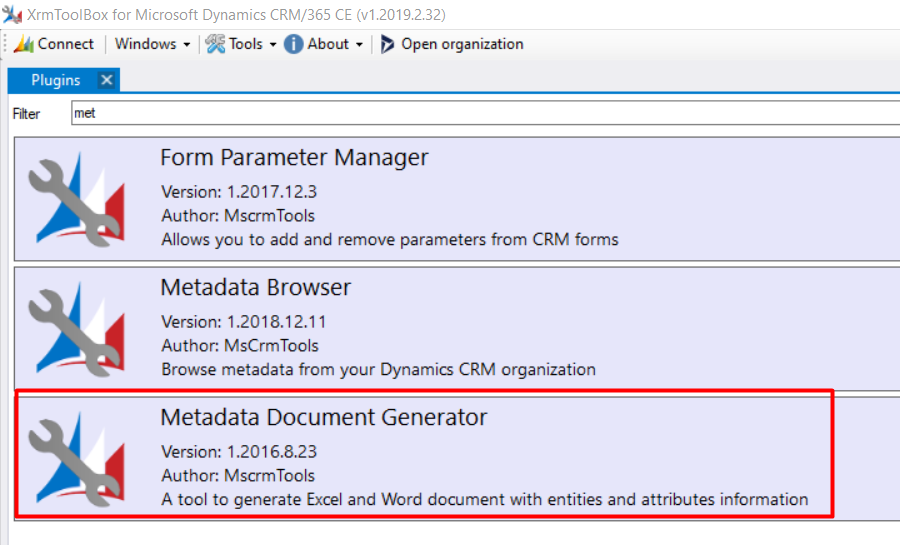
- In Metadata Document Generator:
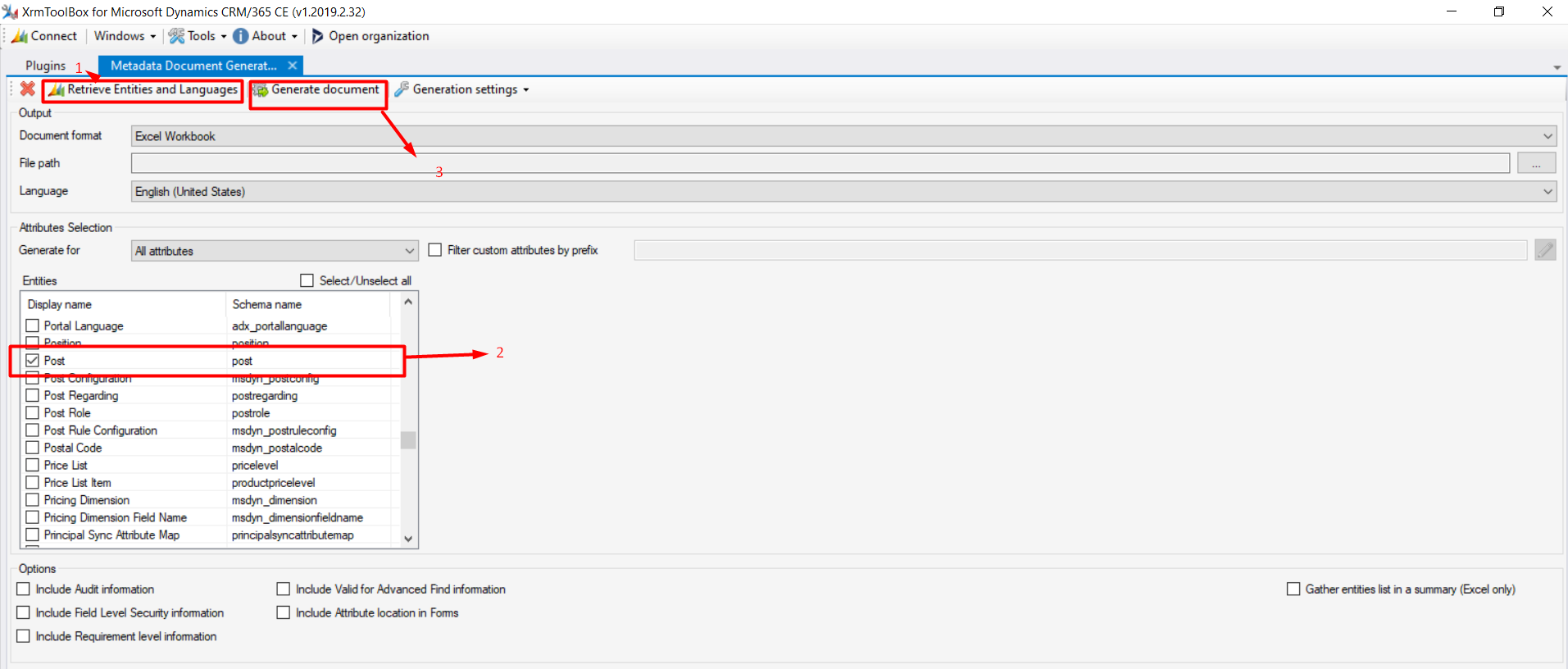
- Retrieve Entities and languages
- Select the entity you want to generate metadata for and enter the file path of the excel document where the data needs to be stored.
- Generate Document
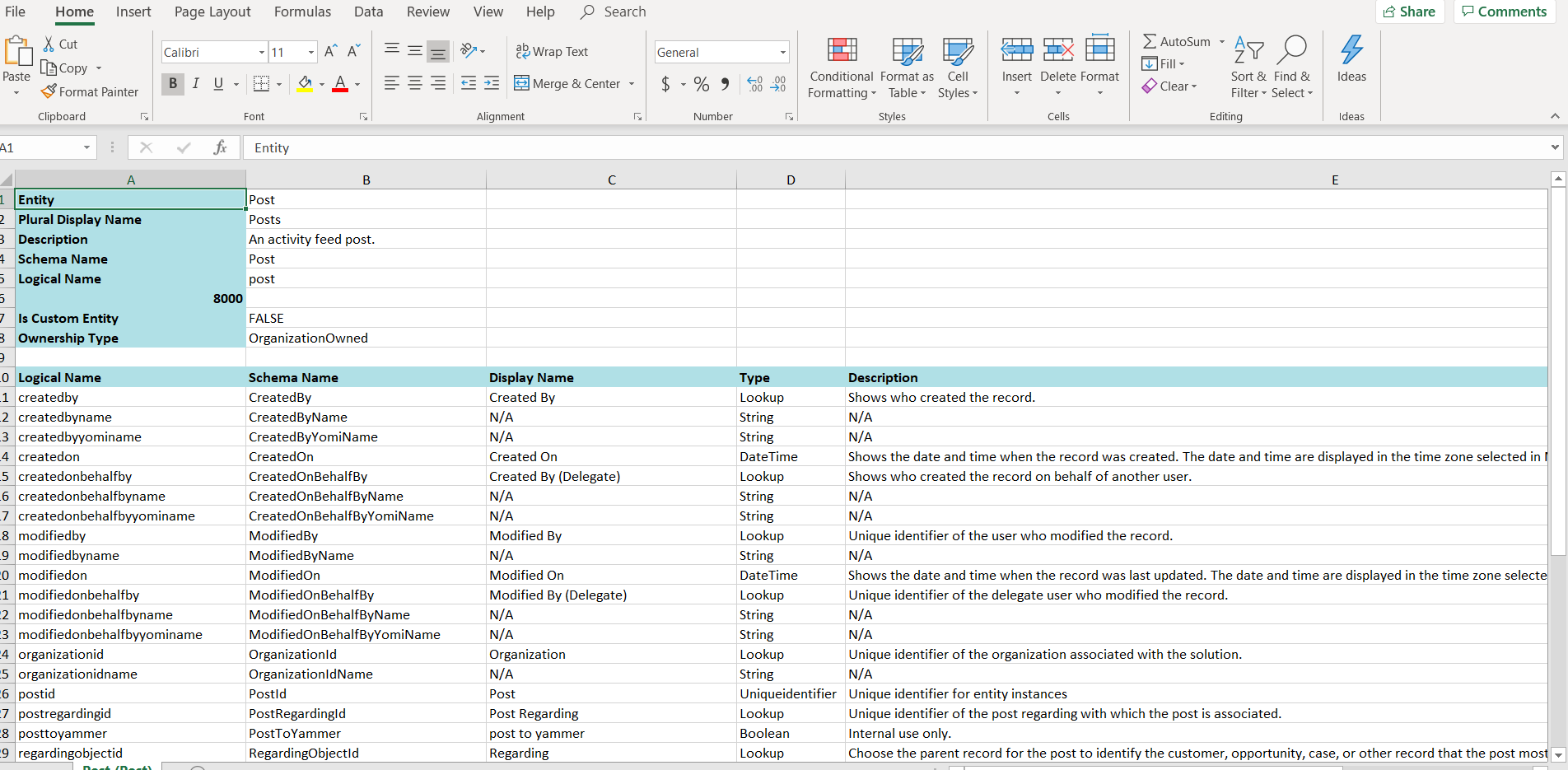
4. Open the document, you will be able to see all the data related to the Entity.
Conclusion: XRM Toolbox- Metadata Generator is helpful in case the entity cannot be viewed in CRM.
Related posts:

Resolving SSL/TLS Secure Channel Trust Errors in Dynamics 365 Finance and Operations

How to change a Bill of material (BOM) item on a production order
![Shopify Meets Dynamics 365 Finance and Operations: A Guide to Integration [Part 2]](https://www.cloudfronts.in/wp-content/uploads/2024/12/DALL·E-2024-12-14-12.29.44-A-professional-illustration-depicting-the-integration-between-Shopify-and-Dynamics-365-Finance-and-Operations.-The-image-shows-Shopify-on-one-side-wit-150x150.webp)
Shopify Meets Dynamics 365 Finance and Operations: A Guide to Integration [Part 2]
