

Document Location Merge Duplicate
Introduction:
If you have duplicate records, you end up merging the records. What happens to the documents that are present on these records.
Solution:
We have two Contacts, one with Word “My doc” attachment and other with Word “Test” attachment.
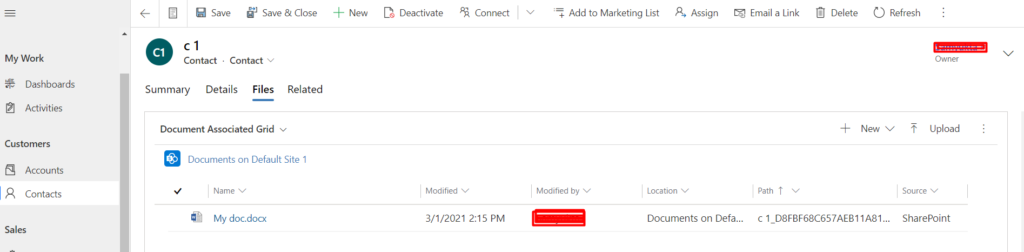
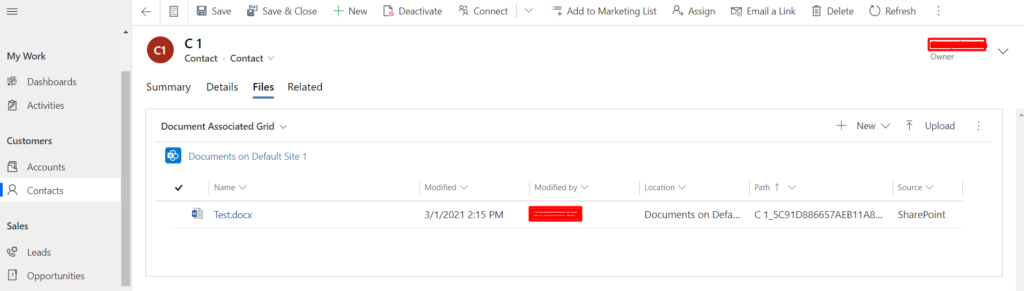
When we merge the two records and select C 1 as master record. The record c2 will be set as Inactive and the master record will have two document locations.
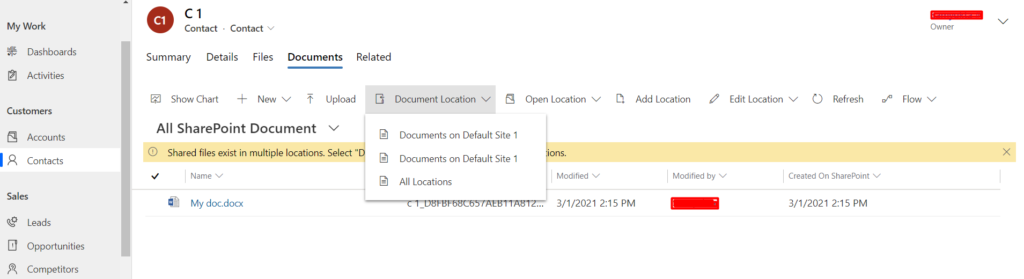
That is how merge works for Documents. Hope this was helpful!
Related posts:

Resolving SSL/TLS Secure Channel Trust Errors in Dynamics 365 Finance and Operations

How to change a Bill of material (BOM) item on a production order
![Shopify Meets Dynamics 365 Finance and Operations: A Guide to Integration [Part 2]](https://www.cloudfronts.in/wp-content/uploads/2024/12/DALL·E-2024-12-14-12.29.44-A-professional-illustration-depicting-the-integration-between-Shopify-and-Dynamics-365-Finance-and-Operations.-The-image-shows-Shopify-on-one-side-wit-150x150.webp)
Shopify Meets Dynamics 365 Finance and Operations: A Guide to Integration [Part 2]
