

Error “A reference to ‘xyz ‘ is required to compile this module” solution
Many of the time while building project/solution we came across the “reference is required to compile this module error”. The reason behind this error is that your module’s reference package is missing the required package.
In error itself, the missing module can be rectified as shown for example in following screenshot reference to “SourceDocumentationTypes” is not made.

Now you have to add a missing reference to your module as follows:
- Select Update model Parameters from Dynamics 365 >>Model Management>>Update model Parameter
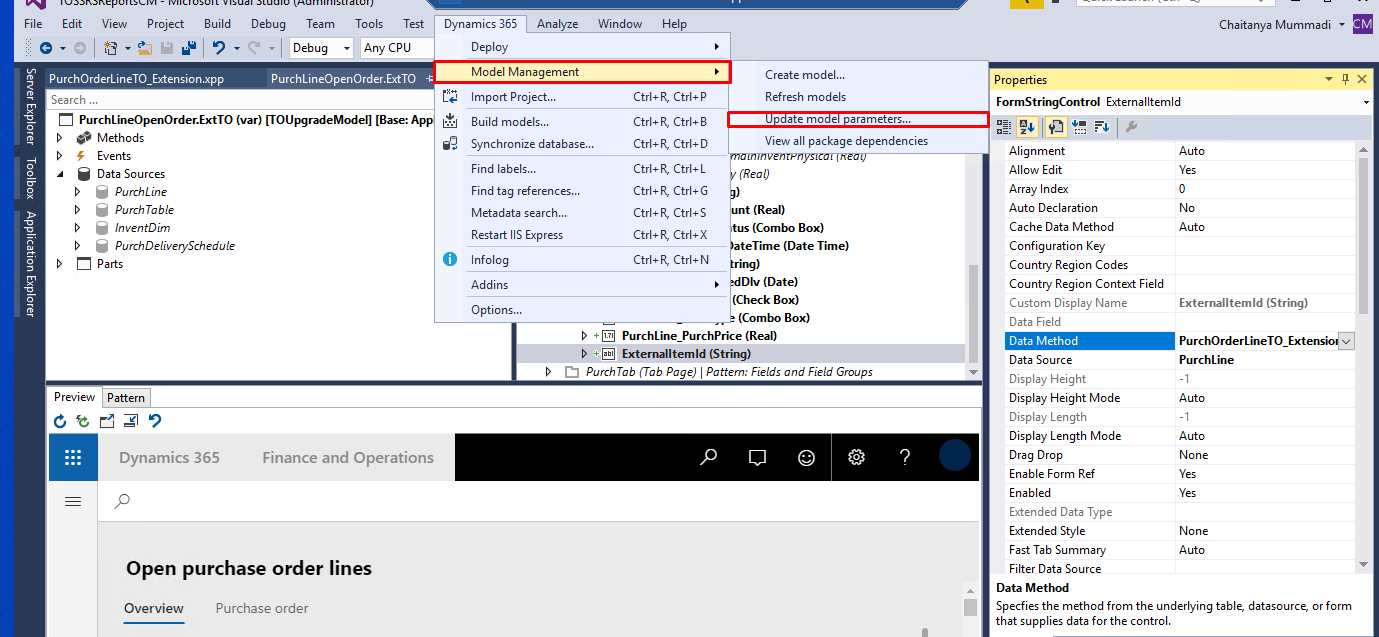
- Now select the required model name from the model list and click on Next.
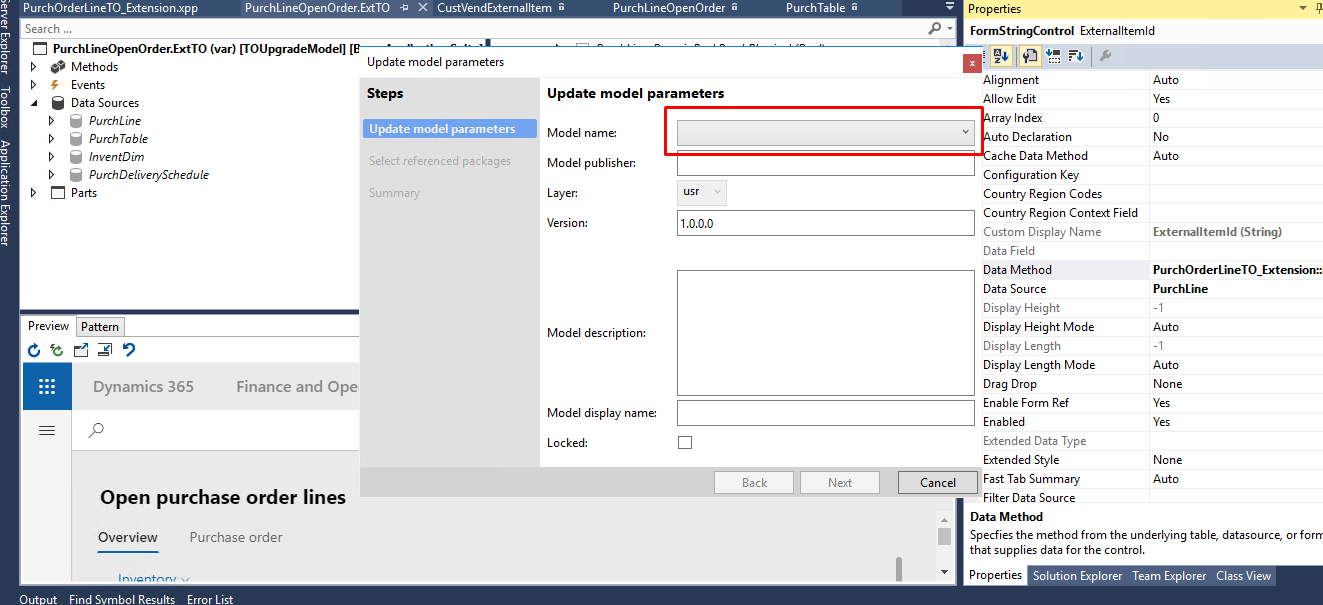
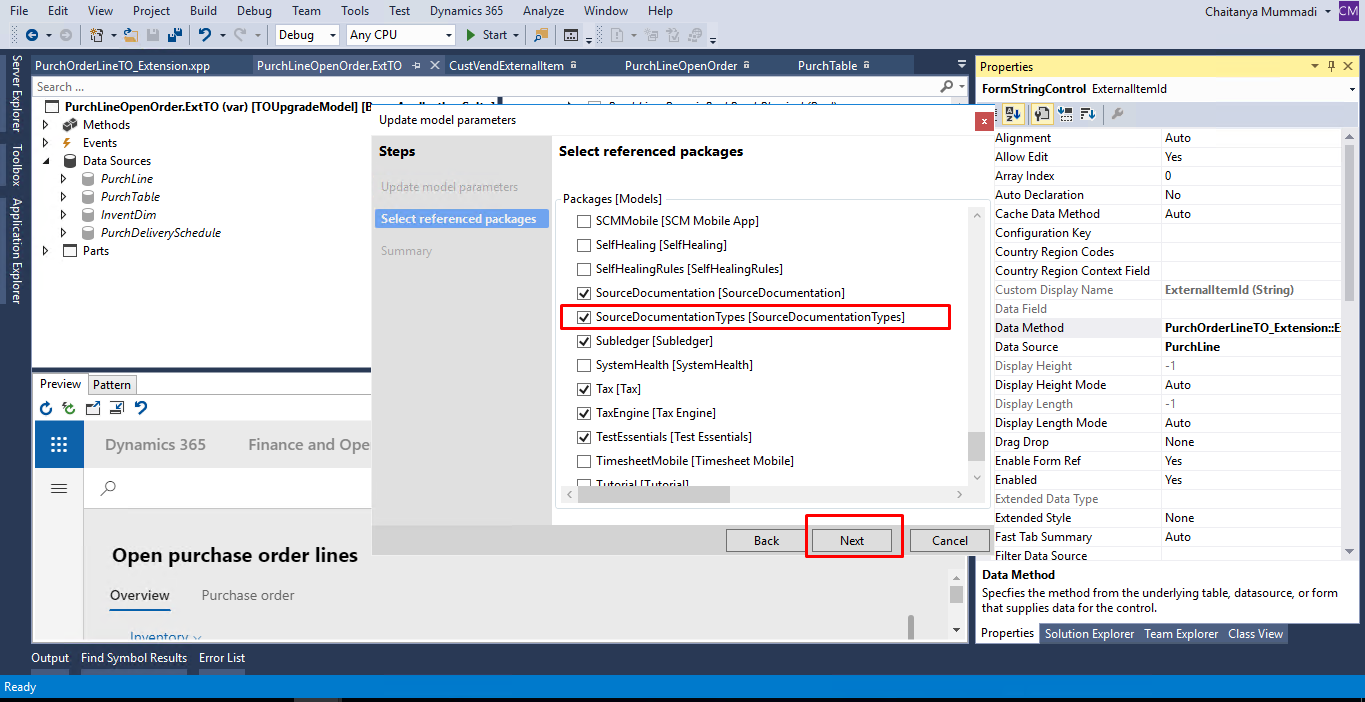
- Now make sure to select the checkbox in front of a required reference from reference packages (In our case SourceDocumentationTypes reference was not there ) and click on next.
- Now click on finish.
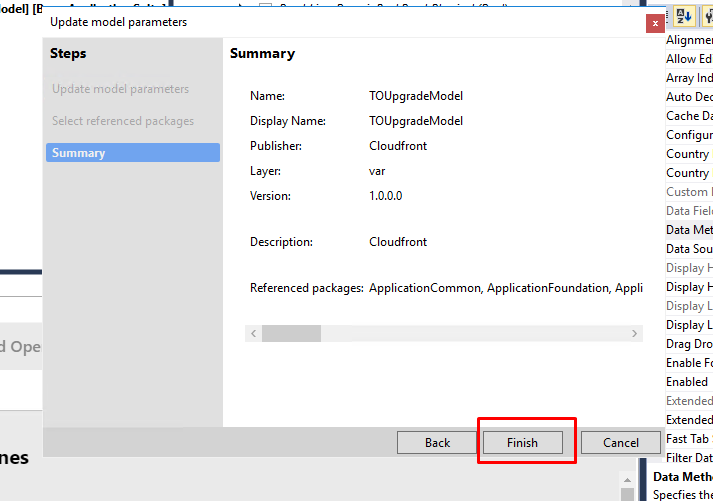 Now after attaching a reference to the package build package/Solution and you have solved your error.
Related posts:

Resolving SSL/TLS Secure Channel Trust Errors in Dynamics 365 Finance and Operations

How to change a Bill of material (BOM) item on a production order

How to Set Up a Local Development Environment for D365 Finance and Operations Without Azure Costs
![Shopify Meets Dynamics 365 Finance and Operations: A Guide to Integration [Part 2]](https://www.cloudfronts.in/wp-content/uploads/2024/12/DALL·E-2024-12-14-12.29.44-A-professional-illustration-depicting-the-integration-between-Shopify-and-Dynamics-365-Finance-and-Operations.-The-image-shows-Shopify-on-one-side-wit-150x150.webp)
