

Disable field on change of tab in D365 CE
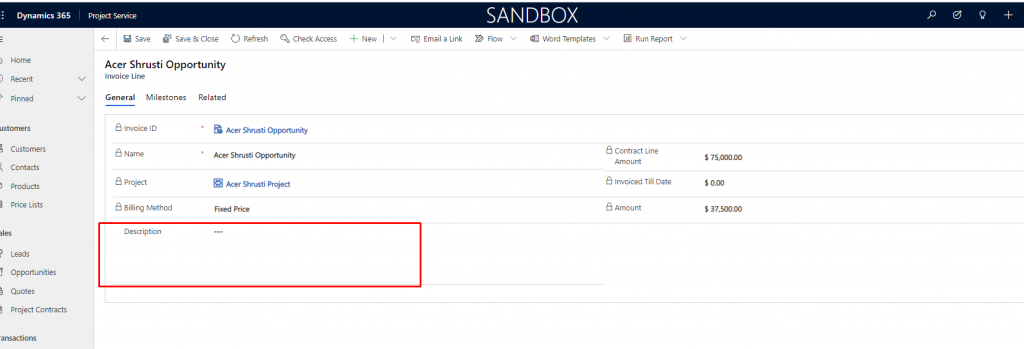
Use case – Our requirement is to enable field description field on invoice line form on clicking of tab General.
Let’s see how we can achieve this
Solution –
Step 1 – Create web resource with below function-
 var invoiceLineCustomization =
 {
     unlockField : function(executionContext)
     {
         var formContext = executionContext.getFormContext();
            formContext.getControl("description").setDisabled(false);
     },
 }
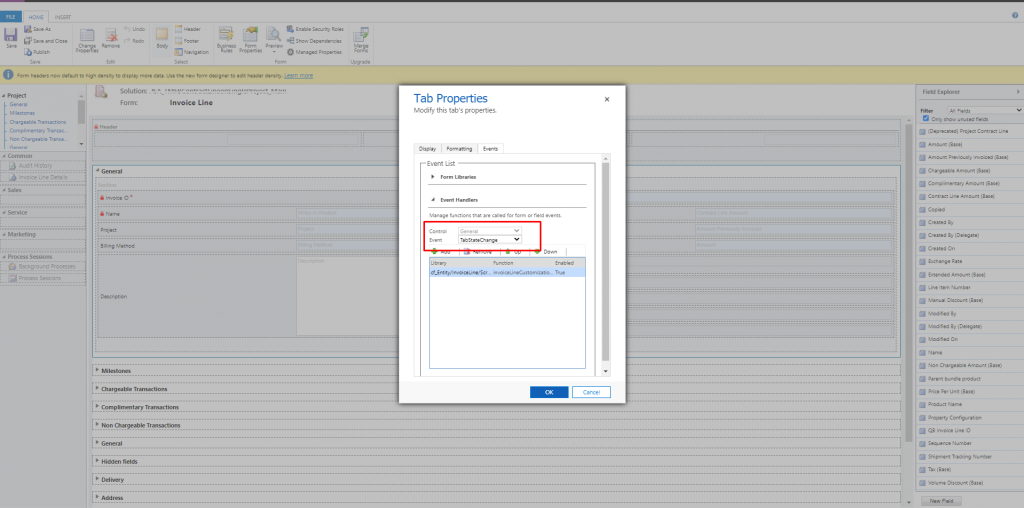
Step 2: Add this web resource on tab property event TabStateChange and try.
(path to go to event tab – Click on tab -> change properties -> event)
Output –
Hope this helps !
Related posts:

Resolving SSL/TLS Secure Channel Trust Errors in Dynamics 365 Finance and Operations

How to change a Bill of material (BOM) item on a production order

How to Set Up a Local Development Environment for D365 Finance and Operations Without Azure Costs
![Shopify Meets Dynamics 365 Finance and Operations: A Guide to Integration [Part 2]](https://www.cloudfronts.in/wp-content/uploads/2024/12/DALL·E-2024-12-14-12.29.44-A-professional-illustration-depicting-the-integration-between-Shopify-and-Dynamics-365-Finance-and-Operations.-The-image-shows-Shopify-on-one-side-wit-150x150.webp)
