

Send D365 Email Using Power Automate
Introduction:
Searching Power Automate connectors for Send Email Step available in Workflow?
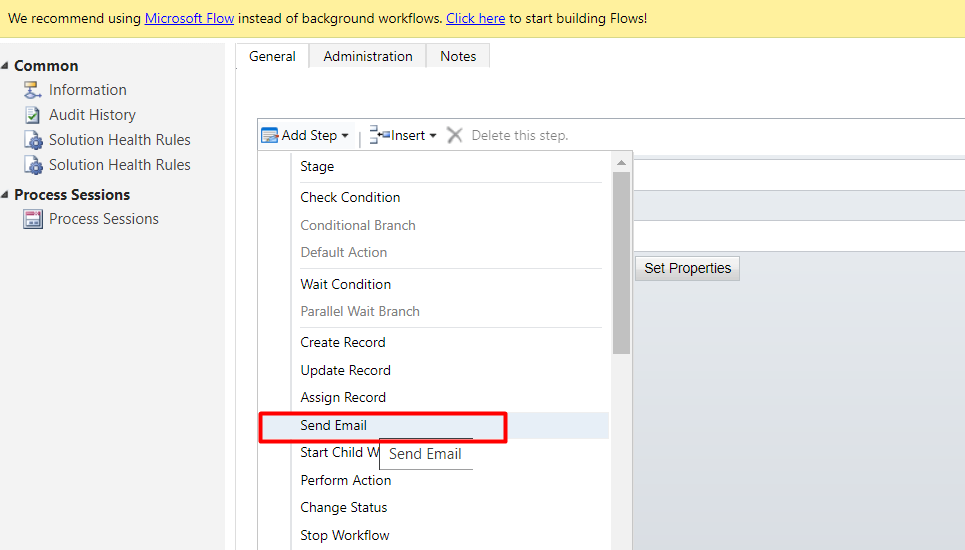
Follow the below steps to send Email from Power Automate .
1)Go to Common Data Service(Current Environment)Connector.
Select Create a new record, Entity: Email Messages
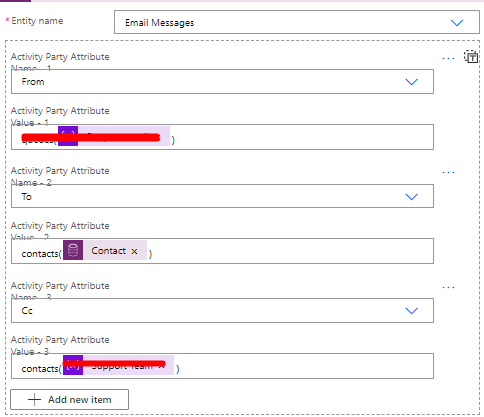
Add Activity Party Attributes, Email Body, Subject and set regarding.
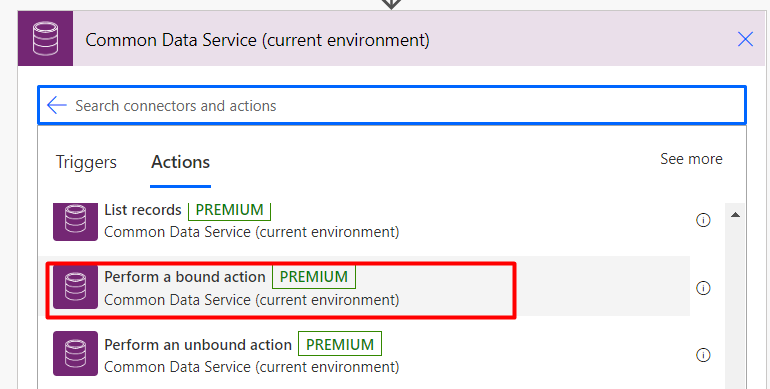
2) Once Draft Email is ready, add Action Perform a bound action from Common Data Service( Current Environment)Connector.
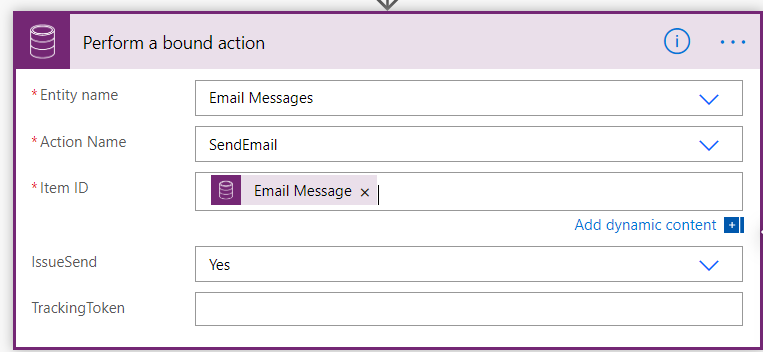
Entity name – Email Message
Action name – Send Email
Item ID – This will be the GUID (unique ID) of the record to send.
(Note: Here, we will provide the Email message ID of the Draft email created in Step 1.
IssueSend – This is a No/Yes option list. Set this to “yes” for the email to send.
Conclusion: We can replicate the Send Email functionality of Workflows in Power Automate easily.
Related posts:

Resolving SSL/TLS Secure Channel Trust Errors in Dynamics 365 Finance and Operations

How to change a Bill of material (BOM) item on a production order

How to Set Up a Local Development Environment for D365 Finance and Operations Without Azure Costs
![Shopify Meets Dynamics 365 Finance and Operations: A Guide to Integration [Part 2]](https://www.cloudfronts.in/wp-content/uploads/2024/12/DALL·E-2024-12-14-12.29.44-A-professional-illustration-depicting-the-integration-between-Shopify-and-Dynamics-365-Finance-and-Operations.-The-image-shows-Shopify-on-one-side-wit-150x150.webp)
