

Renaming SharePoint Folder using Microsoft Flows
Introduction:
Using MS Flows, On any trigger, you can add the below action to rename the SharePoint folder.
Steps:
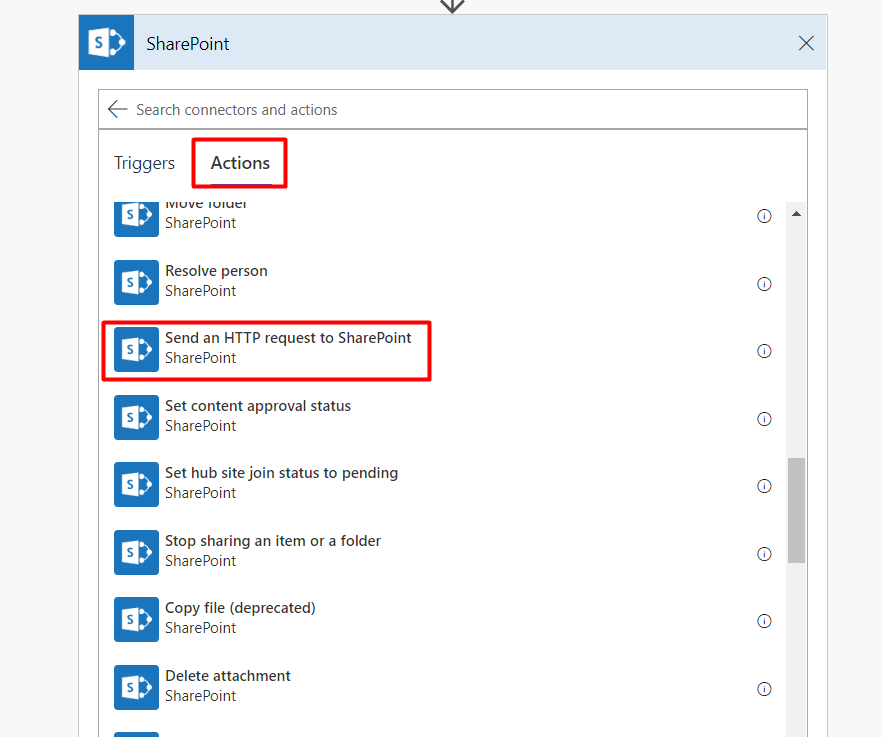
1) In Actions, select “Send an HTTP request to SharePoint”
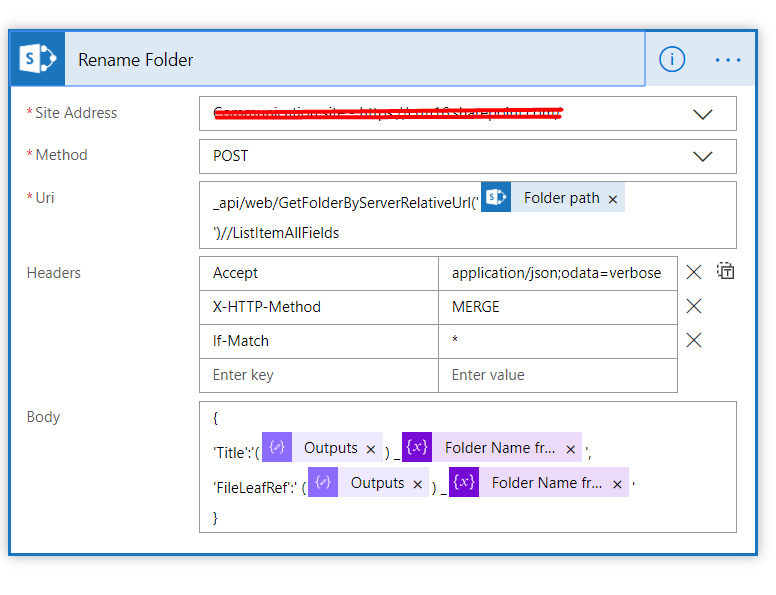
2) Enter the below details:
Site Address: Select your site address from the list.
Method: POST
Uri:_api/web/GetFolderByServerRelativeUrl(‘LibraryTitle/CurrentFolderName’)//ListItemAllFields
Headers:
|
Accept |
application/json;odata=verbose |
|
X-HTTP-Method |
MERGE |
|
If-Match |
* |
Body: {
Title :”New Name of Folder”
FileLeafRef’:”New Name of Folder”
}

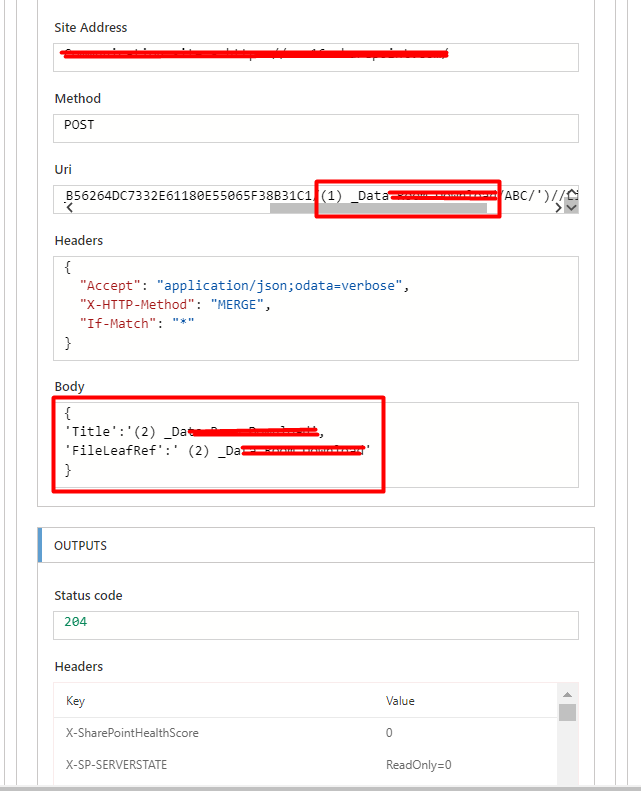
3) The Folder Name in Uri and new folder names in body can be dynamic as per your requirement( Refer Screenshot below: the data here is taken directly from the trigger when file is created in SharePoint).
Sample Output:
Conclusion:
Simple SharePoint Connector in MS Flows can help to rename a SharePoint Folder.
Related posts:

Resolving SSL/TLS Secure Channel Trust Errors in Dynamics 365 Finance and Operations

How to change a Bill of material (BOM) item on a production order

How to Set Up a Local Development Environment for D365 Finance and Operations Without Azure Costs
![Shopify Meets Dynamics 365 Finance and Operations: A Guide to Integration [Part 2]](https://www.cloudfronts.in/wp-content/uploads/2024/12/DALL·E-2024-12-14-12.29.44-A-professional-illustration-depicting-the-integration-between-Shopify-and-Dynamics-365-Finance-and-Operations.-The-image-shows-Shopify-on-one-side-wit-150x150.webp)
