

How to solve “The Locale ID 9 is not installed on this system” error in SSIS
Scenario :
We are building a SSIS Package but receiving the “The Locale ID 9 is not installed on this system” error. We are using the SQL server 2017 Enterprise Edition and Visual Studio 2015 Community Edition with SSDT 2015 Edition.
Solution :
Step 1:
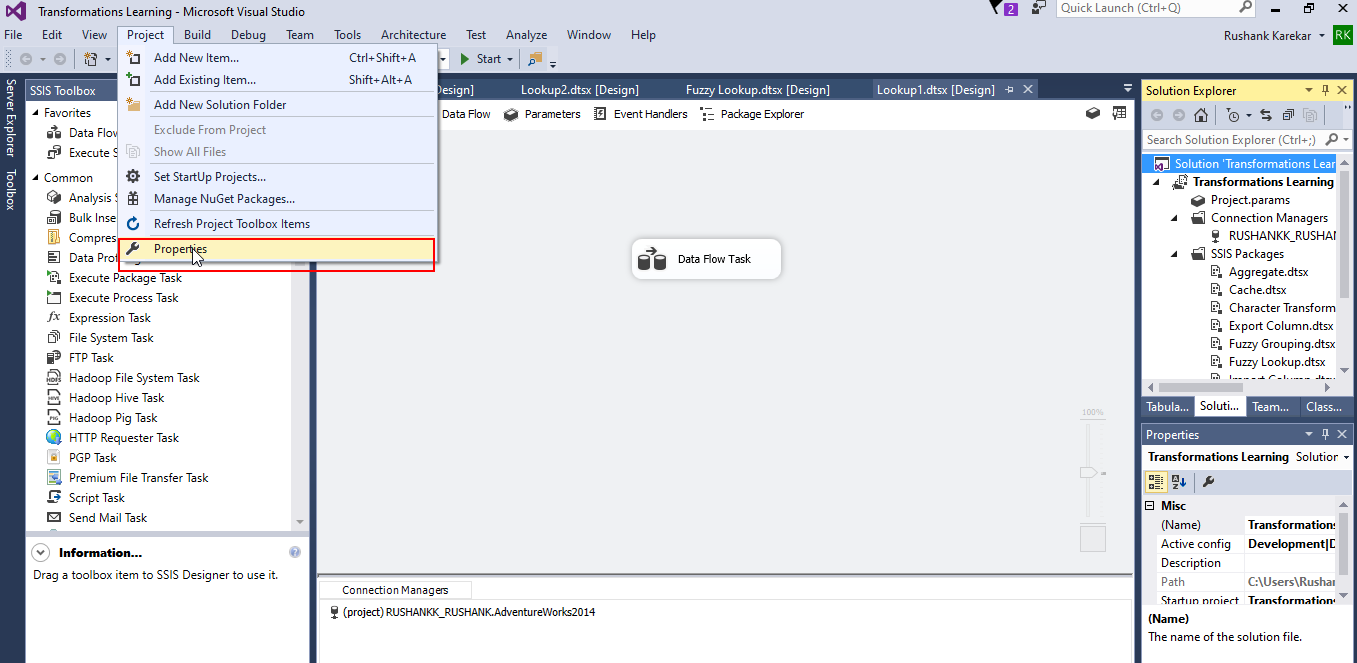
Go to the Project Properties as shown below.
Step 2:
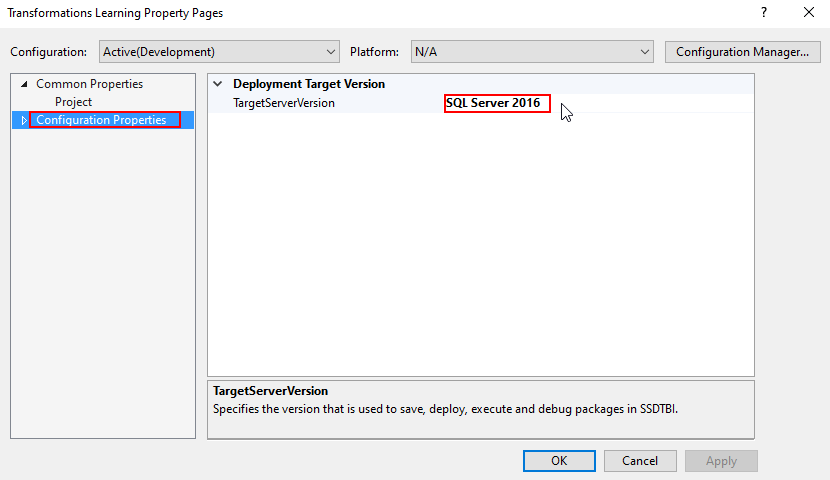
In the Configuration Properties check if the Target SQL version is set to correct version.
Step 3:
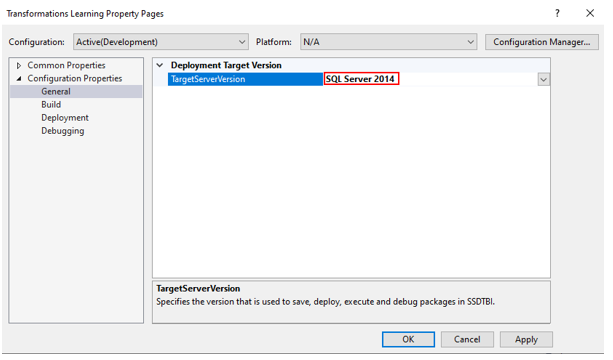
If still not working set the SQL Server to a lower version than your current version.
Related posts:

Resolving SSL/TLS Secure Channel Trust Errors in Dynamics 365 Finance and Operations

How to change a Bill of material (BOM) item on a production order

How to Set Up a Local Development Environment for D365 Finance and Operations Without Azure Costs
![Shopify Meets Dynamics 365 Finance and Operations: A Guide to Integration [Part 2]](https://www.cloudfronts.in/wp-content/uploads/2024/12/DALL·E-2024-12-14-12.29.44-A-professional-illustration-depicting-the-integration-between-Shopify-and-Dynamics-365-Finance-and-Operations.-The-image-shows-Shopify-on-one-side-wit-150x150.webp)
