

Design Views in App Designer – D365
Introduction:
Create and edit public or system views by using the app designer
Description:
Dynamics 365 sales app designer allow us to create/edit system view using the app designer. In this example we will use the sales app and account entity for view design.
Design:
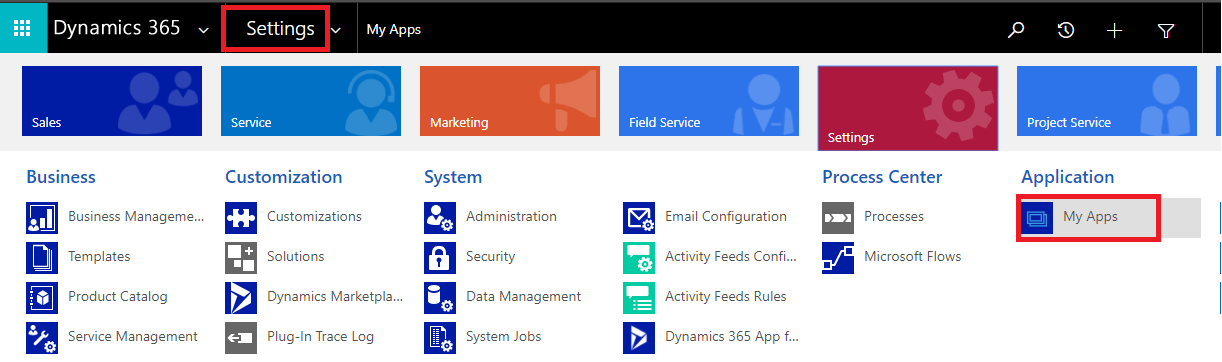
- Go to Setting > select My Apps.
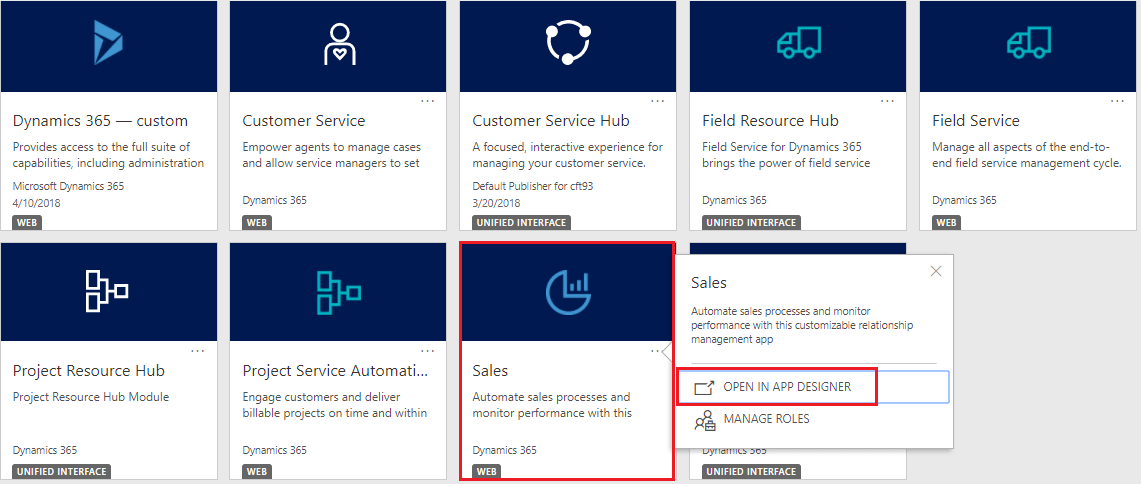
- And open the sales app in app designer.
- We can define the filter criteria with and/or condition.
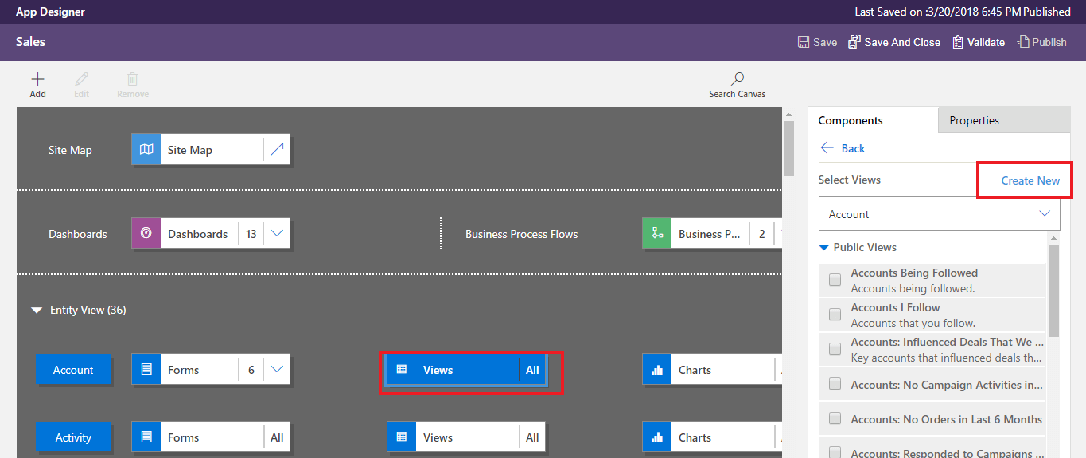
- Select the account view and click on the create new view from the components tab.
Adding Column:
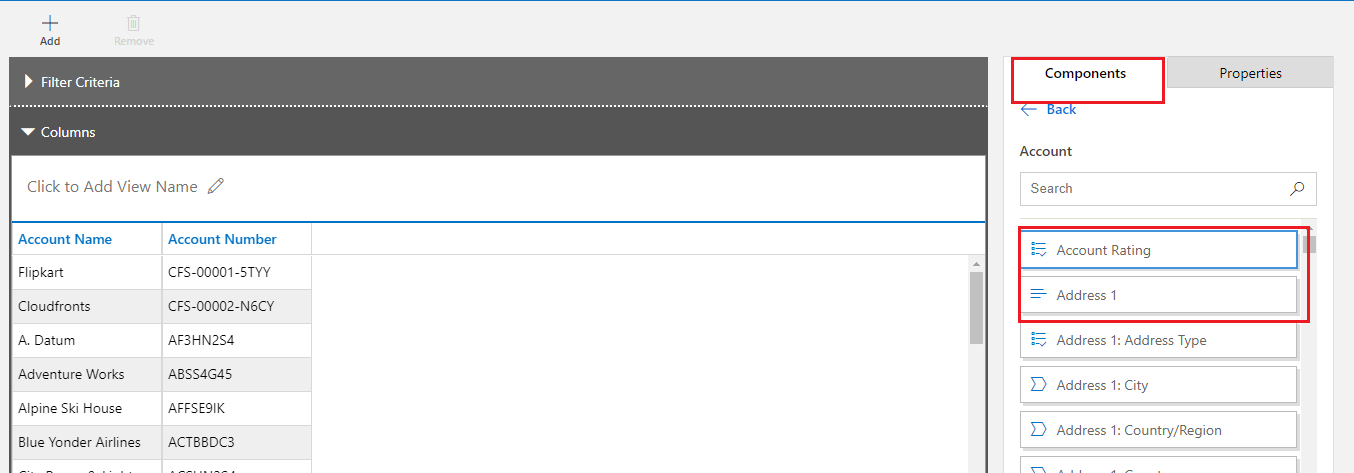
- Now you will able to see the designer page of a view.
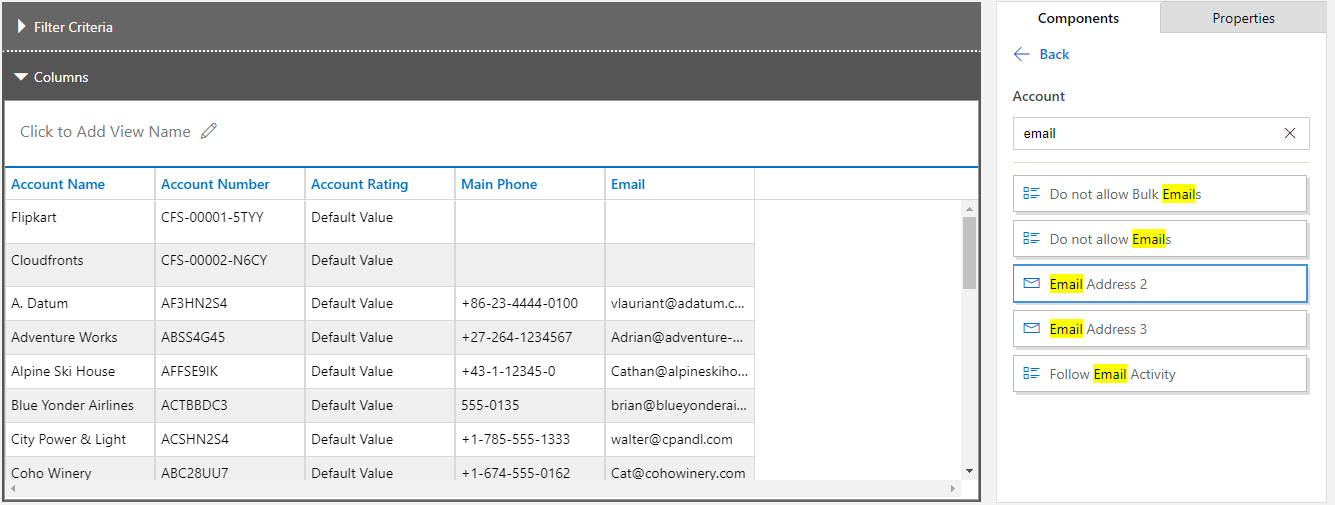
- You can add the column to the view from the components tab I have added the account number column. You need to drag and drop.
- After adding few columns.
Adding Filter:
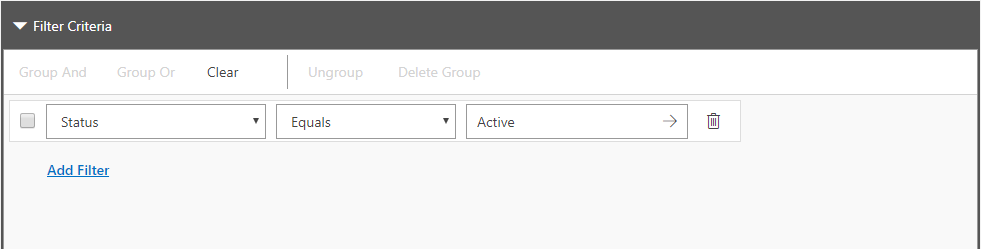
- We can add the filter criteria which will show only related record.
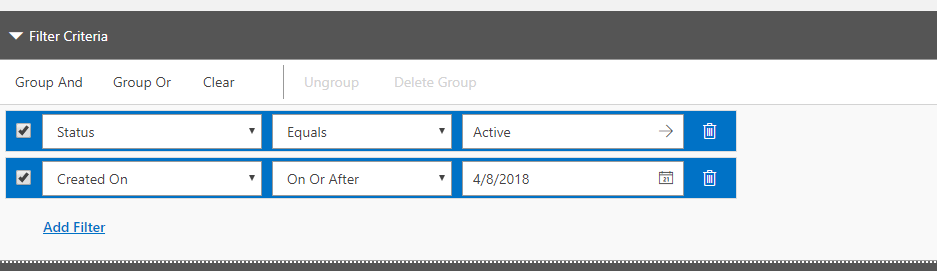
- We can define the filter criteria with and/or condition
Save the view:
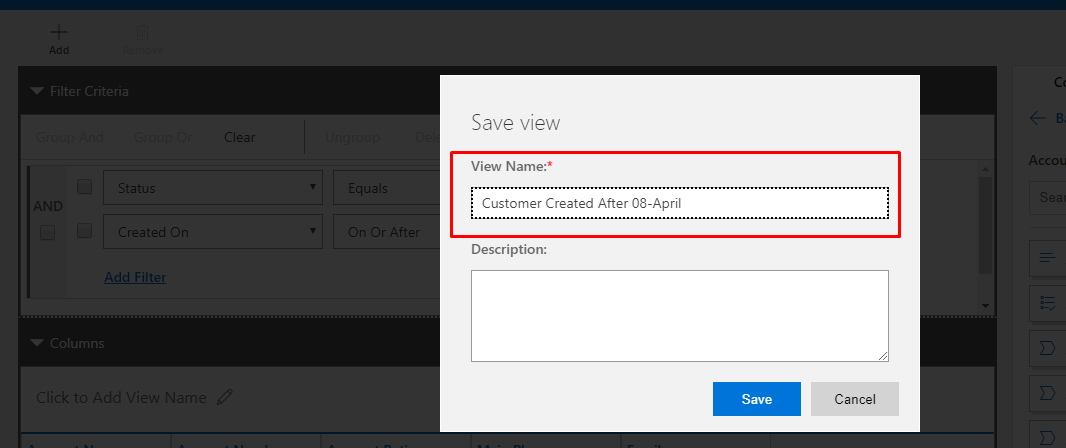
- Provide the view name and save it
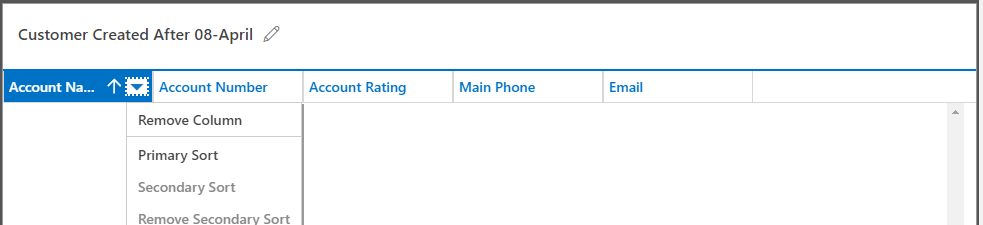
Column Sorting:
- You can define the primary and secondary sorting column
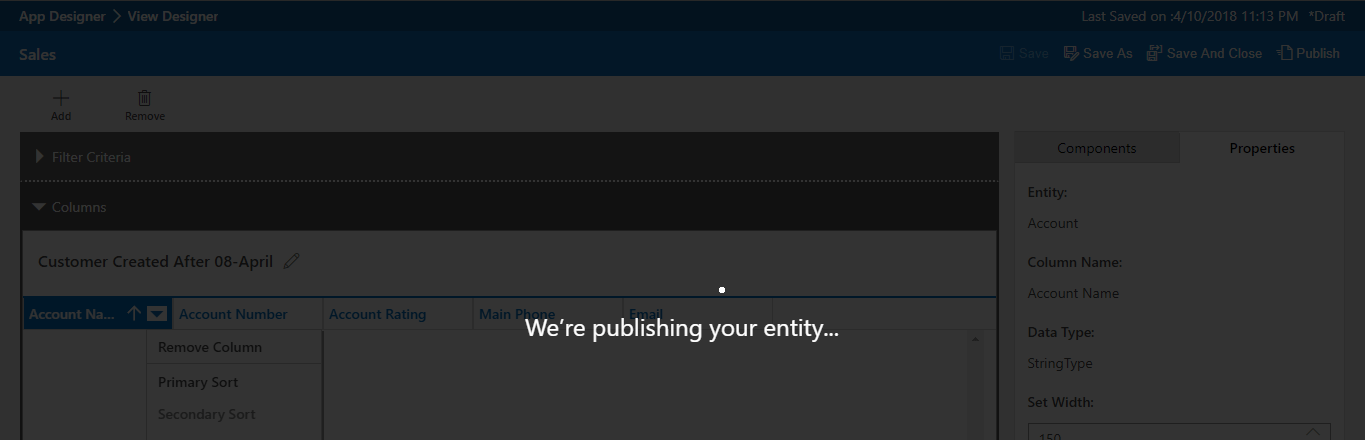
Publish:
- Finally, you need to publish the view as shown
Conclusion:
So, this is another quick way you can create Views than just traditionally creating from within Solutions in D365.
Related posts:

Resolving SSL/TLS Secure Channel Trust Errors in Dynamics 365 Finance and Operations

How to change a Bill of material (BOM) item on a production order
![Shopify Meets Dynamics 365 Finance and Operations: A Guide to Integration [Part 2]](https://www.cloudfronts.in/wp-content/uploads/2024/12/DALL·E-2024-12-14-12.29.44-A-professional-illustration-depicting-the-integration-between-Shopify-and-Dynamics-365-Finance-and-Operations.-The-image-shows-Shopify-on-one-side-wit-150x150.webp)
Shopify Meets Dynamics 365 Finance and Operations: A Guide to Integration [Part 2]
