

Threshold (amount-based) discount in Dynamics 365 for Retail(Commerce)
A threshold discount is a discount that is given to customers when the total for a transaction reaches one or more specified amounts. For example, you could create a discount that gives a 10 percent discount for purchases over 100.00 and a flat 25.00 discount for totals over 200.00.
You can set it up from the following path Retail>Pricing and discounts
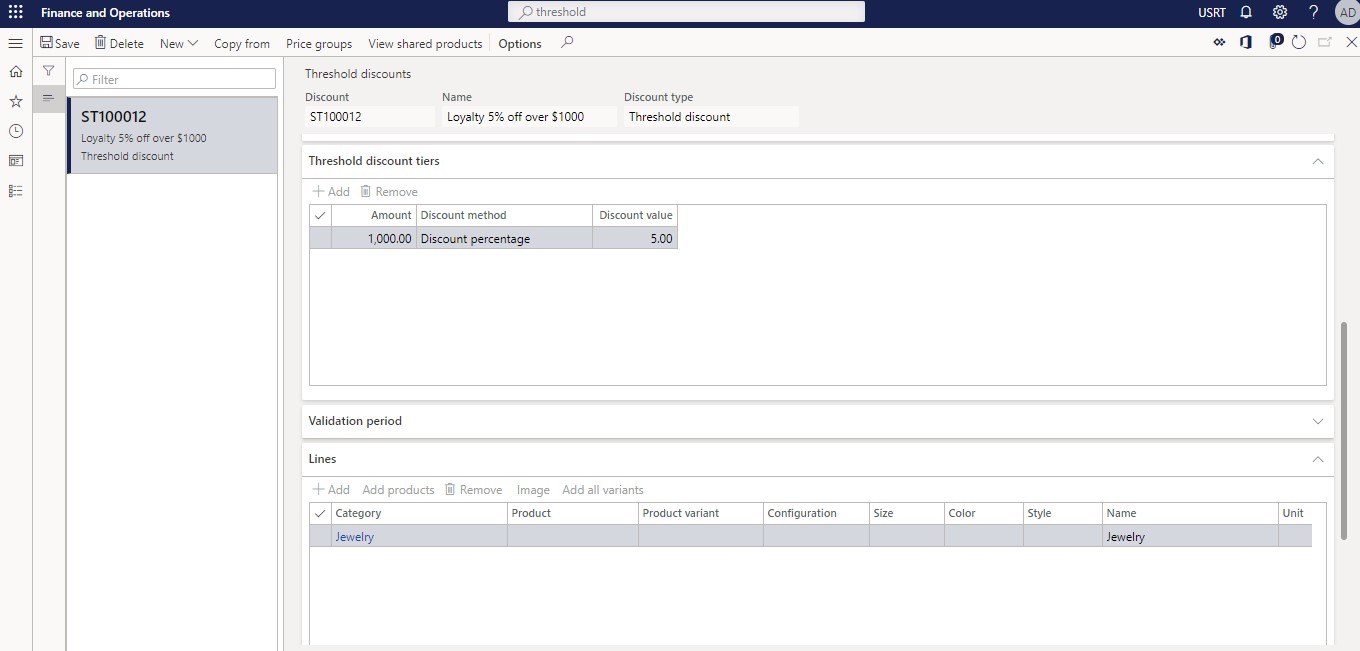
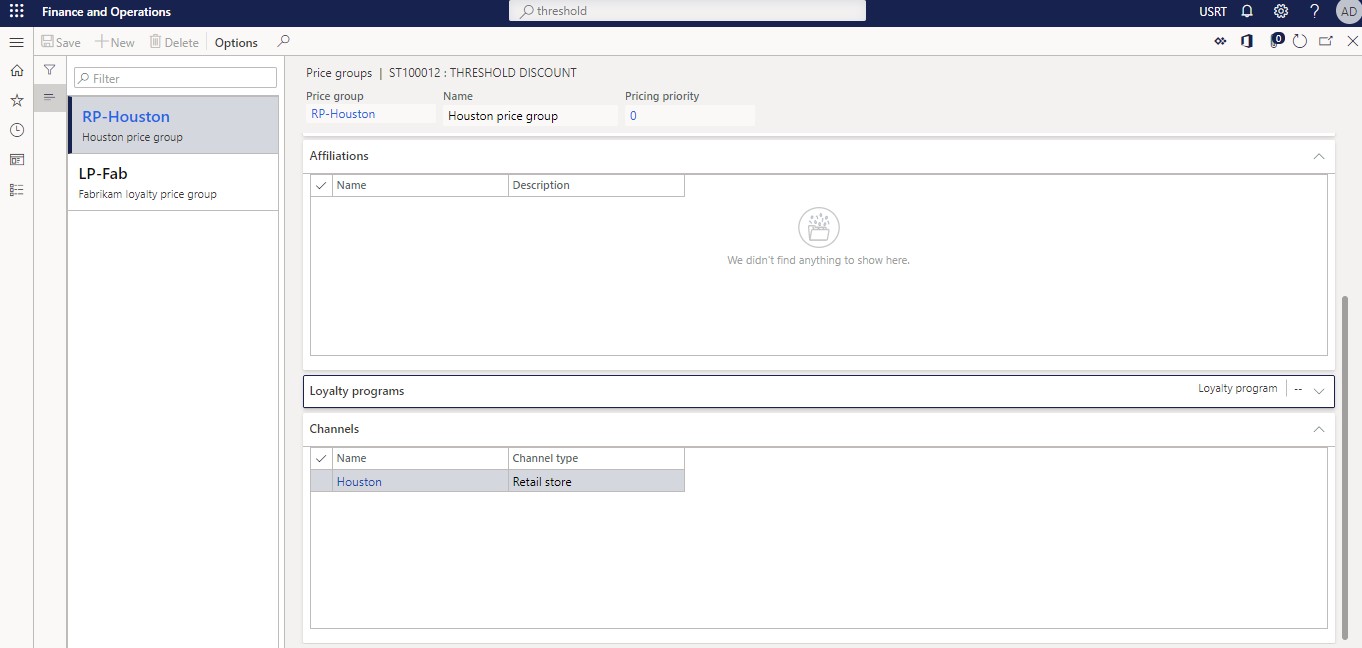
Once you have configured the discount as per your requirement as shown here, do make sure you add a price group to it which has the the store mentioned where discount would be applied
On POS whenever you sell an item from the Jewelry category and if the total bill is going over 1000$, customers will get 5% discount.
Hope this helps!
Related posts:

Resolving SSL/TLS Secure Channel Trust Errors in Dynamics 365 Finance and Operations

How to change a Bill of material (BOM) item on a production order
![Shopify Meets Dynamics 365 Finance and Operations: A Guide to Integration [Part 2]](https://www.cloudfronts.in/wp-content/uploads/2024/12/DALL·E-2024-12-14-12.29.44-A-professional-illustration-depicting-the-integration-between-Shopify-and-Dynamics-365-Finance-and-Operations.-The-image-shows-Shopify-on-one-side-wit-150x150.webp)
Shopify Meets Dynamics 365 Finance and Operations: A Guide to Integration [Part 2]
