

Open Table Browser with different legal entity in AX 7
As developer, we work on different legal entities to customize data. Generally, DAT is the default entity in AX 7 but we wonder how to use data of other legal entity. In this article, we will tell you how to open Table in Table browser in Visual Studio with different legal entity (USMF) by modifying settings from Dynamics AX Online.
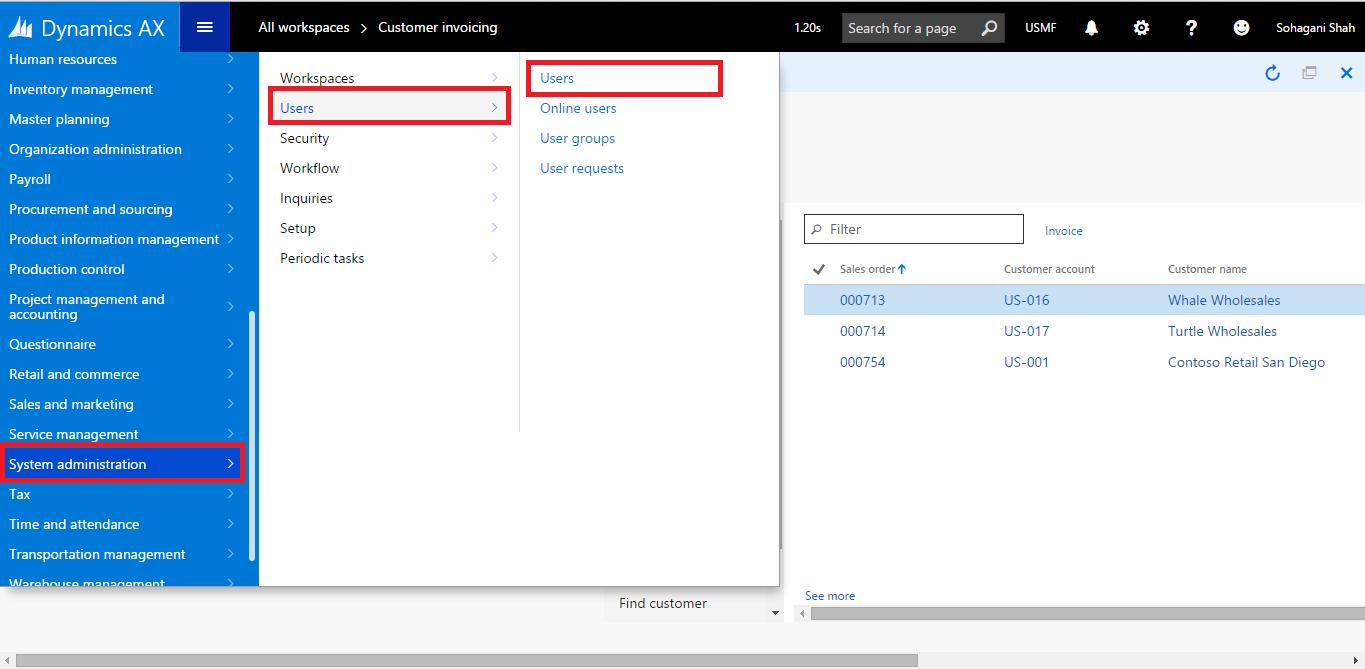
- Go to System Administration > Users > Users in Dynamics AX Online.
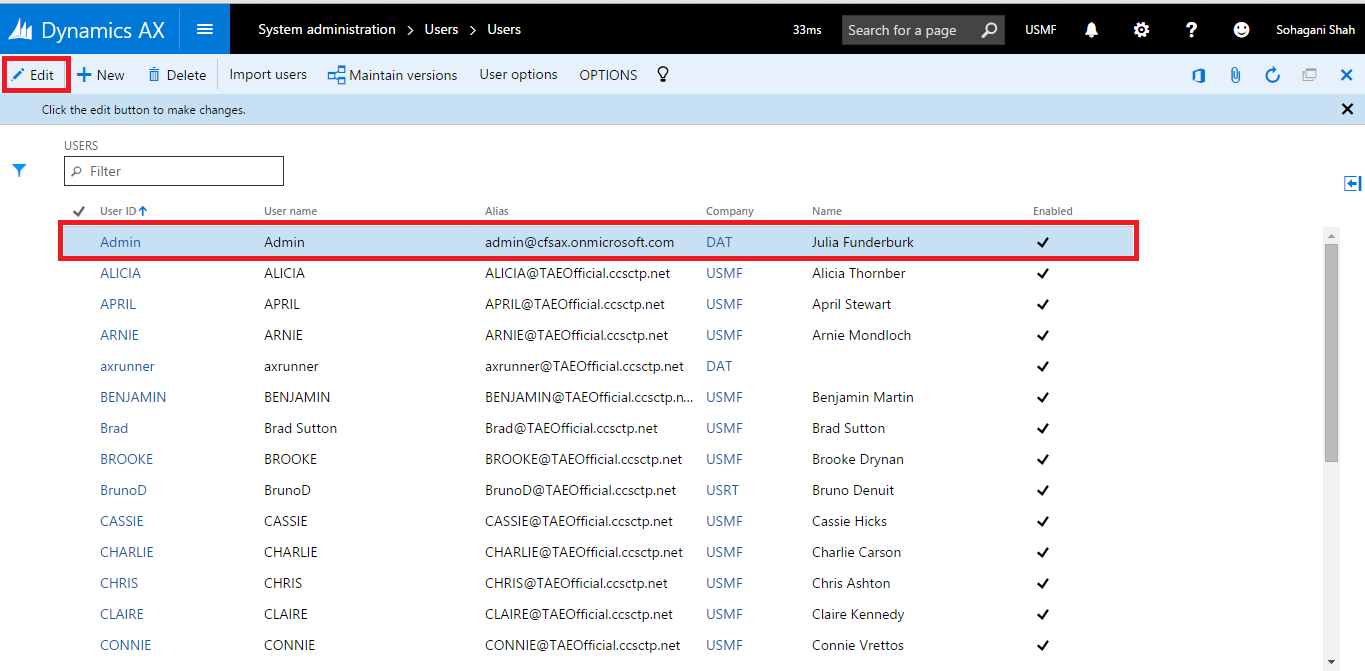
- Select the user for which you want to change the Company Id and click Edit.
- In the Company column change the Company Id to USMF.
- In Visual Studio open the table browser. Table will open with data of selected company that is USMF.


So, this is how we can open Table in Table Browser in Visual Studio with different legal entity.
Let us know your reviews. We will soon come with more articles, as we further explore AX 7.
Related posts:

Resolving SSL/TLS Secure Channel Trust Errors in Dynamics 365 Finance and Operations

How to change a Bill of material (BOM) item on a production order
![Shopify Meets Dynamics 365 Finance and Operations: A Guide to Integration [Part 2]](https://www.cloudfronts.in/wp-content/uploads/2024/12/DALL·E-2024-12-14-12.29.44-A-professional-illustration-depicting-the-integration-between-Shopify-and-Dynamics-365-Finance-and-Operations.-The-image-shows-Shopify-on-one-side-wit-150x150.webp)
Shopify Meets Dynamics 365 Finance and Operations: A Guide to Integration [Part 2]
