

How to Configure Alert Configuration in Microsoft Social Engagement
Introduction:
This blog explains how to Configure Alert Configuration in Microsoft Social Engagement.
Steps to be followed:
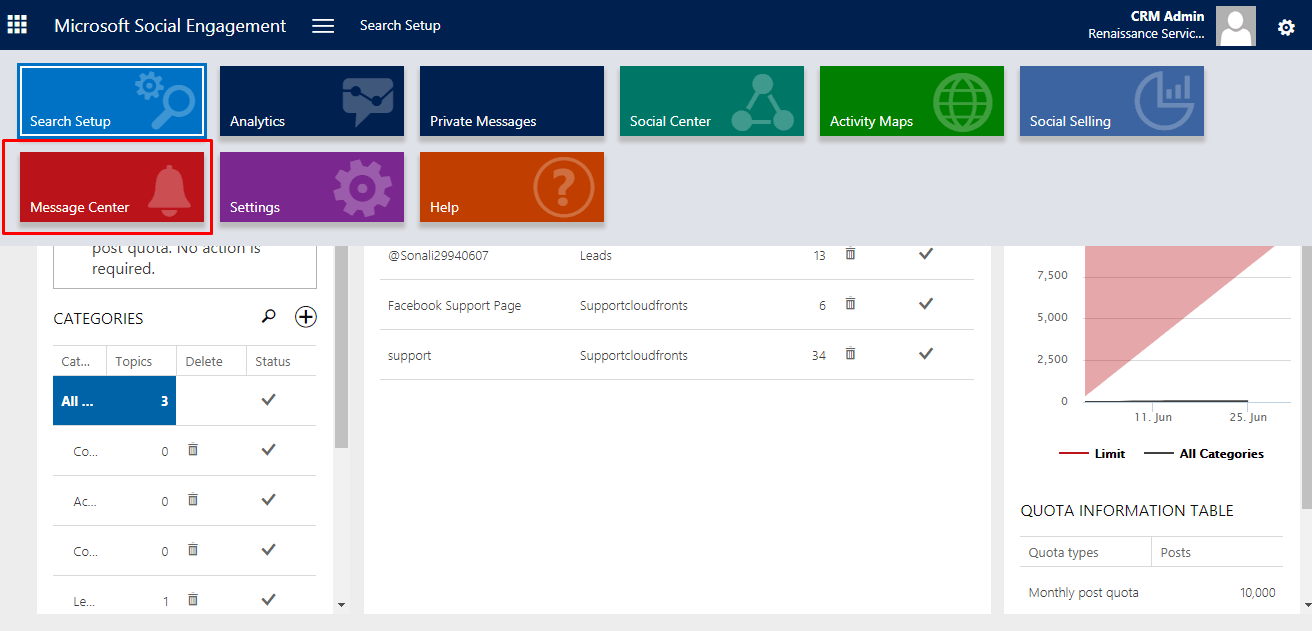
- Go to Message Center
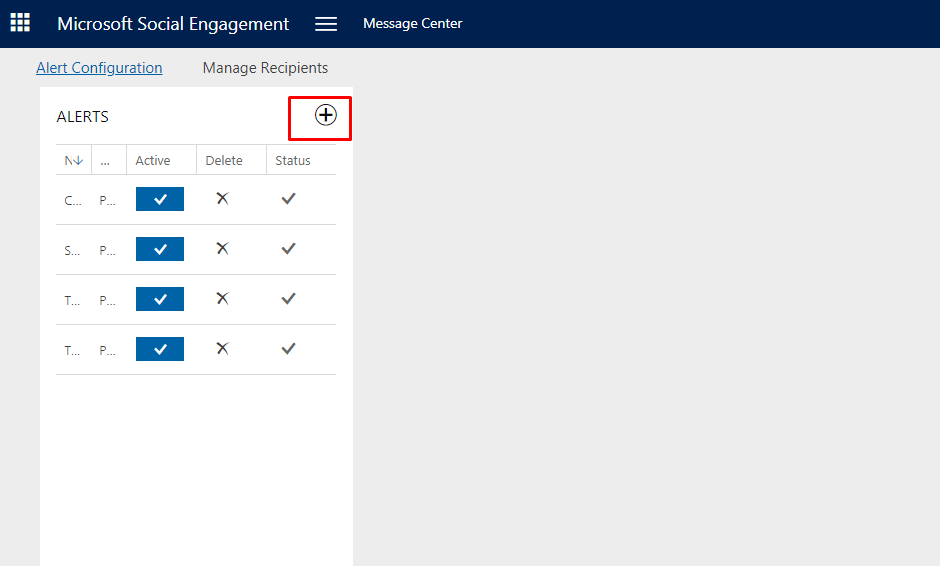
- Click on + to create alert configuration.
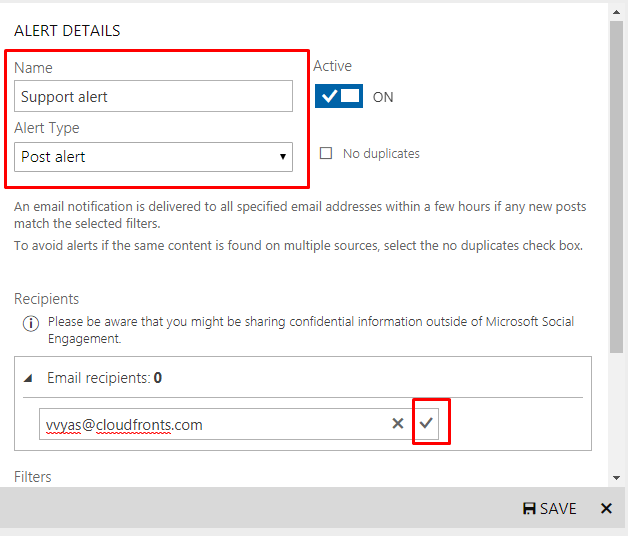
- Enter the following details:
- Name: Give name to your alert.
- Alert Type: select the type of alert you want. Post alert/Trend alert
- Email recipients: Enter the email address of recipients to whom alert mail should go.
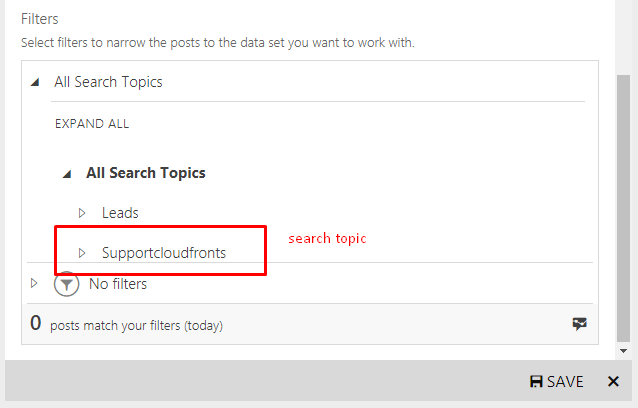
- Filters: Select filters to narrow the posts to the data set you want to work with. i.e. which posts will be received by recipients.
Add Search Topic:
You can also filter based on the following criteria.
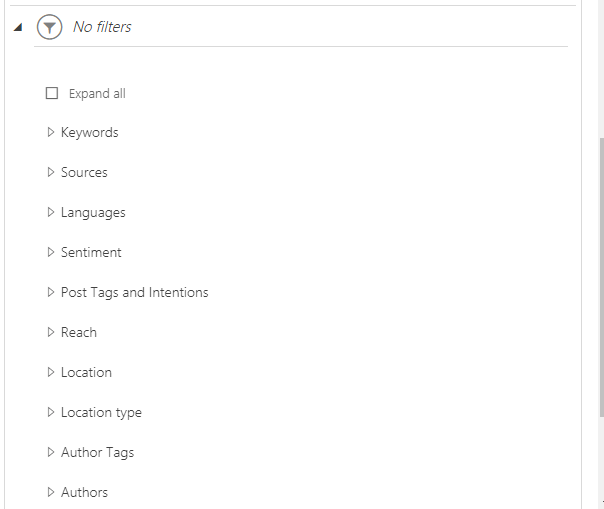
Example filtering based on source and Language:
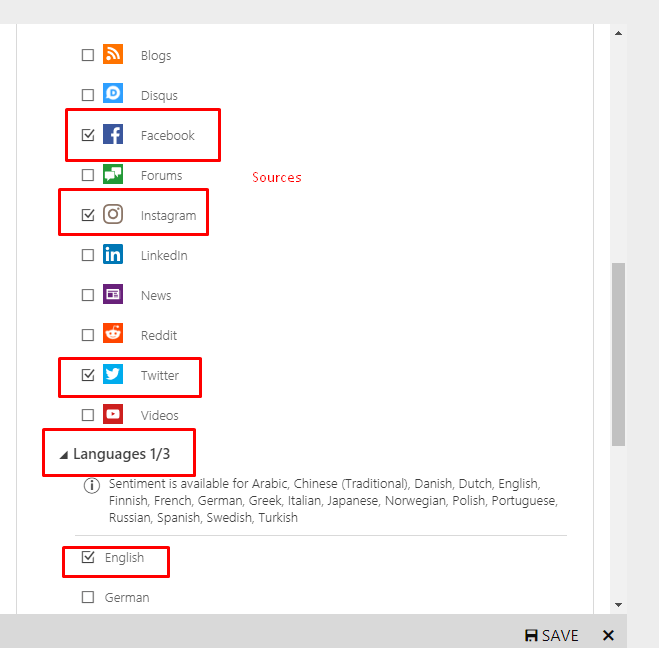
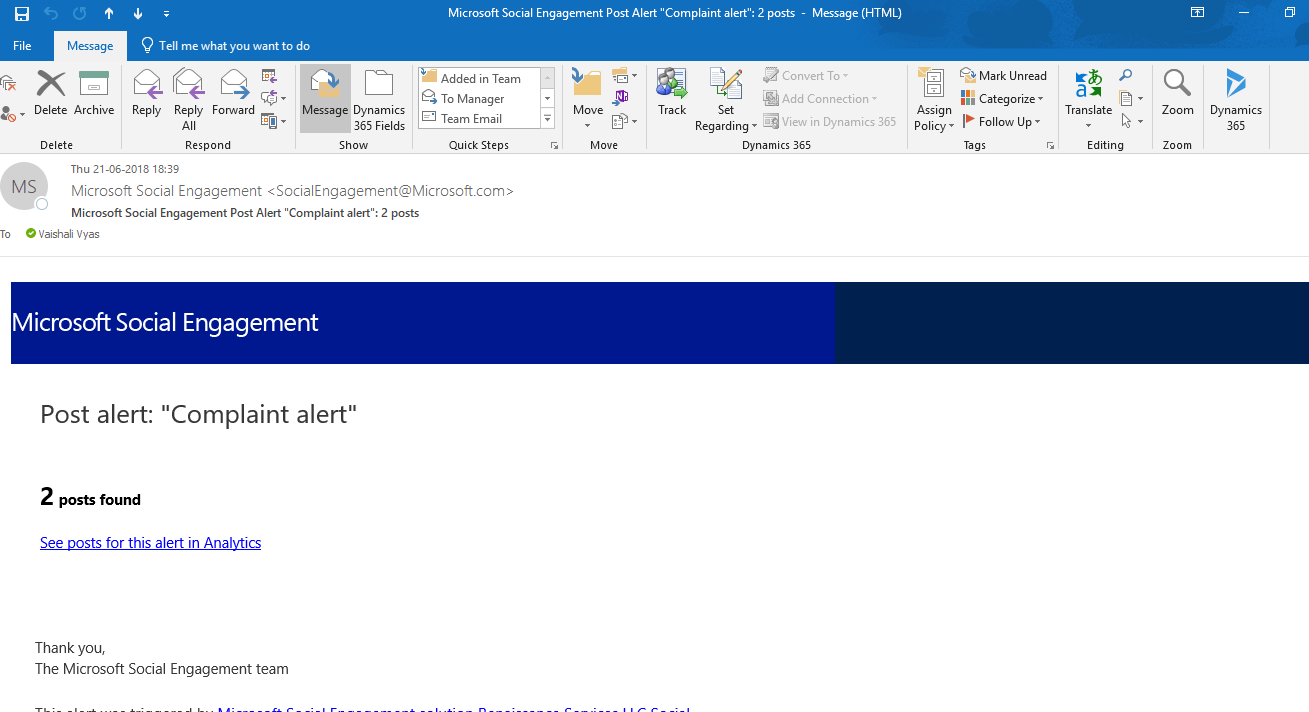
- After configuring click on SAVE.Post alert in mail:
Related posts:

Resolving SSL/TLS Secure Channel Trust Errors in Dynamics 365 Finance and Operations

How to change a Bill of material (BOM) item on a production order
![Shopify Meets Dynamics 365 Finance and Operations: A Guide to Integration [Part 2]](https://www.cloudfronts.in/wp-content/uploads/2024/12/DALL·E-2024-12-14-12.29.44-A-professional-illustration-depicting-the-integration-between-Shopify-and-Dynamics-365-Finance-and-Operations.-The-image-shows-Shopify-on-one-side-wit-150x150.webp)
Shopify Meets Dynamics 365 Finance and Operations: A Guide to Integration [Part 2]
