

Hide Dashboards in D365
This being an obvious approach to how Dashboards are by default seen by all. And how you can disable/hide for users. Even for D365 System Administrators!
Unlike usual forms, view or other records,

And Deleting the Dashboard isn’t an option.
Enable Security Roles way
So a simple trick is to remove entire access from Enable Security Roles

Make sure Display only to these selected security roles
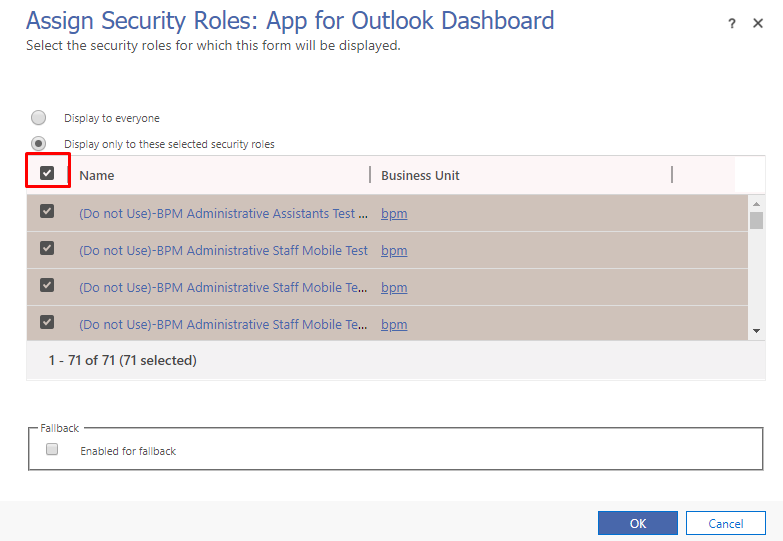
And then just untick if you want to provide no access to anyone
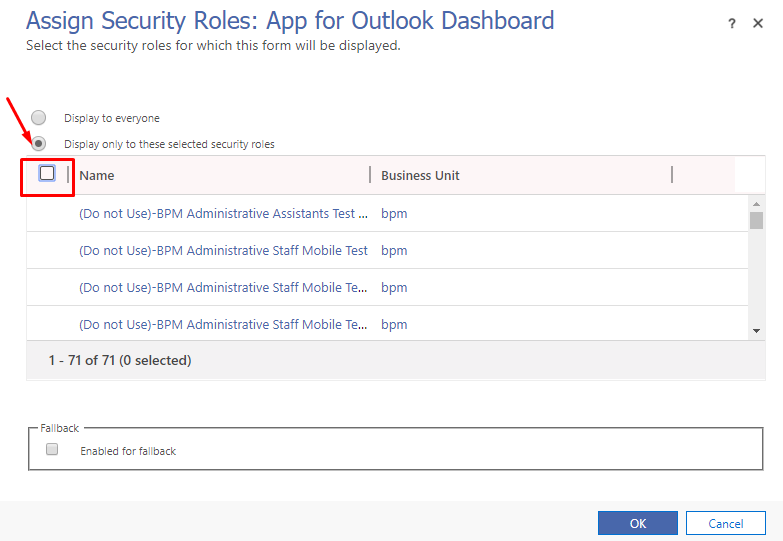
Hope this works!
Related posts:

Resolving SSL/TLS Secure Channel Trust Errors in Dynamics 365 Finance and Operations

How to change a Bill of material (BOM) item on a production order
![Shopify Meets Dynamics 365 Finance and Operations: A Guide to Integration [Part 2]](https://www.cloudfronts.in/wp-content/uploads/2024/12/DALL·E-2024-12-14-12.29.44-A-professional-illustration-depicting-the-integration-between-Shopify-and-Dynamics-365-Finance-and-Operations.-The-image-shows-Shopify-on-one-side-wit-150x150.webp)
Shopify Meets Dynamics 365 Finance and Operations: A Guide to Integration [Part 2]
