

Hide Custom Button on Create Form in D365
Introduction:
This blog explains how to hide custom buttons on create form in D365.
Problem Statement:
We often get requirement from Client to hide custom buttons on Create record and to be shown on updating of record.
Solution:
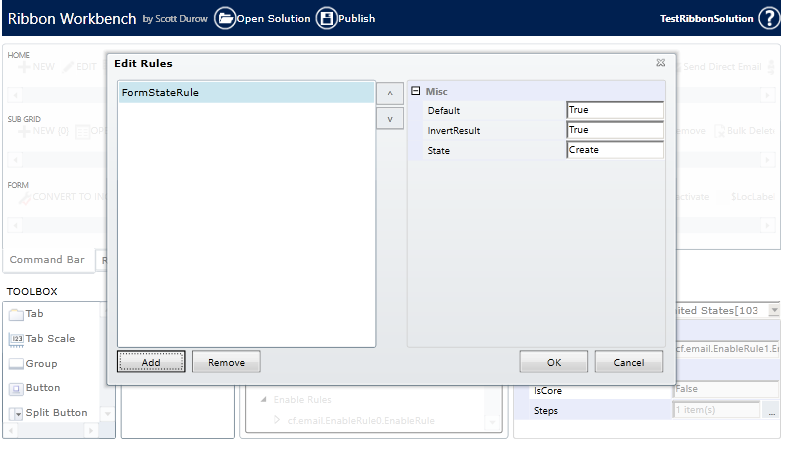
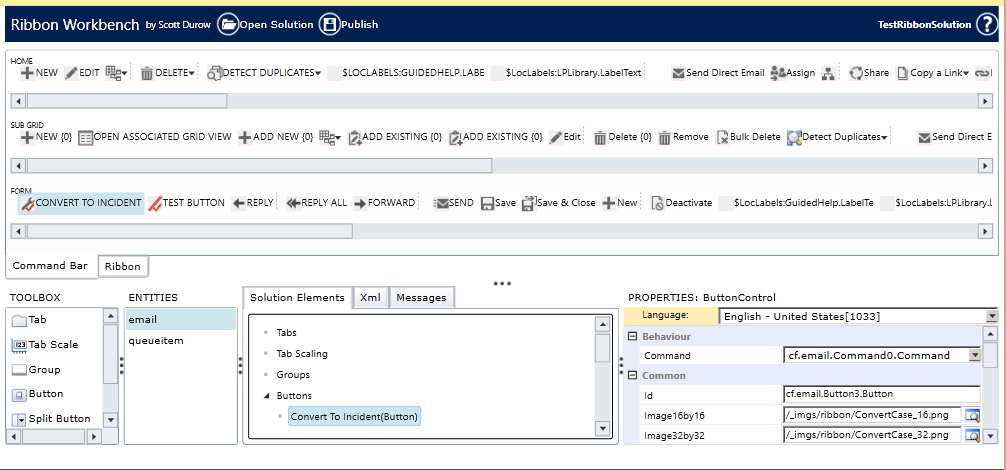
We can achieve this functionality by having ribbon Customization with Enable Rules using FormStateRule.
Steps of Implementation:
1. Create a new Command.
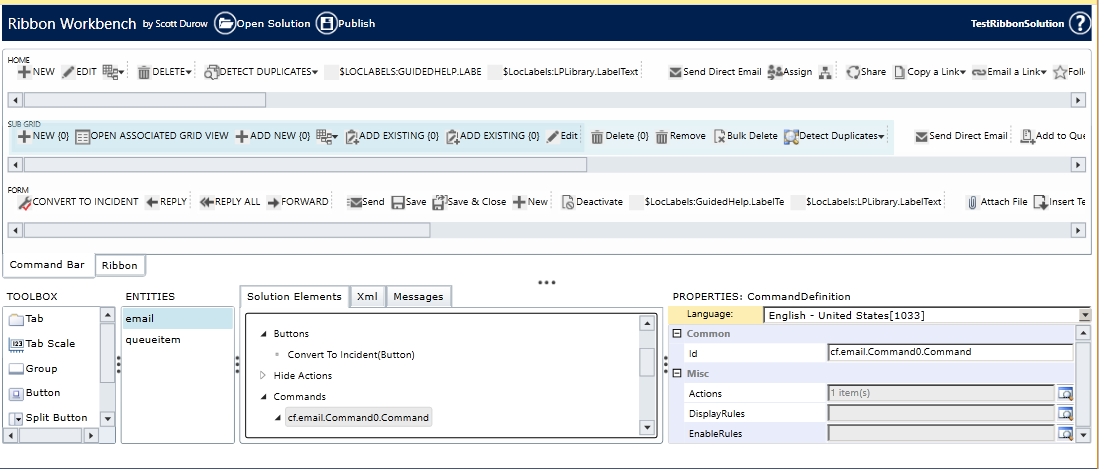
2. Create a new Enable Rule.
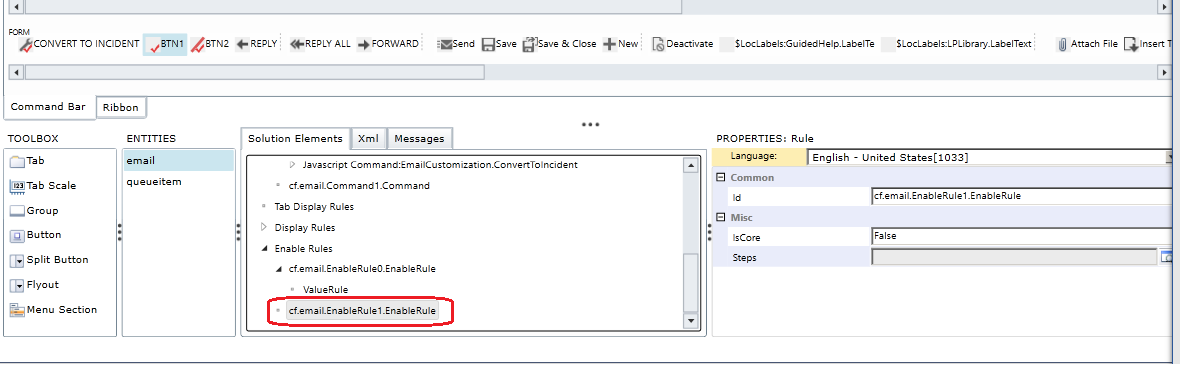
3. Create a new FormStateRule.
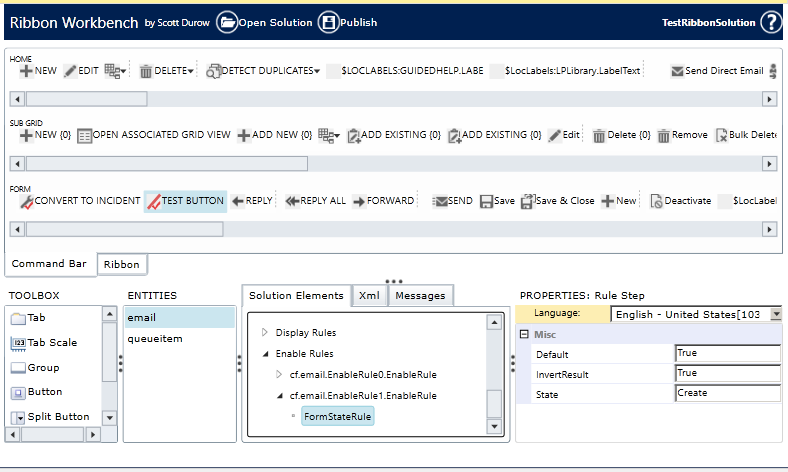
4. Set Enable Rule on Command.

5. Set Command on Button.
Conclusion:
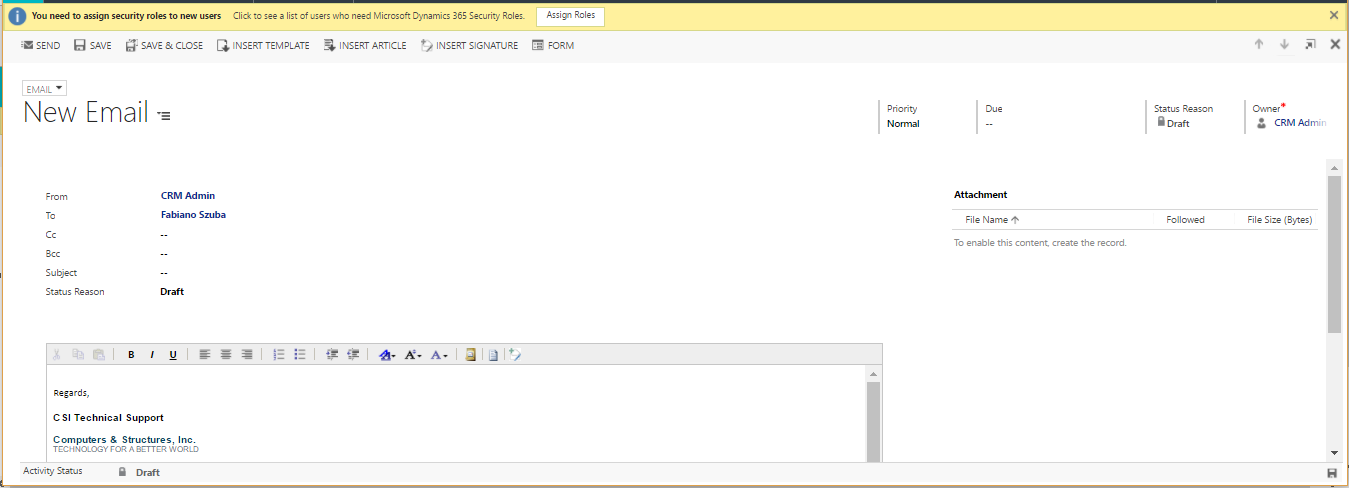
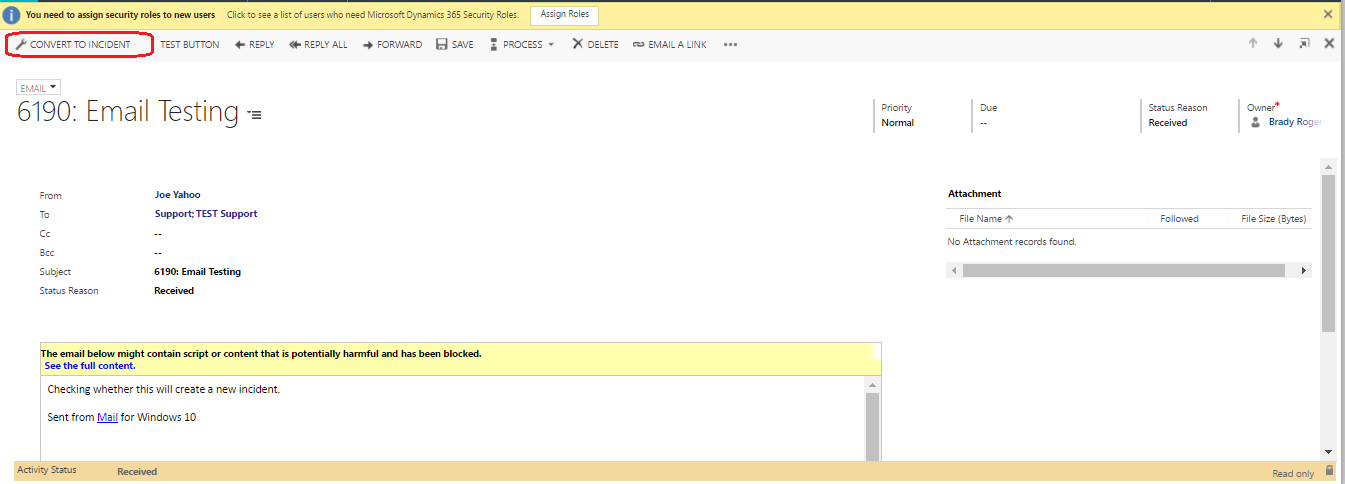
Below image confirms button is hidden on Create Record and it is shown on Update Record.
Create Record:
Update Record:
Related posts:

Resolving SSL/TLS Secure Channel Trust Errors in Dynamics 365 Finance and Operations

How to change a Bill of material (BOM) item on a production order
![Shopify Meets Dynamics 365 Finance and Operations: A Guide to Integration [Part 2]](https://www.cloudfronts.in/wp-content/uploads/2024/12/DALL·E-2024-12-14-12.29.44-A-professional-illustration-depicting-the-integration-between-Shopify-and-Dynamics-365-Finance-and-Operations.-The-image-shows-Shopify-on-one-side-wit-150x150.webp)
Shopify Meets Dynamics 365 Finance and Operations: A Guide to Integration [Part 2]
