

Filter records in gallery control based on value selected in other gallery control in PowerApps.
Introduction:
This blog explains how to Filter records in gallery control based on value selected in other gallery control in PowerApps.
Scenario:
- I am using Dynamics 365 Connection.
- I have data source named as Time Entry within that data source I have fields named as Projects and Project task and data type of both fields is lookup.
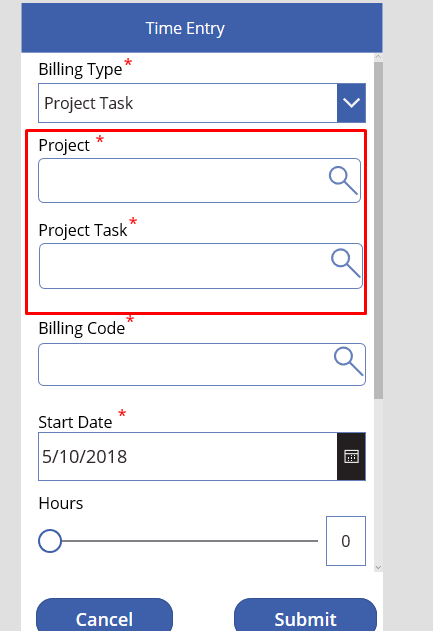
- Values in Project Task is filtered based on value selected in Project field.
Implementation Steps for Filtering Project Task based on Project:
- We must add Projects and Project Task data source in PowerApps because their data type is Lookup.(If you don’t know how to work with lookup fields Refer: https://www.cloudfronts.in/connect-dynamics-365-use-lookup-field-dynamics-crm-powerapps/ )
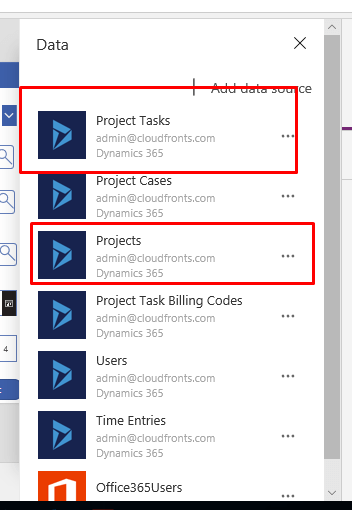
- Add New screen name it Project Lookup and add gallery control on that screen.
- Select gallery control and set its item property to:SortByColumns(Search(Filter(Projects,statecode=0 ), TextSearchBox1_1.Text, “cf_name”), “cf_name” )
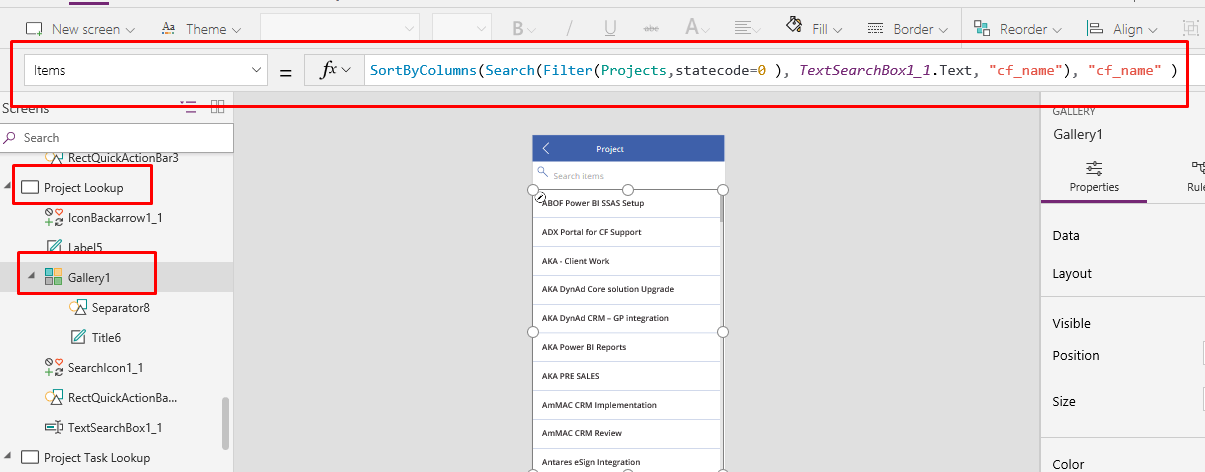
- Select gallery control and set its item property to:SortByColumns(Search(Filter(Projects,statecode=0 ), TextSearchBox1_1.Text, “cf_name”), “cf_name” )
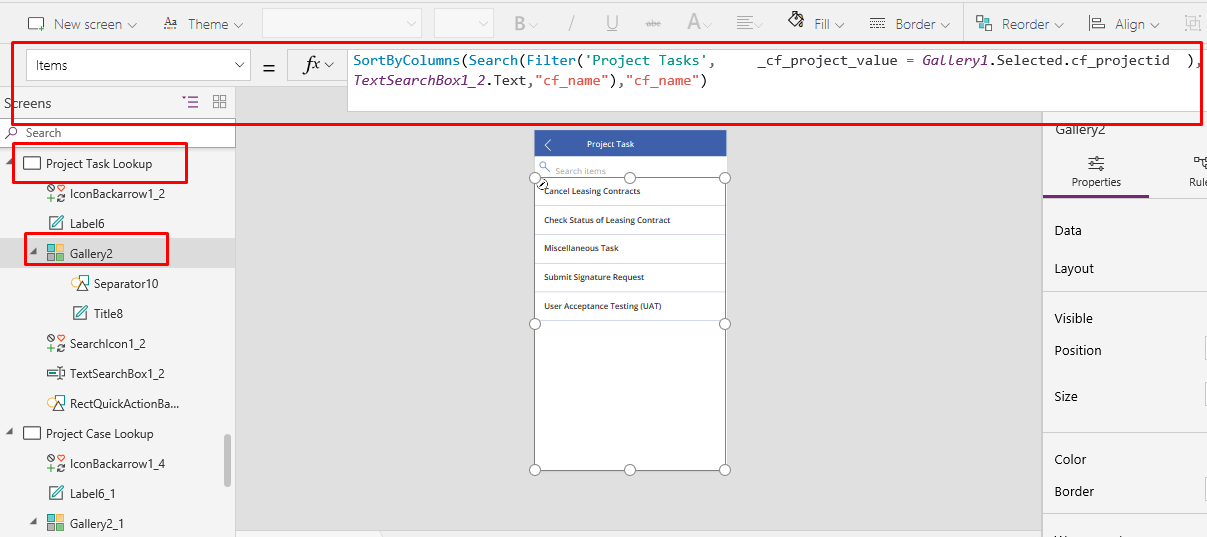
- Add new Screen and name it Project Task Lookup and add gallery control on that screen.
- Select gallery control and set its item property to:SortByColumns(Search(Filter(‘Project Tasks’, _cf_project_value =Gallery1.Selected.cf_projectid),TextSearchBox1_2.Text,”cf_name”),”cf_name”)here: Gallery1 is the name of gallery control on Project Lookup screen.
Related posts:

Resolving SSL/TLS Secure Channel Trust Errors in Dynamics 365 Finance and Operations

How to change a Bill of material (BOM) item on a production order
![Shopify Meets Dynamics 365 Finance and Operations: A Guide to Integration [Part 2]](https://www.cloudfronts.in/wp-content/uploads/2024/12/DALL·E-2024-12-14-12.29.44-A-professional-illustration-depicting-the-integration-between-Shopify-and-Dynamics-365-Finance-and-Operations.-The-image-shows-Shopify-on-one-side-wit-150x150.webp)
Shopify Meets Dynamics 365 Finance and Operations: A Guide to Integration [Part 2]
