

D365 Unified Interface: Enabling embedded legacy dialogs
Introduction:
Quite simply put, some of the embedded dialogs like the Advanced Find, Merge Records, Assign & Edit record windows which are not by default visible on the Unified Client
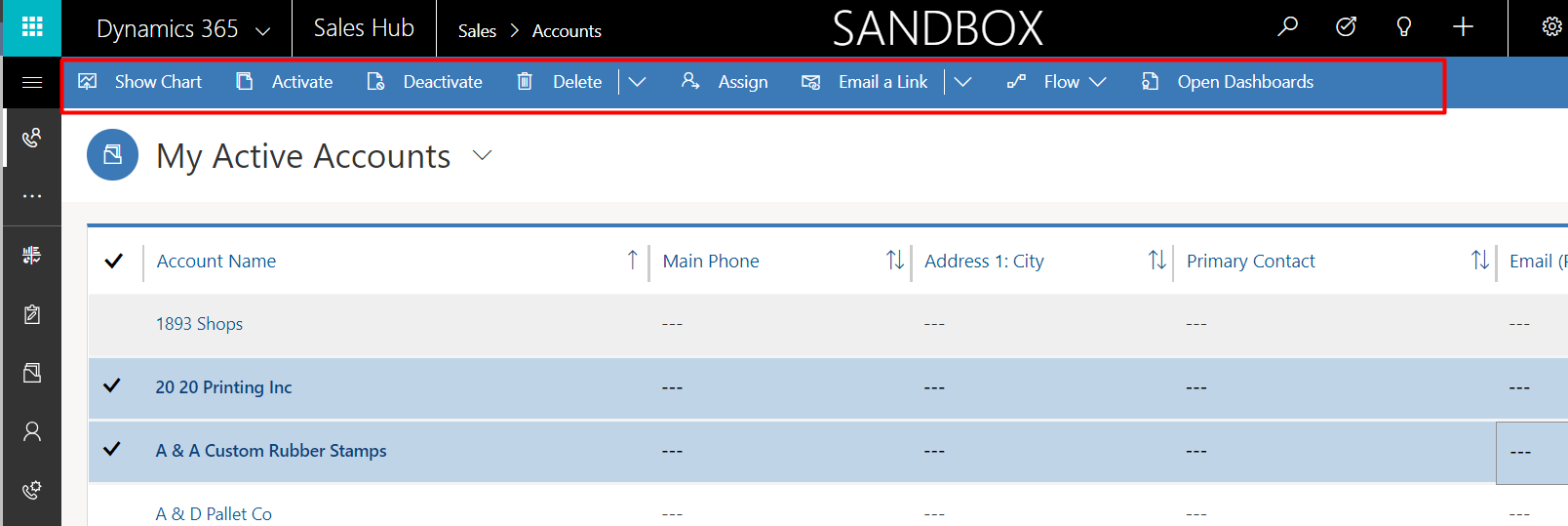
Like when you multi-select records, you can’t see the typical Merge, Edit buttons on the ribbon.
Here’s how you enable them.
System Settings:
In your Web Application’s system settings, you have an option under general where you can enable these buttons in the Unified Interface.
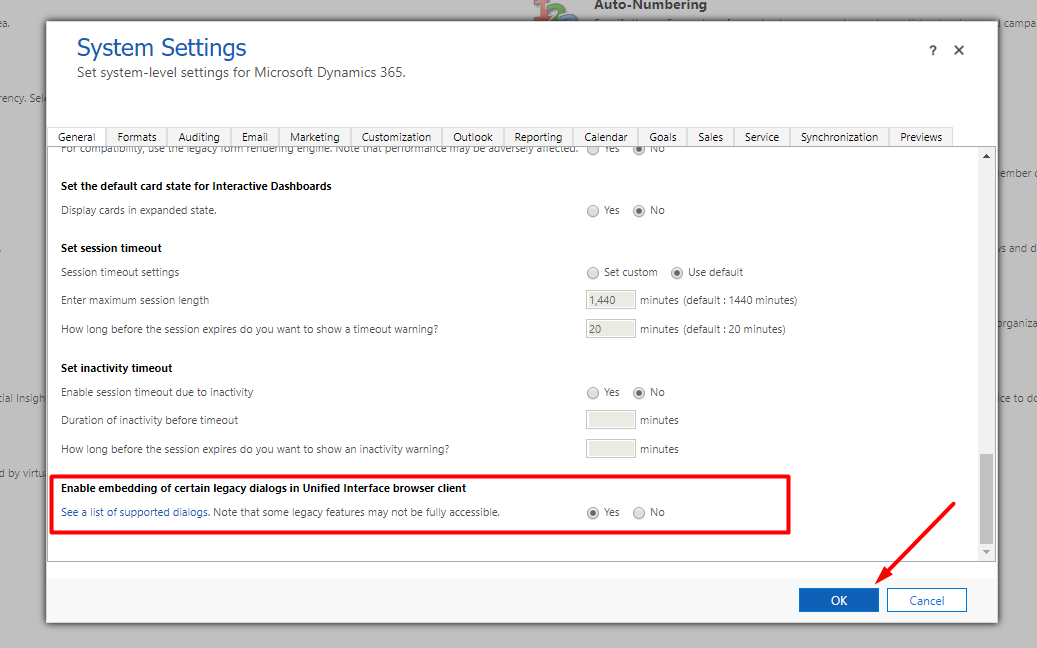
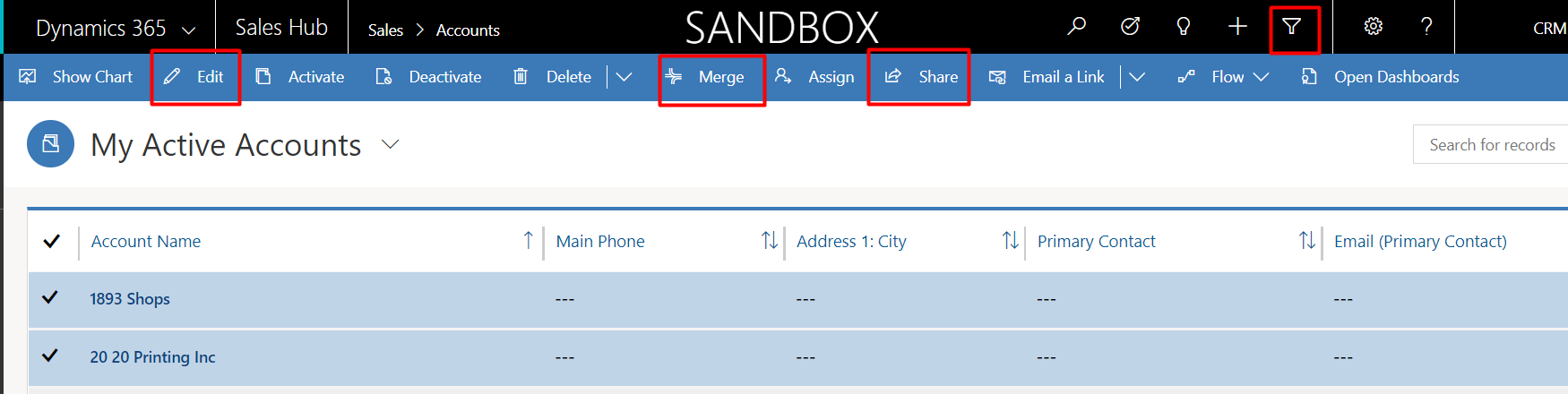
Now, you can retain those buttons in the Unified Interface as well.
Have a great time exploring Unified Interface!
Related posts:

Resolving SSL/TLS Secure Channel Trust Errors in Dynamics 365 Finance and Operations

How to change a Bill of material (BOM) item on a production order
![Shopify Meets Dynamics 365 Finance and Operations: A Guide to Integration [Part 2]](https://www.cloudfronts.in/wp-content/uploads/2024/12/DALL·E-2024-12-14-12.29.44-A-professional-illustration-depicting-the-integration-between-Shopify-and-Dynamics-365-Finance-and-Operations.-The-image-shows-Shopify-on-one-side-wit-150x150.webp)
Shopify Meets Dynamics 365 Finance and Operations: A Guide to Integration [Part 2]
