

Currency Field representation options in Dynamics 365
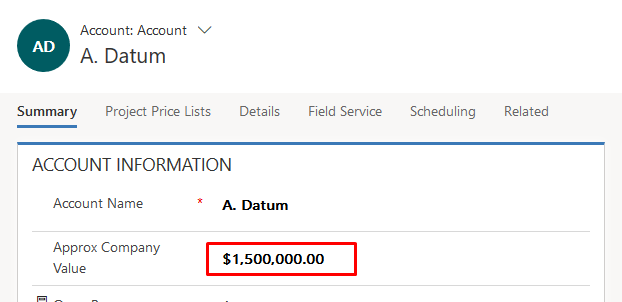
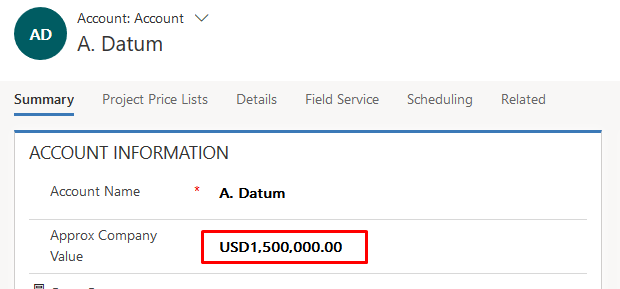
In D365 CE Apps, you have 2 options to display the currency fields, by symbol or by the currency code.
Symbolic representation
Currency Code representation
Setting
With a simple setting, you can apply this change organization wide. Navigate to Settings > Administration > System Settings and under General tab, look for Set the currency display option.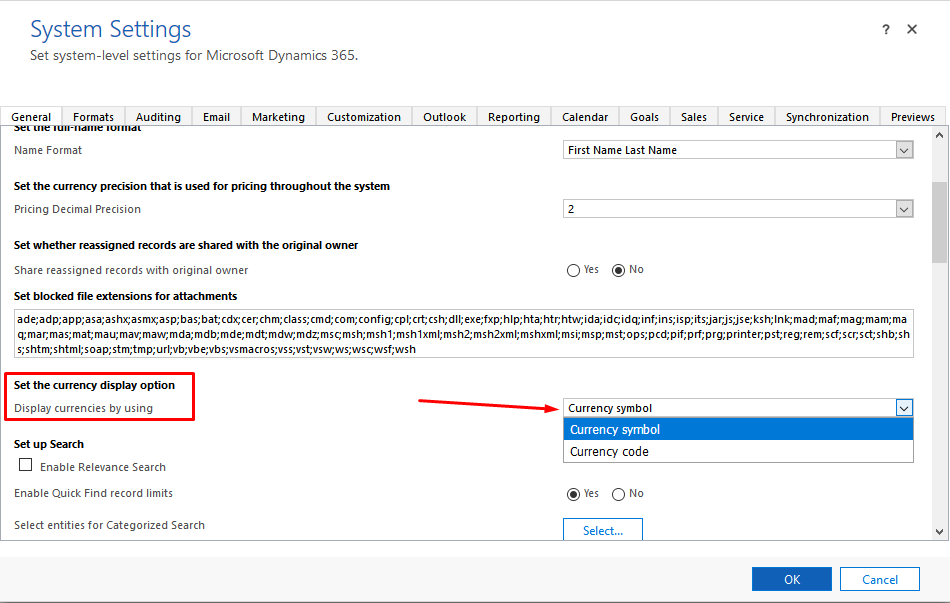
Pretty simple! 🙂
Related posts:

Resolving SSL/TLS Secure Channel Trust Errors in Dynamics 365 Finance and Operations

How to change a Bill of material (BOM) item on a production order
![Shopify Meets Dynamics 365 Finance and Operations: A Guide to Integration [Part 2]](https://www.cloudfronts.in/wp-content/uploads/2024/12/DALL·E-2024-12-14-12.29.44-A-professional-illustration-depicting-the-integration-between-Shopify-and-Dynamics-365-Finance-and-Operations.-The-image-shows-Shopify-on-one-side-wit-150x150.webp)
Shopify Meets Dynamics 365 Finance and Operations: A Guide to Integration [Part 2]
