

CRM Data Migration tool
Introduction:
CRM SDK provides a data migration tool/application called “DataMigrationUtility” which allows simple data migration from one CRM environment to another CRM environment.
Prerequisite:
- Microsoft Dynamics CRM.
- CRM SDK
Purpose of the set up
Our goal is to migrate accounts from one Online CRM environment to another CRM environment.
Steps:
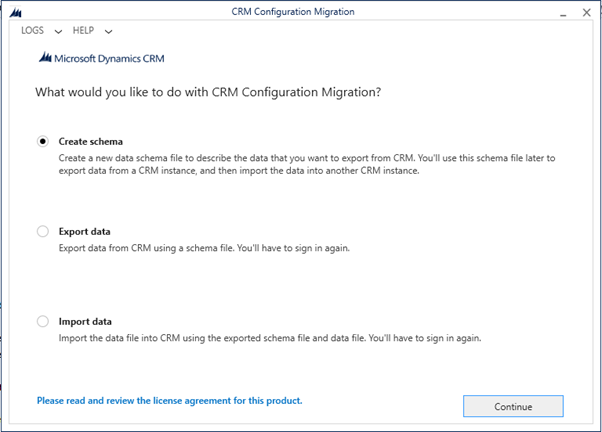
- Open CRM SDK folder and run ‘DataMigrationUtility’ application.
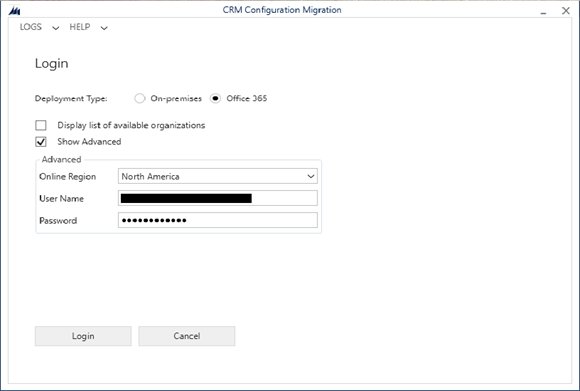
Path: SDK\Tools\ConfigurationMigration - Click on Create Schema. You’ll be asked to log in to your source CRM system.
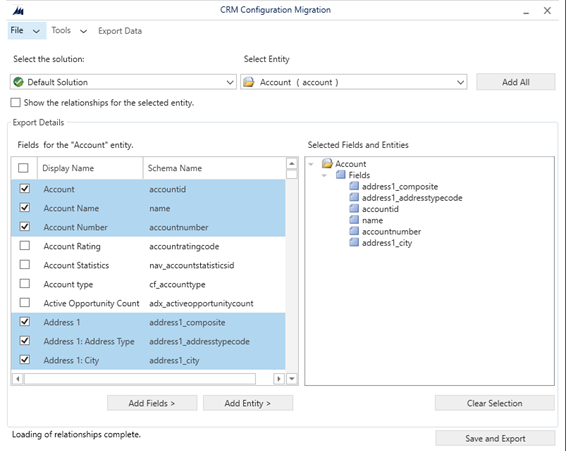
- Select the solution, entity and fields. Then click ‘save and export’, this will save a XML schema file.
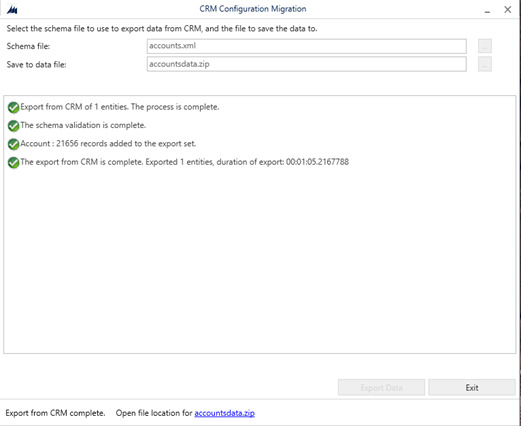
- To export data: select XML file created in the above steps and create a file to save the data (zip file); then click Exportdata.
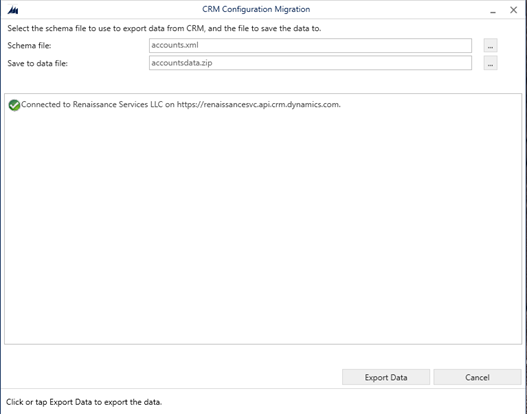
- Click exit after successful export of data.
- To import data: Click on Import data and then continue.
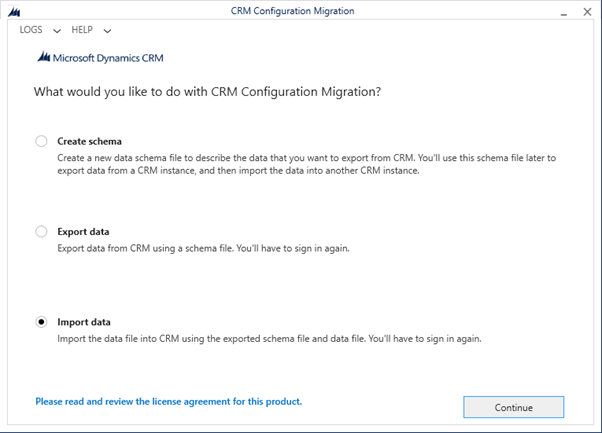
- Login to your target system.
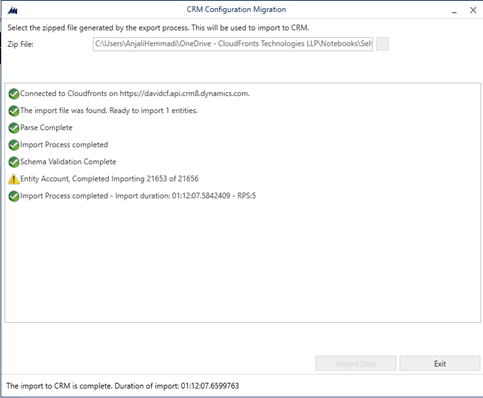
- Select Zip file which was created in the above steps.
- Click on Import data
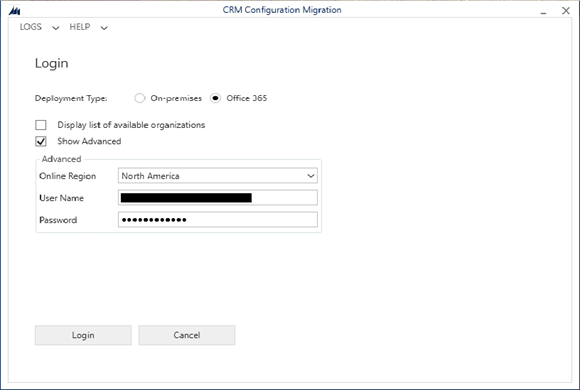
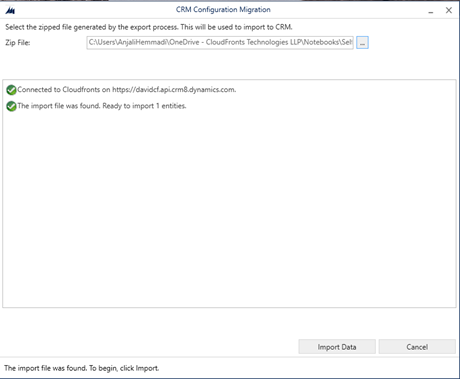
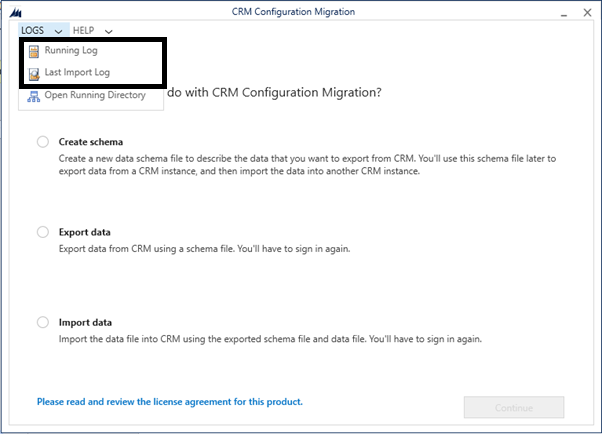
- Error logs can be viewed from Logs stored.
Related posts:

Resolving SSL/TLS Secure Channel Trust Errors in Dynamics 365 Finance and Operations

How to change a Bill of material (BOM) item on a production order
![Shopify Meets Dynamics 365 Finance and Operations: A Guide to Integration [Part 2]](https://www.cloudfronts.in/wp-content/uploads/2024/12/DALL·E-2024-12-14-12.29.44-A-professional-illustration-depicting-the-integration-between-Shopify-and-Dynamics-365-Finance-and-Operations.-The-image-shows-Shopify-on-one-side-wit-150x150.webp)
Shopify Meets Dynamics 365 Finance and Operations: A Guide to Integration [Part 2]
