

Change Password is not Working on Contacts in UCI
[SOLVED] Change Password is not working on Contacts in UCI.
Introduction:
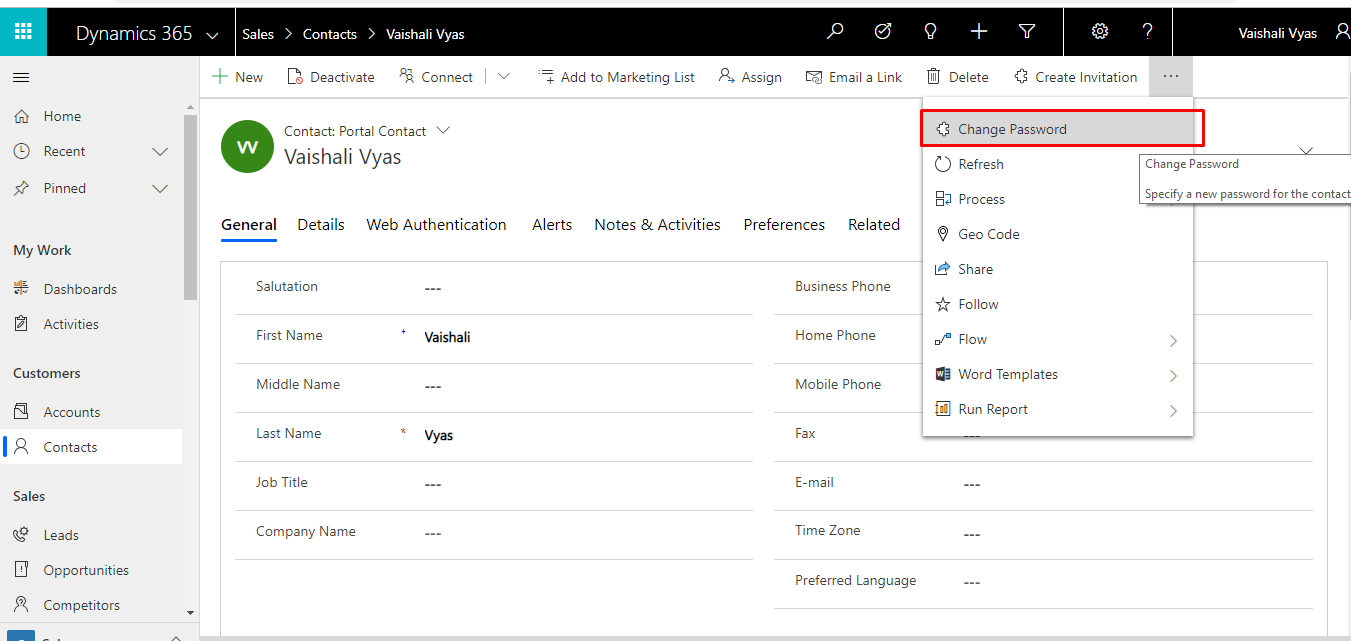
To change portal password of a portal contact, we click on the “Change Password” option. When we try to set username and password for Contact “Change Password” button is not working on Unified Interface.
Solution:
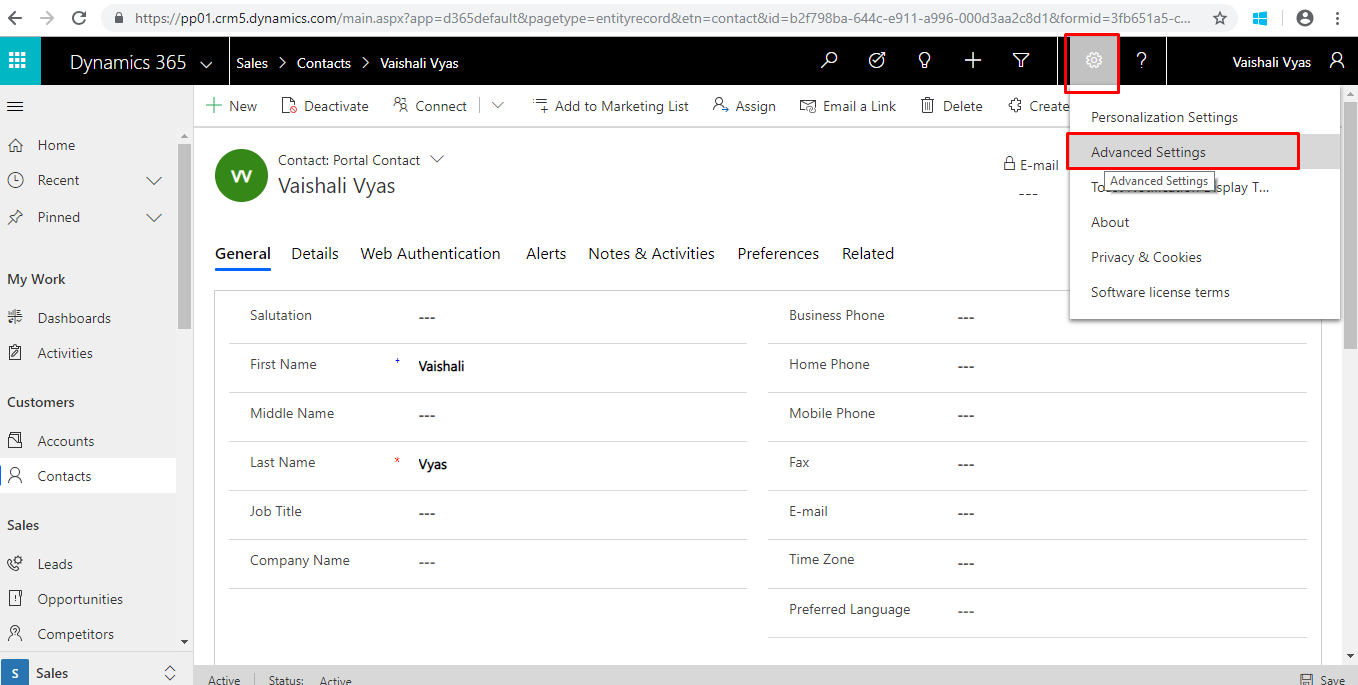
1.) Go to Settings 🡪 Advance Settings.
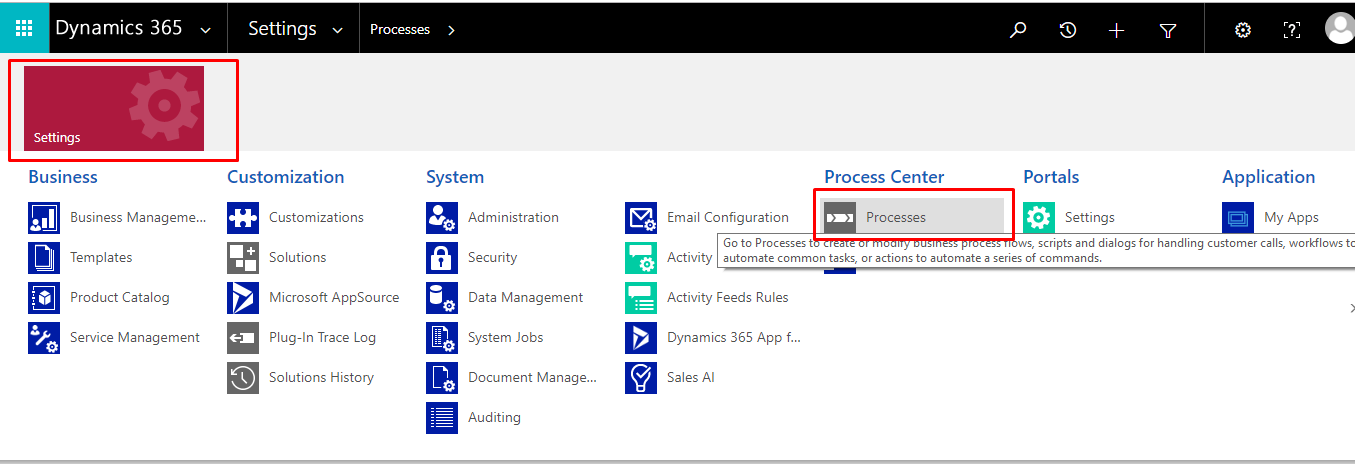
2.) Settings 🡪 Processes
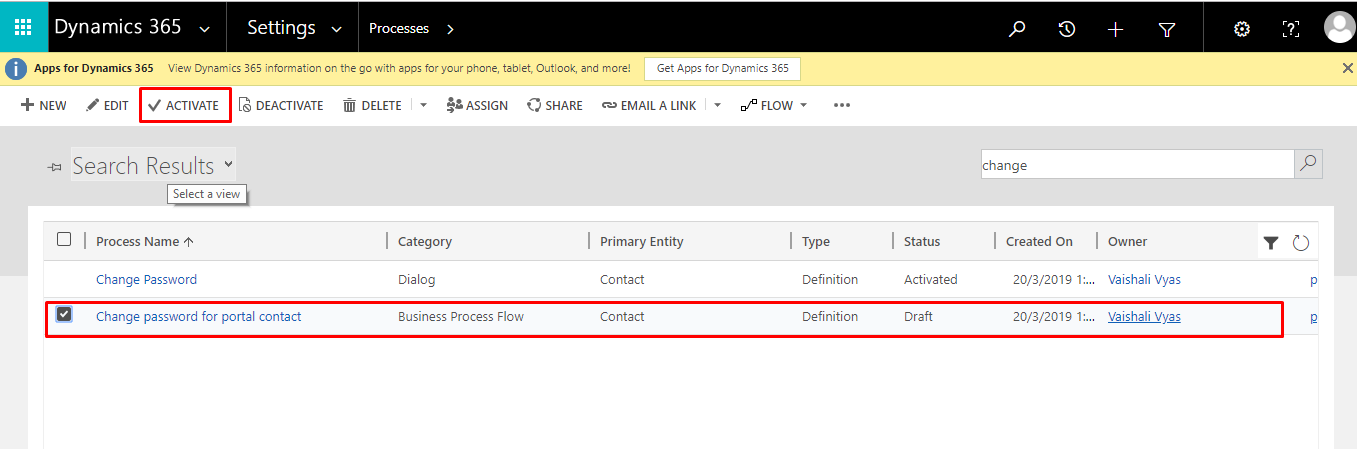
3.) Select the “Change Password for Portal Contact” Process and Activate the Process.
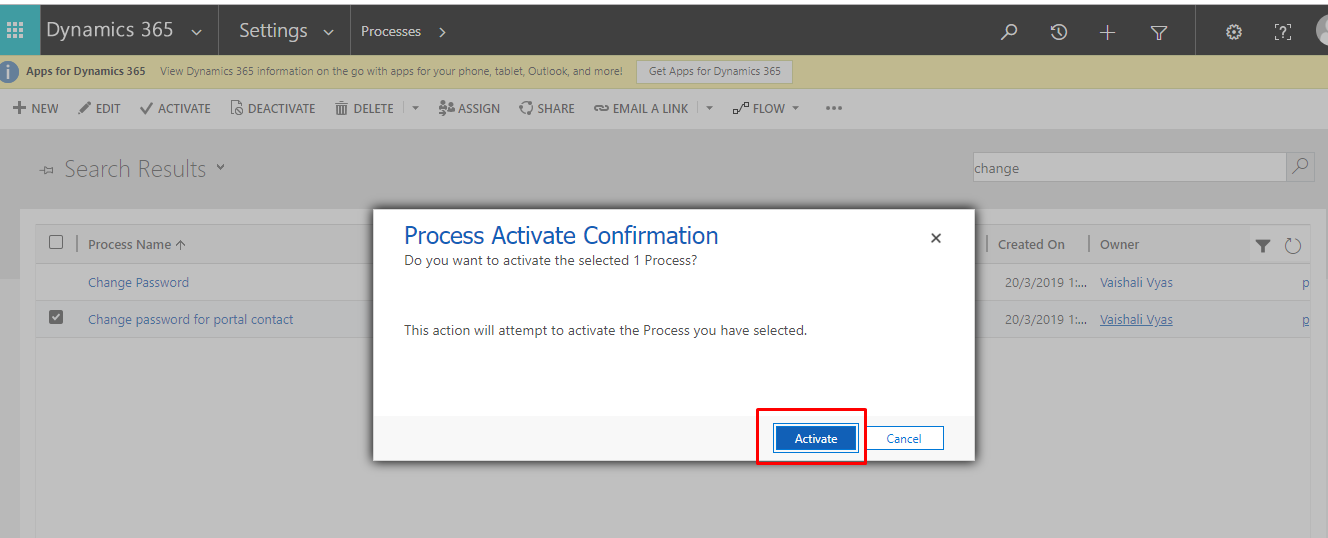
4.) Click on Activate.
5.) Go to Contact Record 🡪 Refresh the Page.
6.) Click on “Change Password” button again to set the password.
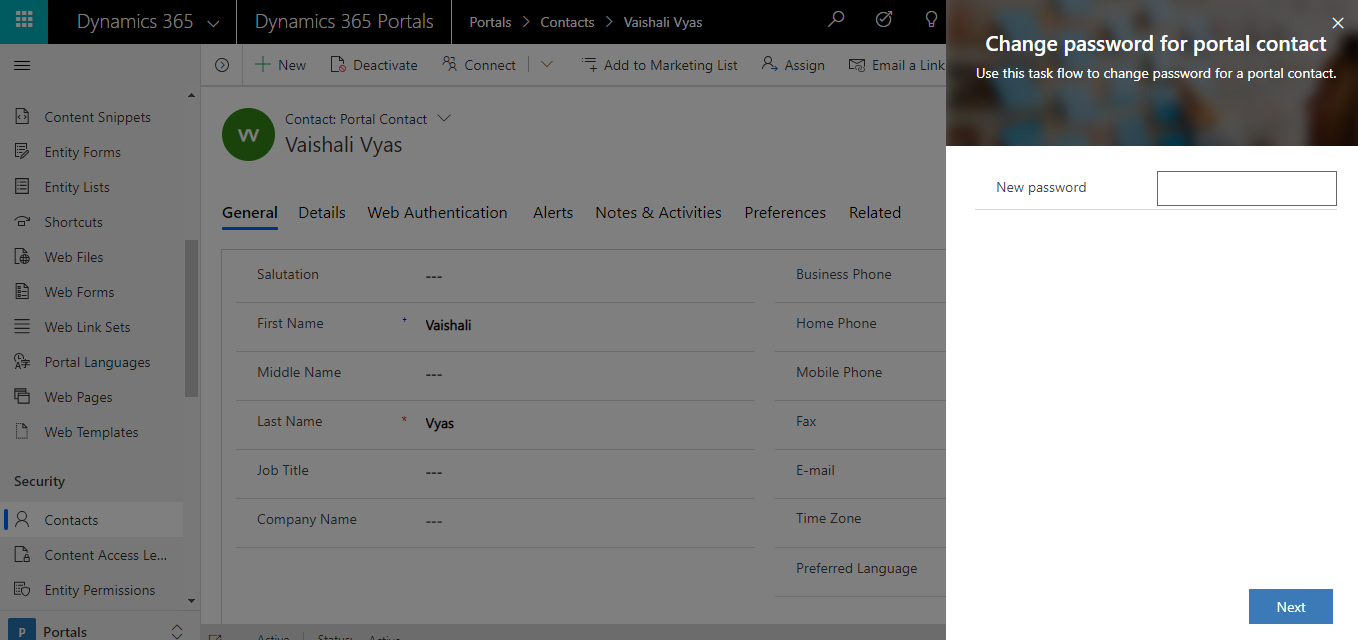
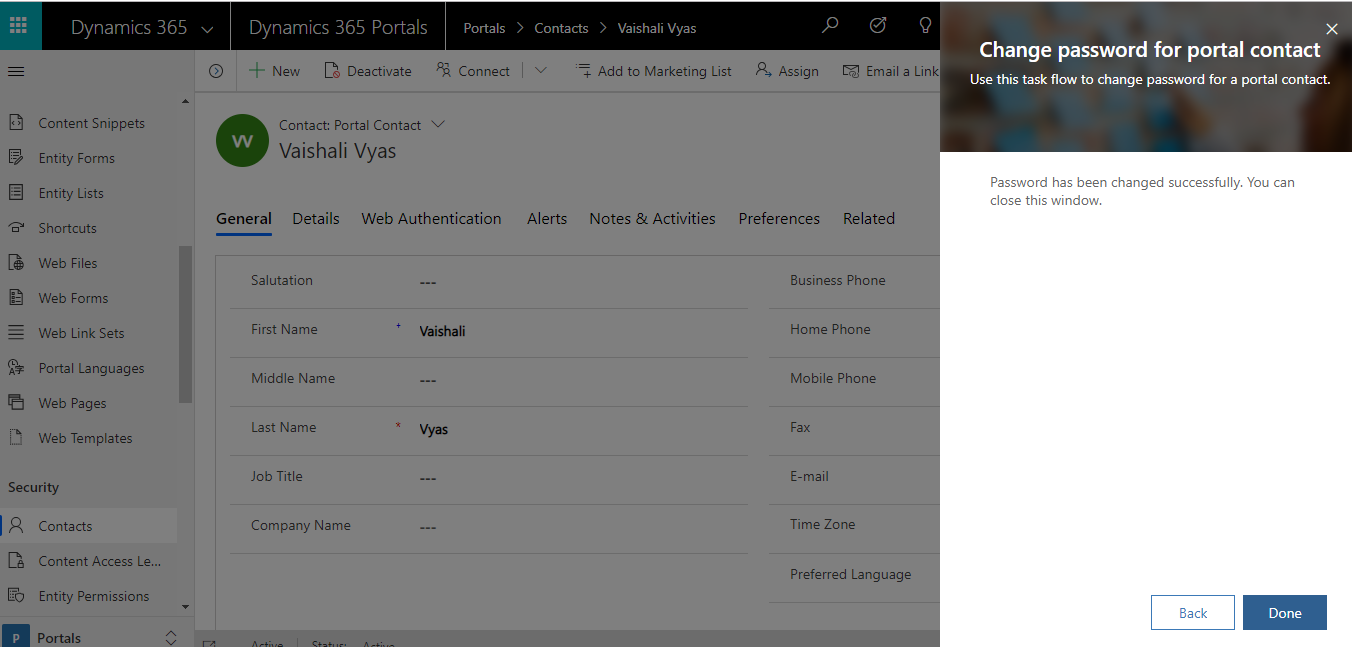
7.) Enter Password and Click on Next.
 Hope this Helped!
Related posts:

Resolving SSL/TLS Secure Channel Trust Errors in Dynamics 365 Finance and Operations

How to change a Bill of material (BOM) item on a production order
![Shopify Meets Dynamics 365 Finance and Operations: A Guide to Integration [Part 2]](https://www.cloudfronts.in/wp-content/uploads/2024/12/DALL·E-2024-12-14-12.29.44-A-professional-illustration-depicting-the-integration-between-Shopify-and-Dynamics-365-Finance-and-Operations.-The-image-shows-Shopify-on-one-side-wit-150x150.webp)
Shopify Meets Dynamics 365 Finance and Operations: A Guide to Integration [Part 2]
