

Vendor Invoice Journal-Dynamics 365 Finance and Operations
Introduction:
Vendor invoice journal helpful to post purchase invoices that are not associated with purchase orders. Examples of this type of invoice include expenses for supplies or services.
Steps:
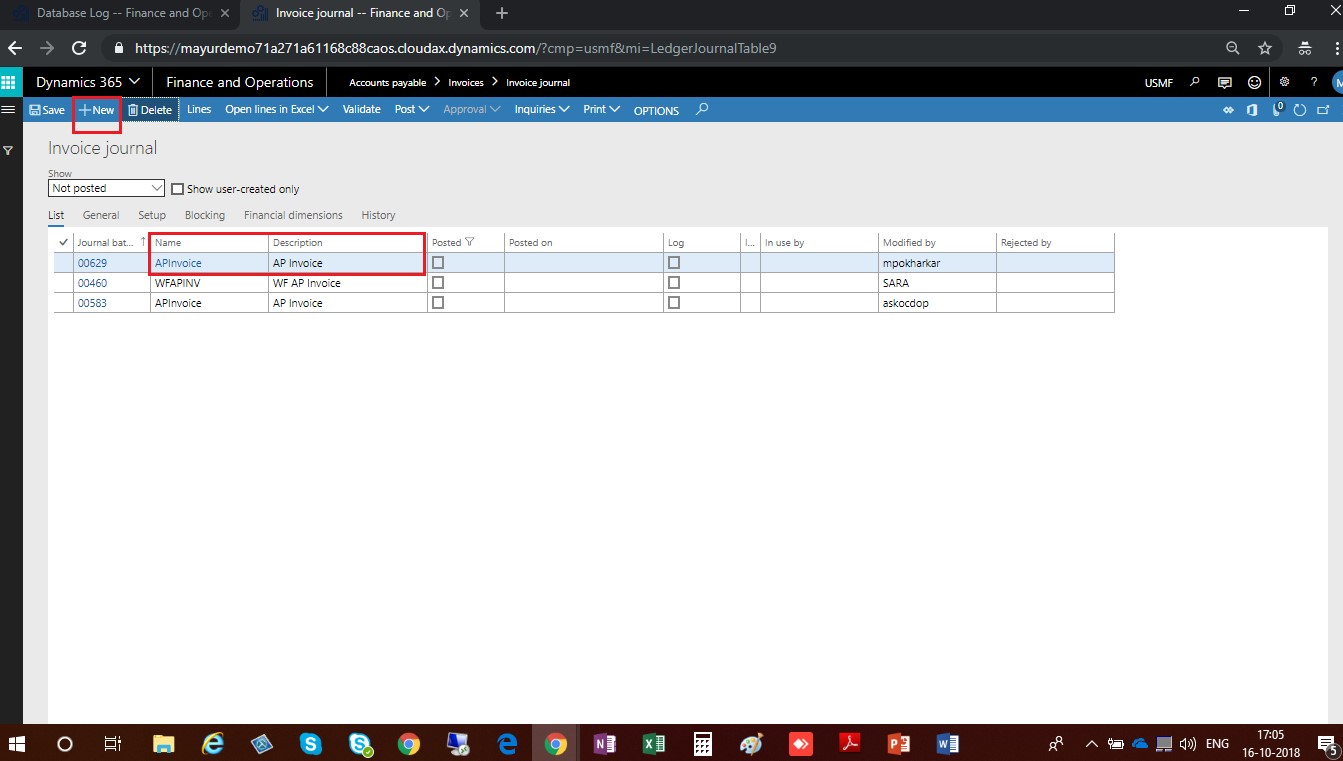
- Go to Accounts Payable > Invoices > Invoice journals
- Click on new button, select name of the journal and enter a description in description field.
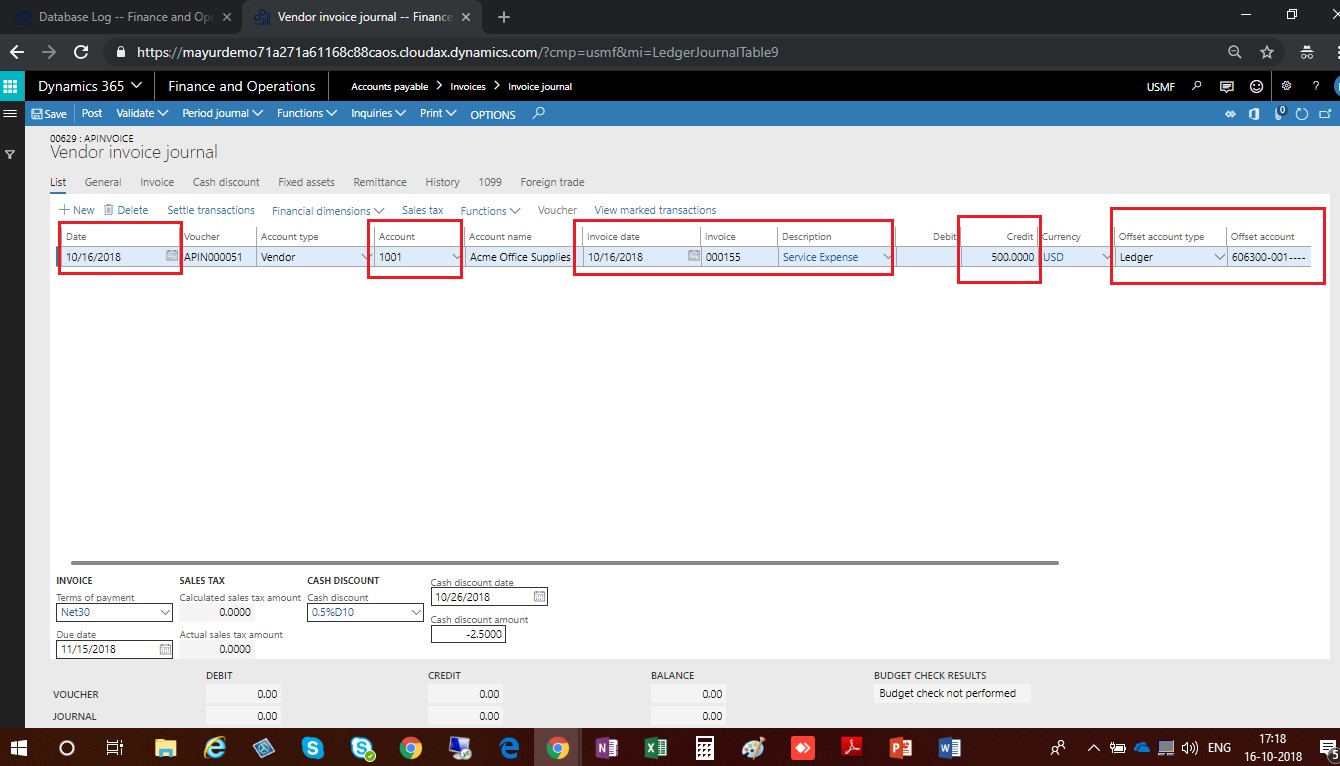
- In the Date field, enter the posting date that will update General Ledger.
- Select Vendor account
- Specify invoice number in Invoice field.
- Enter Description in the field description
- In the Credit field, enter a number.
- In the Offset account field, enter the account number or click the drop down button to open the lookup
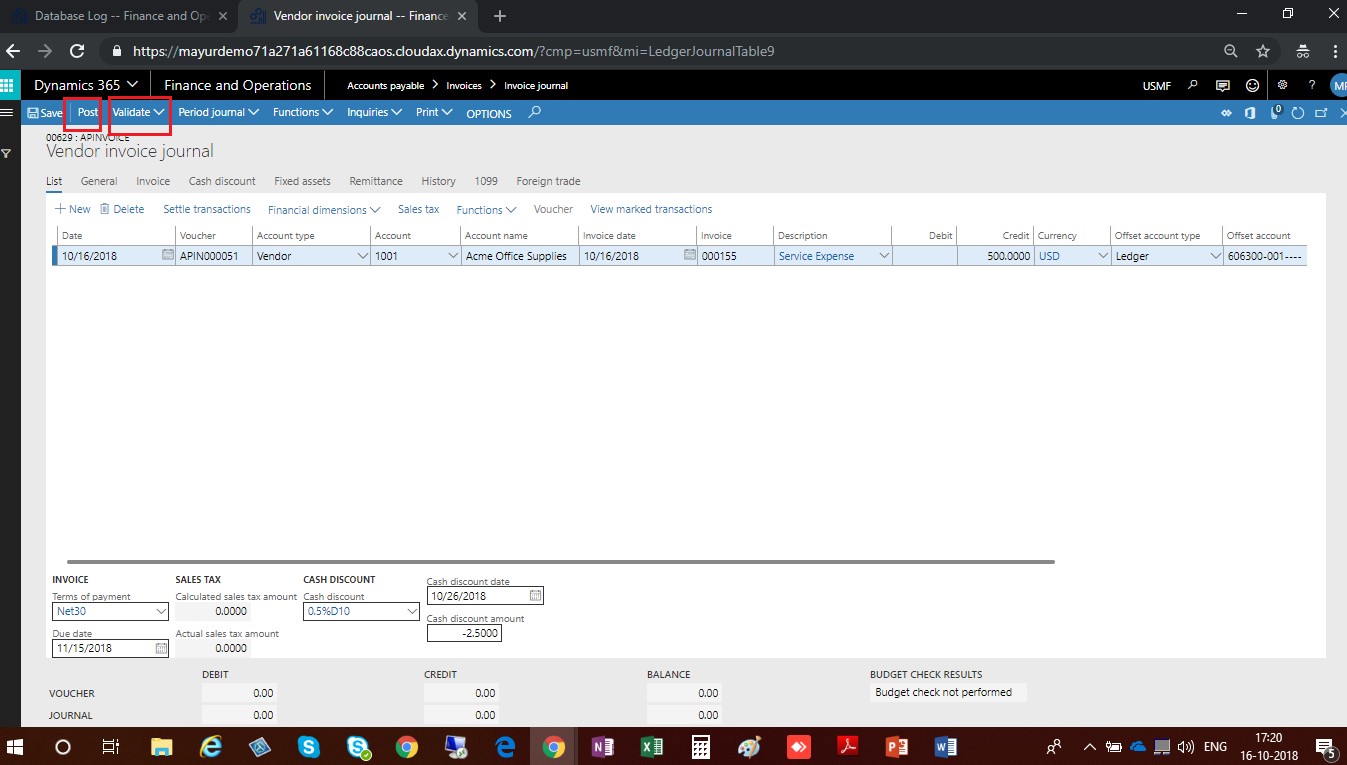
- Click on Validate to check the data are correct.
- Click on post to Post the Invoice
Related posts:

Resolving SSL/TLS Secure Channel Trust Errors in Dynamics 365 Finance and Operations

How to change a Bill of material (BOM) item on a production order

How to Set Up a Local Development Environment for D365 Finance and Operations Without Azure Costs
![Shopify Meets Dynamics 365 Finance and Operations: A Guide to Integration [Part 2]](https://www.cloudfronts.in/wp-content/uploads/2024/12/DALL·E-2024-12-14-12.29.44-A-professional-illustration-depicting-the-integration-between-Shopify-and-Dynamics-365-Finance-and-Operations.-The-image-shows-Shopify-on-one-side-wit-150x150.webp)
