

Posting Restriction for Journals- Dynamics 365 Finance & Operations
Posting restriction feature allow to determine whether specific user or user groups can post only journals that they create. You can use Journal names for posting restriction setup.
- Navigate to General ledger > Journal Setup > Journal names.
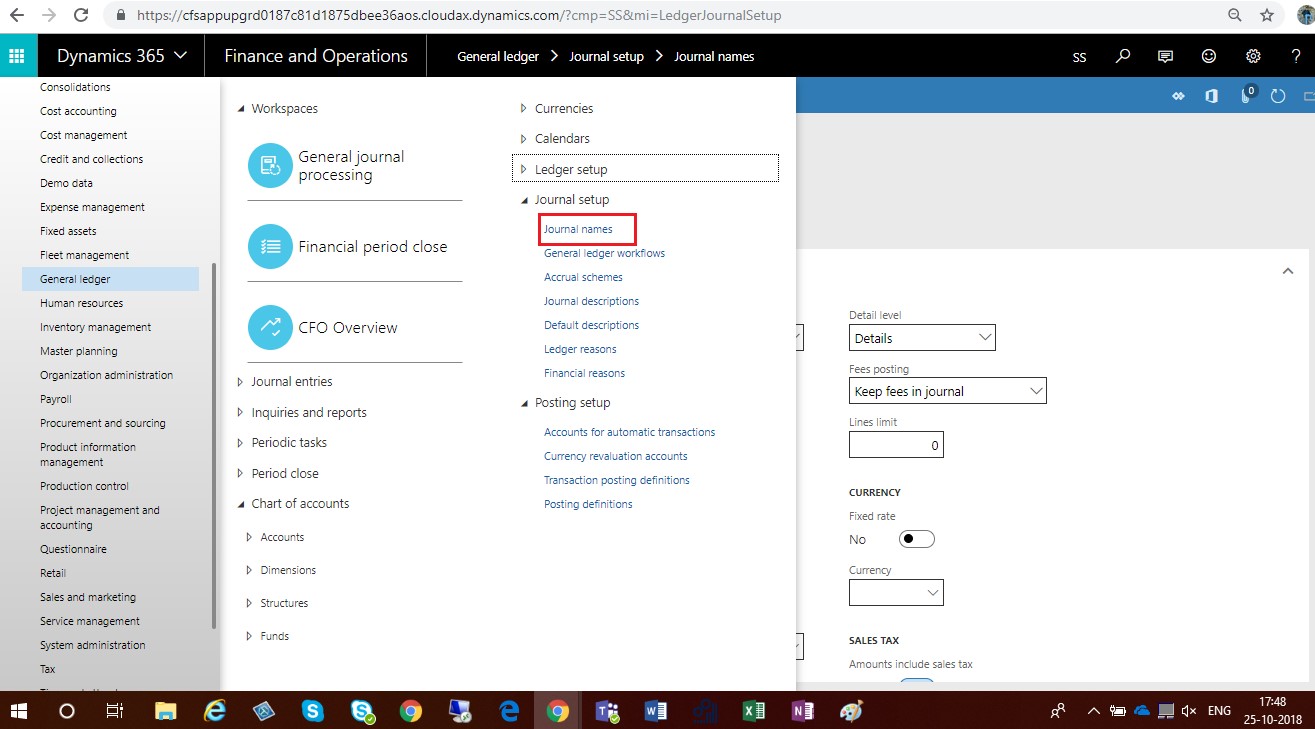
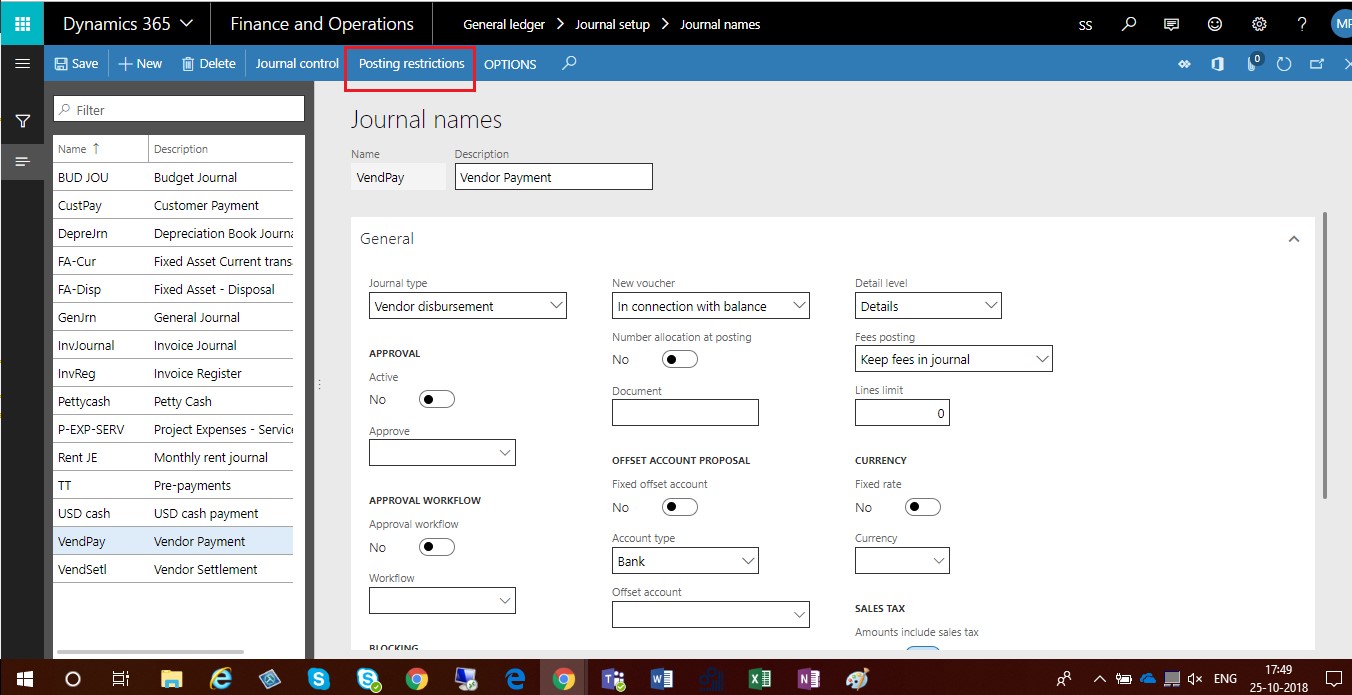
- Select Journal names for which you want to apply Posting restriction.
- Click on Posting restrictions button
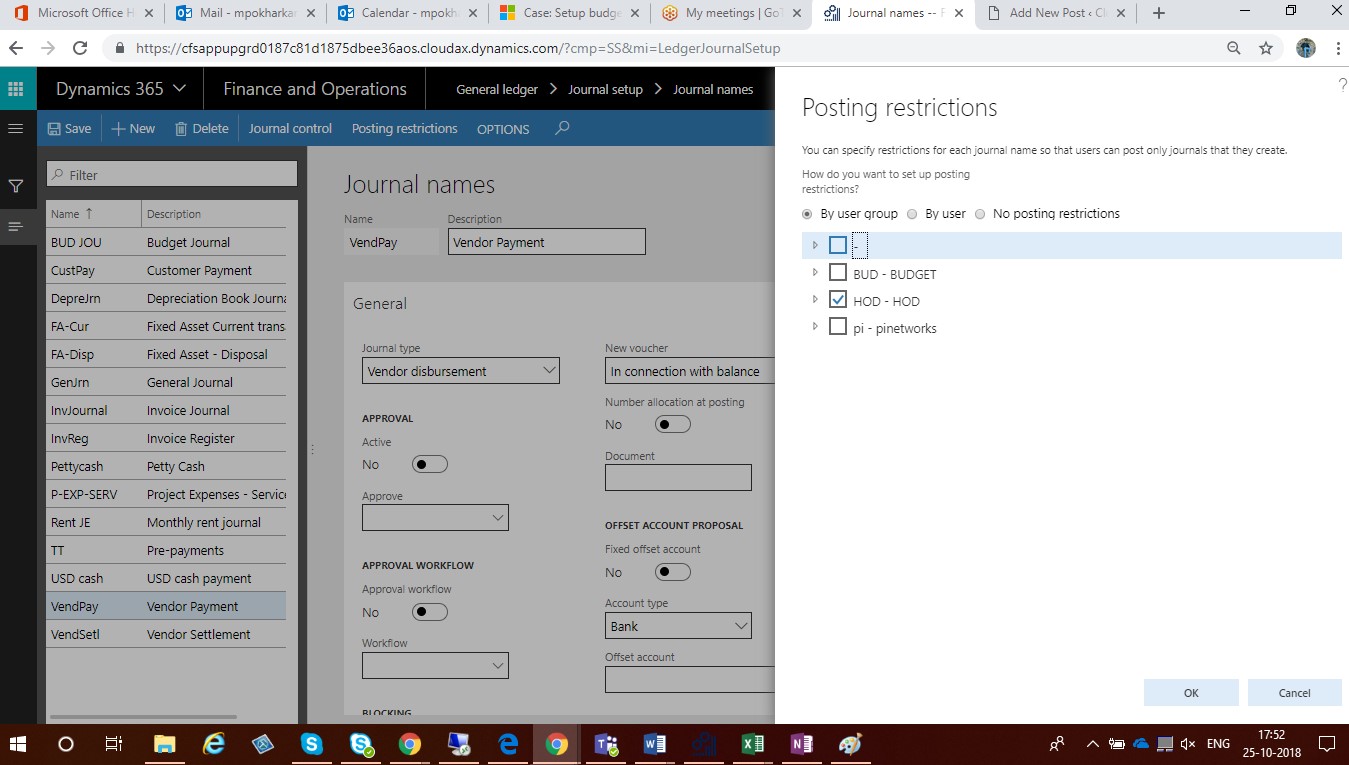
- To set up posting restrictions by user group, select By user group.Select the check box next to the user group name.
- To set up posting restrictions by user, select By user. Select the check box next to the user name.
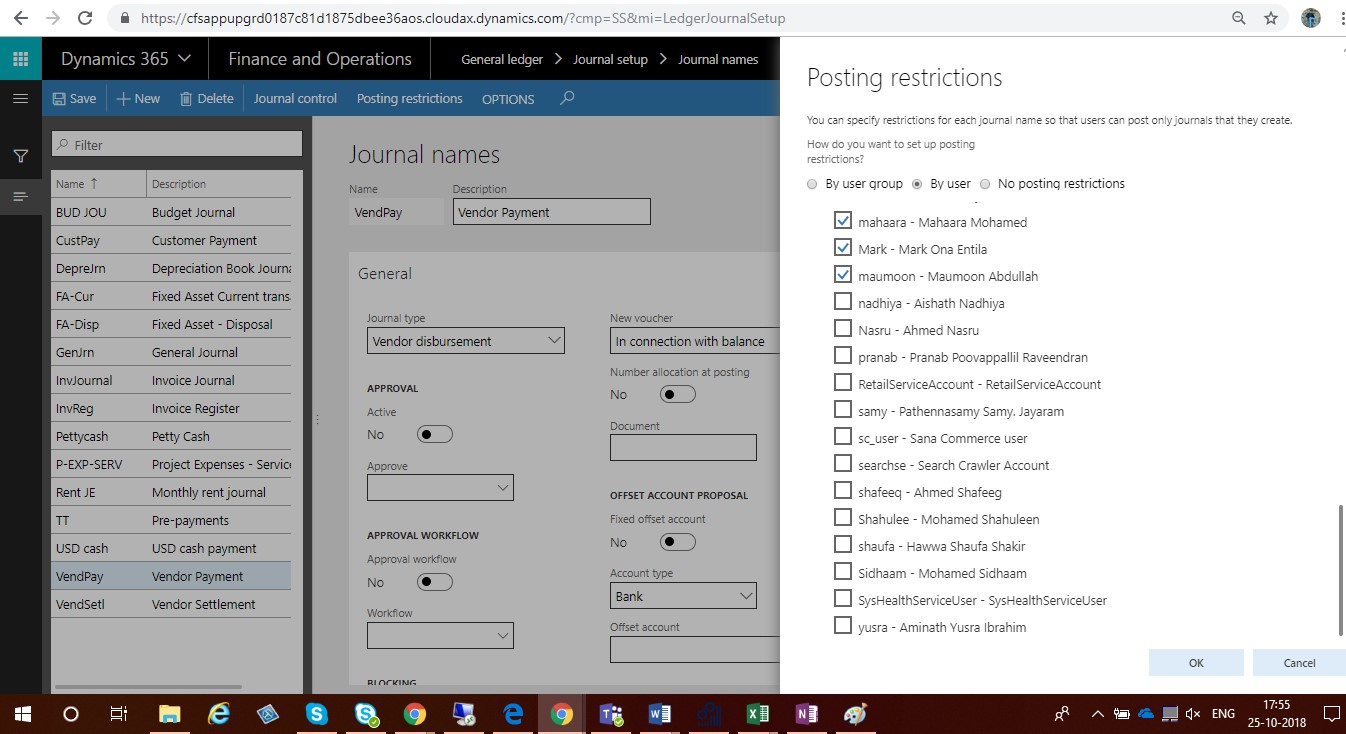
- Click OK to apply the restrictions and close the form.
Related posts:

Resolving SSL/TLS Secure Channel Trust Errors in Dynamics 365 Finance and Operations

How to change a Bill of material (BOM) item on a production order

How to Set Up a Local Development Environment for D365 Finance and Operations Without Azure Costs
![Shopify Meets Dynamics 365 Finance and Operations: A Guide to Integration [Part 2]](https://www.cloudfronts.in/wp-content/uploads/2024/12/DALL·E-2024-12-14-12.29.44-A-professional-illustration-depicting-the-integration-between-Shopify-and-Dynamics-365-Finance-and-Operations.-The-image-shows-Shopify-on-one-side-wit-150x150.webp)
