

D365 Operations Table browser error – Object reference not set to an instance of an object.
In D365 Operations, many times we need to check what data is store in tables. So, we open table browser from backend. Sometimes we face below error for all tables while opening table browser, it is a very common error and it simply means any recent customization is not compiled or sync in database.
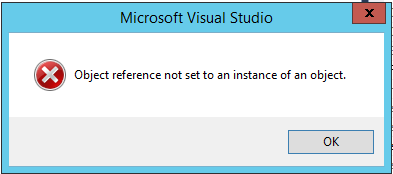
Solution:
-
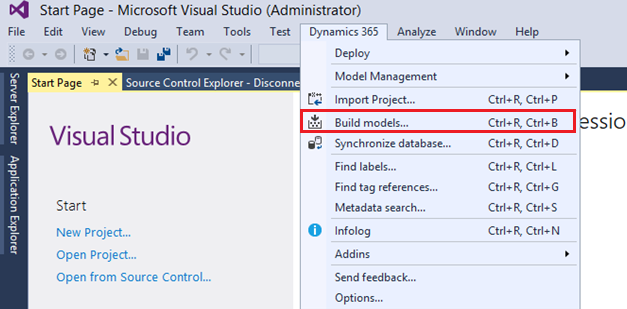
- Go to Dynamics 365 -> Build Models
-
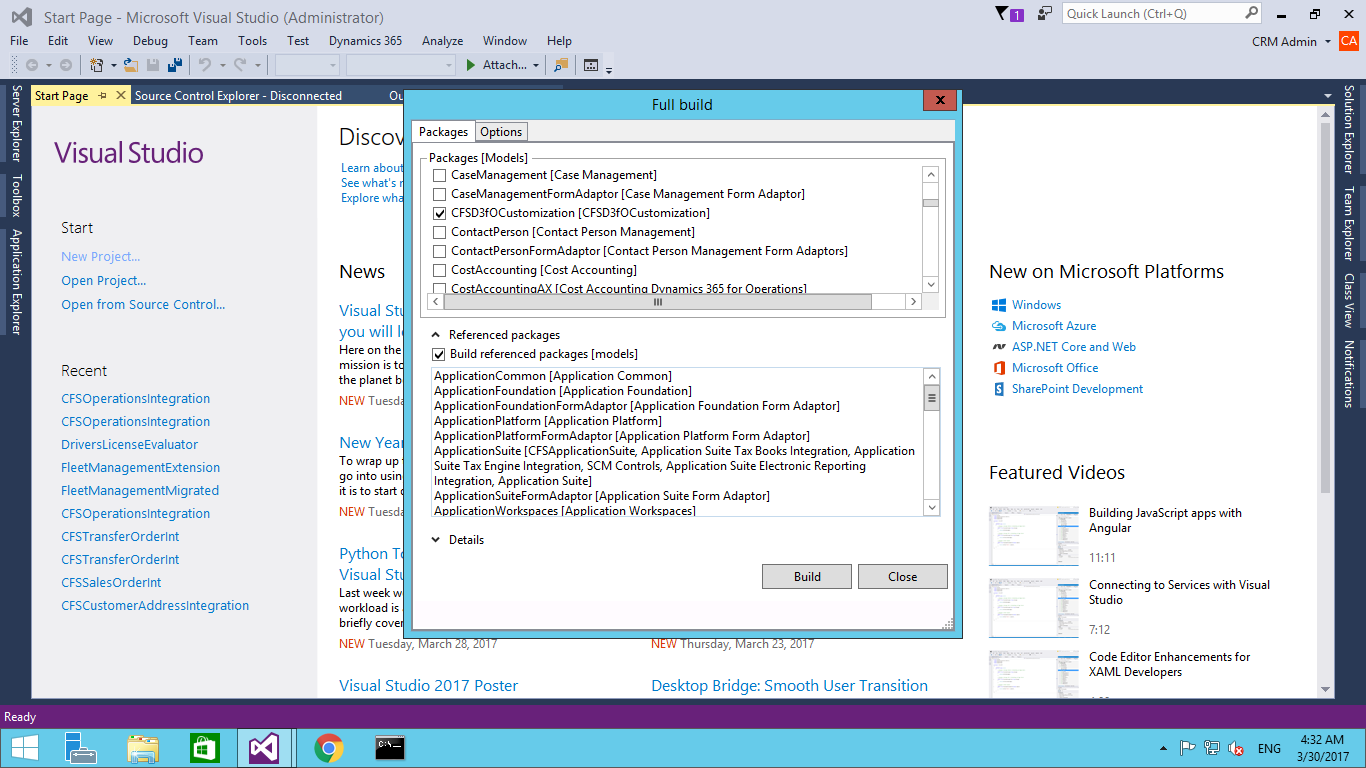
- Select the model which you have recently customized.
-
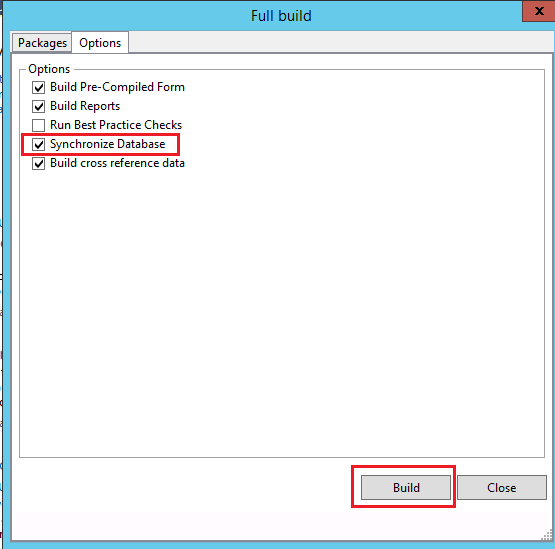
- Go to options tab. Select Synchronize database. Click Build.
Related posts:

Resolving SSL/TLS Secure Channel Trust Errors in Dynamics 365 Finance and Operations

How to change a Bill of material (BOM) item on a production order

How to Set Up a Local Development Environment for D365 Finance and Operations Without Azure Costs
![Shopify Meets Dynamics 365 Finance and Operations: A Guide to Integration [Part 2]](https://www.cloudfronts.in/wp-content/uploads/2024/12/DALL·E-2024-12-14-12.29.44-A-professional-illustration-depicting-the-integration-between-Shopify-and-Dynamics-365-Finance-and-Operations.-The-image-shows-Shopify-on-one-side-wit-150x150.webp)
