

Sharing Schedule Board in D365 Field Service
Introduction:
This blog explains options available for sharing of Schedule Board in D365 Field Services
Pre-requisite:
Latest Field Service Solution of D365.
Procedure:
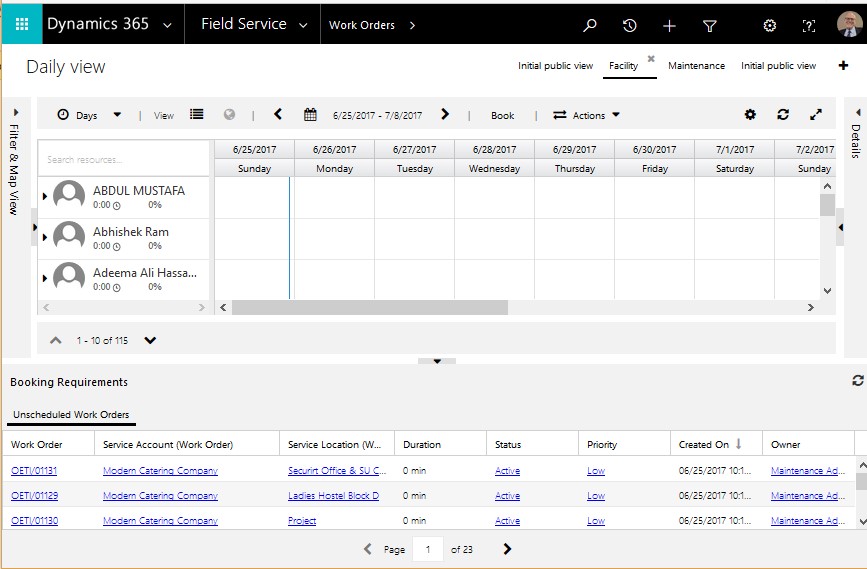
- Open Schedule Board, Field Service -> Schedule Board.
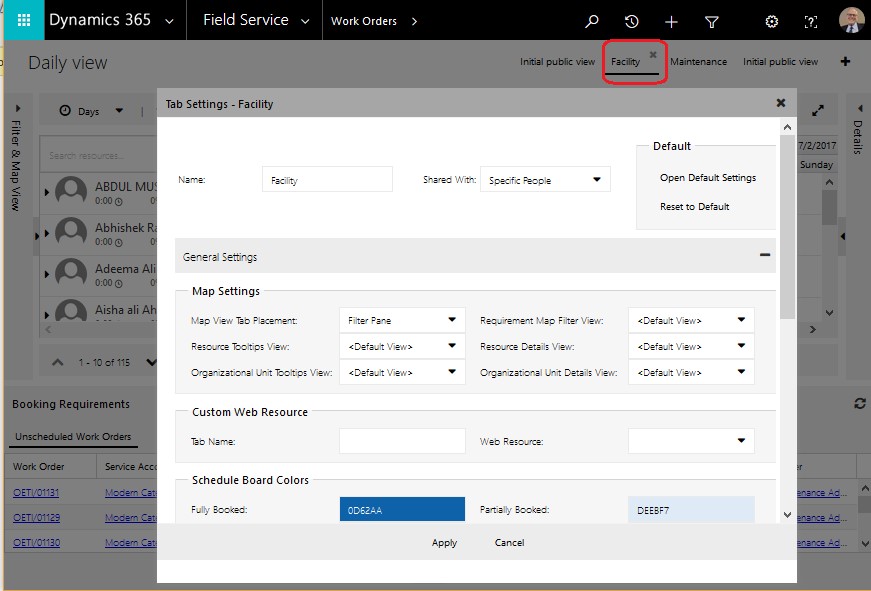
- Open a specific Tab Setting on Schedule Board for e.g. Facility as highlighted below.
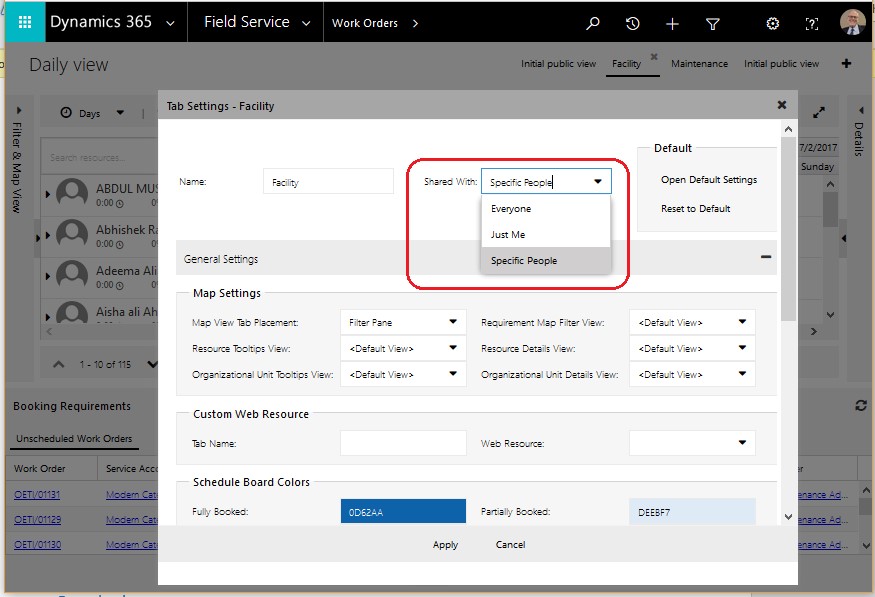
- Click on field “Shared With” dropdown.
- Schedule Board can be shared with below 3 options
- Everyone – Schedule Board is shared with all Users.
- Just Me – Schedule Board is shared with Login User Only.
- Specific People – Schedule Board is shared with Specific People.
Steps to Share Schedule Board with Specific People:
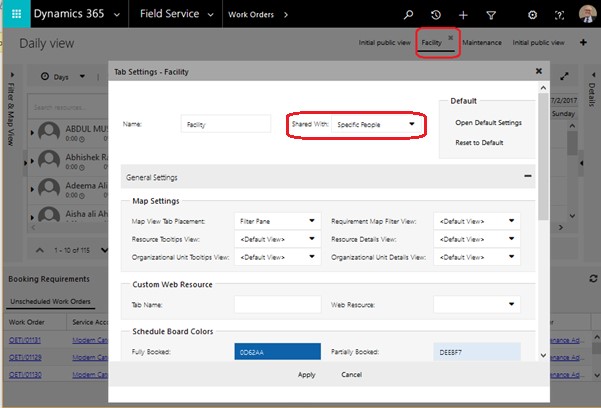
- Select “Specific People” option in Shared With field of Tab Setting on Schedule Board.
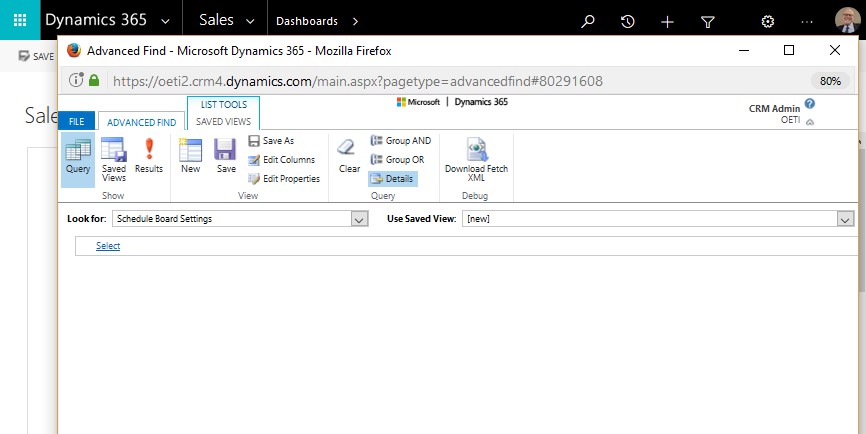
- Open “Schedule Board Settings” entity records from Advanced Find.
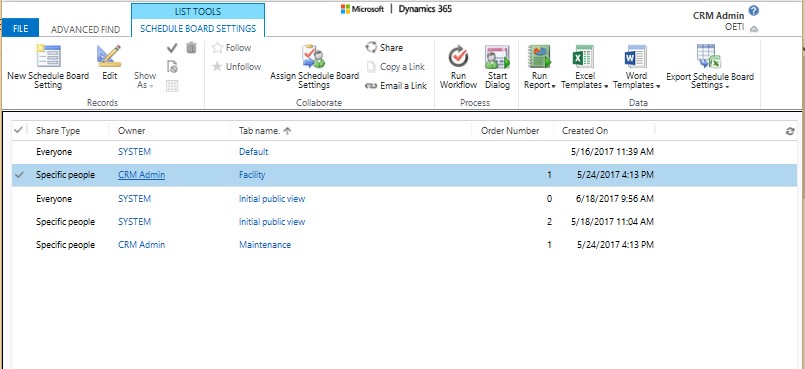
- Open Schedule Board of Specific People record from the results.
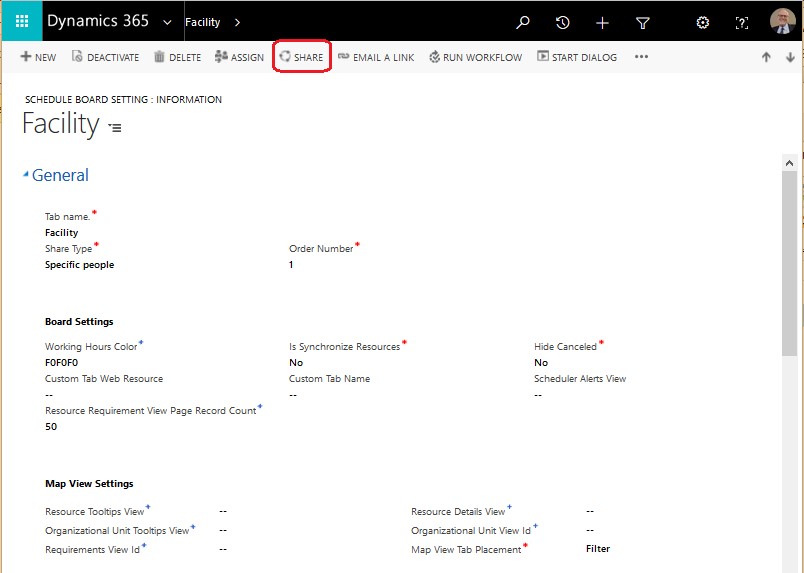
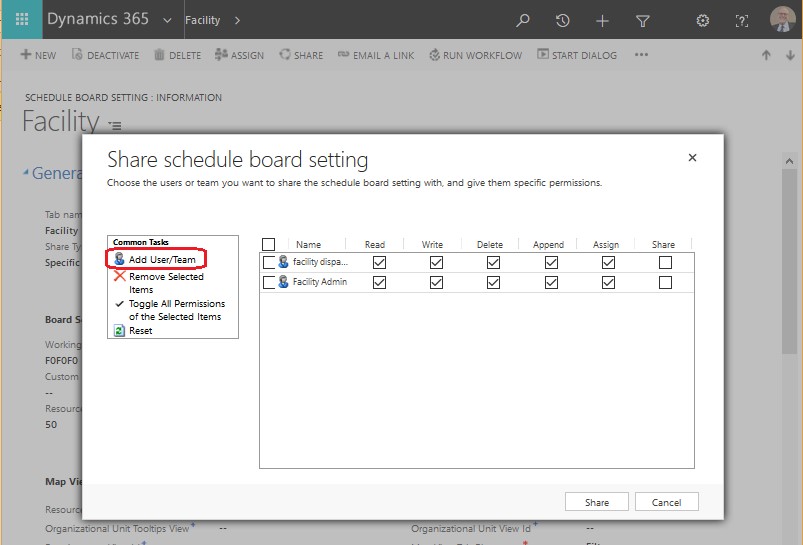
- Click on “Share” button in ribbon.
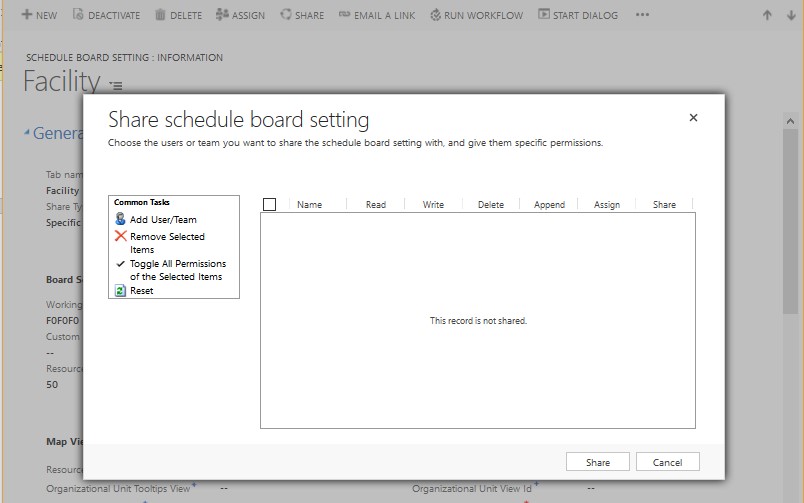
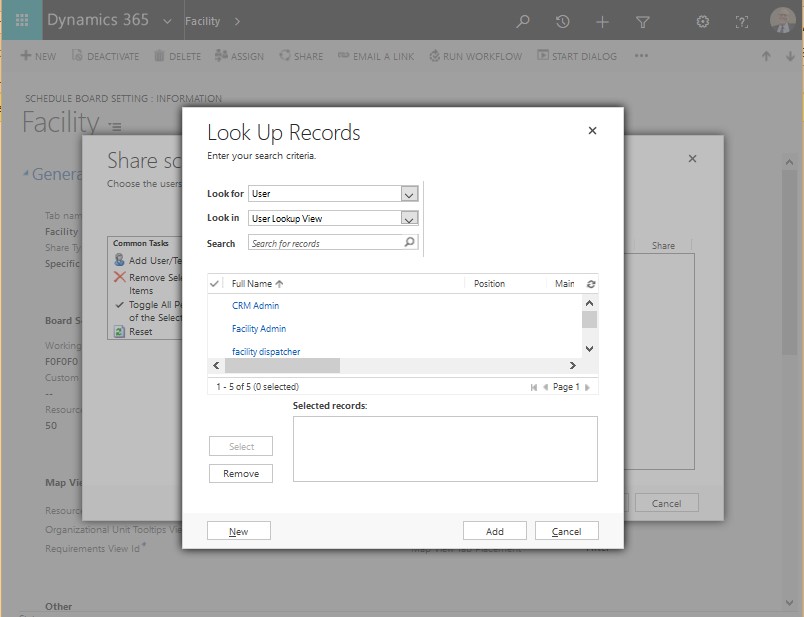
- Add new User by Clicking on “Add User/Team” option and provide privileges as per need.
Conclusion:
This blog explains the options to share Schedule Board and, also how a Schedule Board can be shared with specific Users only.
Related posts:

Resolving SSL/TLS Secure Channel Trust Errors in Dynamics 365 Finance and Operations

How to change a Bill of material (BOM) item on a production order
![Shopify Meets Dynamics 365 Finance and Operations: A Guide to Integration [Part 2]](https://www.cloudfronts.in/wp-content/uploads/2024/12/DALL·E-2024-12-14-12.29.44-A-professional-illustration-depicting-the-integration-between-Shopify-and-Dynamics-365-Finance-and-Operations.-The-image-shows-Shopify-on-one-side-wit-150x150.webp)
Shopify Meets Dynamics 365 Finance and Operations: A Guide to Integration [Part 2]
