

Generic Type Bookable Resource on Schedule Board in D365 Field Service
Introduction:
This blog explains how to filter Generic Type Bookable Resource on Schedule Board.
Pre-requisite:
Latest Field Service Solution of D365.
Procedure:
1. Open Schedule Board, Field Service → Schedule Board.
As highlighted below there is no option to select Generic Type Bookable Resource in Filter Section.

2. Click Options → Selected Resources

3. Select Generic in Resource Types drop down as shown below.
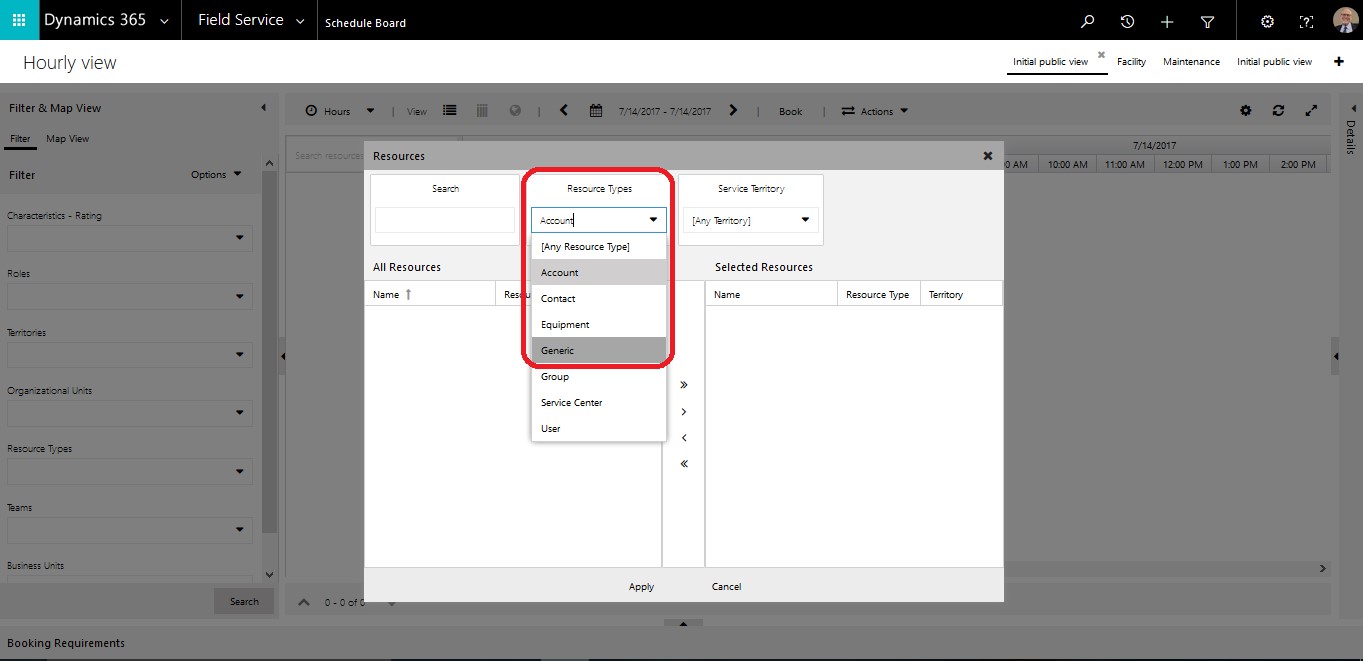
4. Select Bookable Resources as per need.

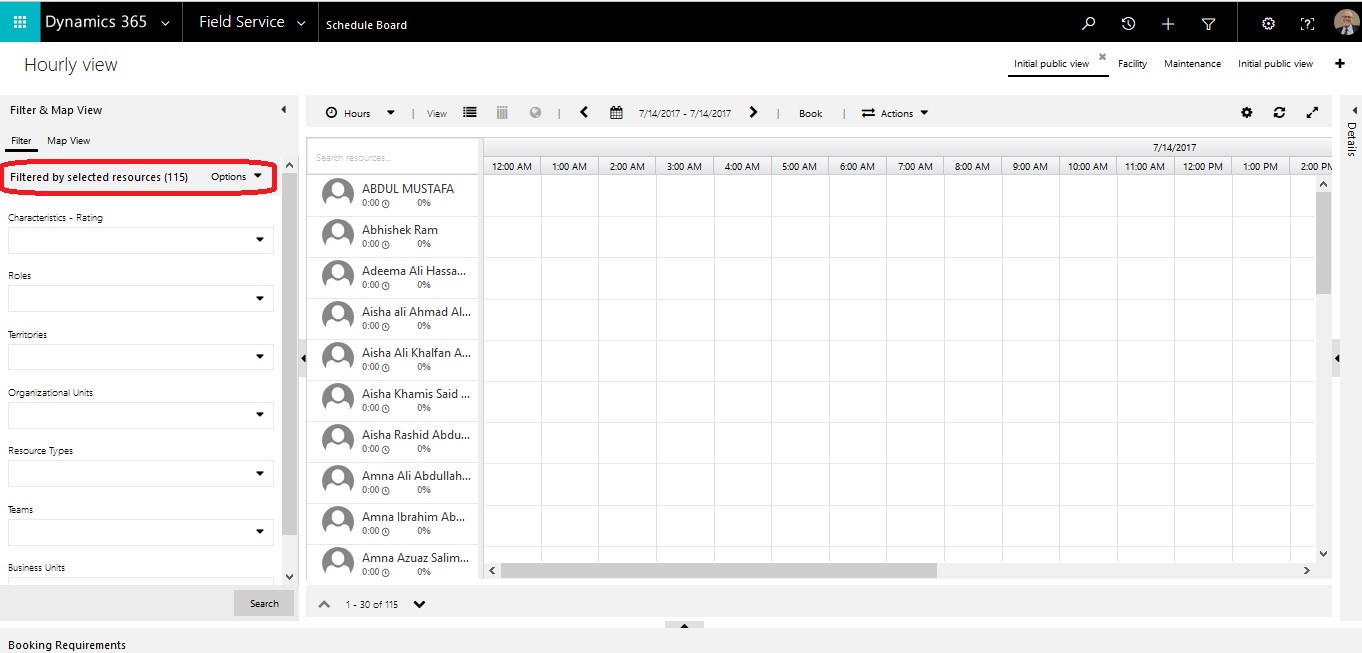
5. Bookable Resource are shown in Schedule Board of type Generic.
Conclusion:
This blog explains how to filter Generic Type Bookable Resource on Schedule Board.
Related posts:

Resolving SSL/TLS Secure Channel Trust Errors in Dynamics 365 Finance and Operations

How to change a Bill of material (BOM) item on a production order
![Shopify Meets Dynamics 365 Finance and Operations: A Guide to Integration [Part 2]](https://www.cloudfronts.in/wp-content/uploads/2024/12/DALL·E-2024-12-14-12.29.44-A-professional-illustration-depicting-the-integration-between-Shopify-and-Dynamics-365-Finance-and-Operations.-The-image-shows-Shopify-on-one-side-wit-150x150.webp)
Shopify Meets Dynamics 365 Finance and Operations: A Guide to Integration [Part 2]
