

How to Set up a null Value Using the Flow
Introduction
Sometime there is requirement where we need to set a null value based on certain condition. We usually use script to set the null value this can be achieved using the workflow.
Description:
To set the null value of you need to create a new workflow. Follow the below steps.
- Go to setting —> Process
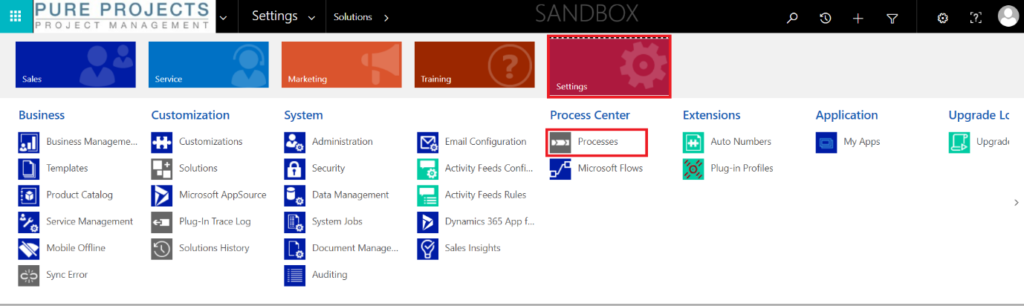
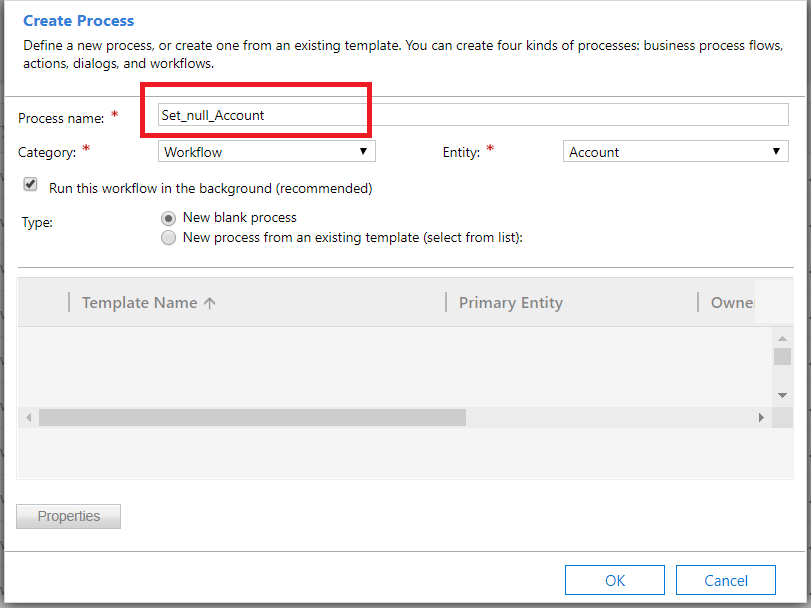
2. Create new work flow
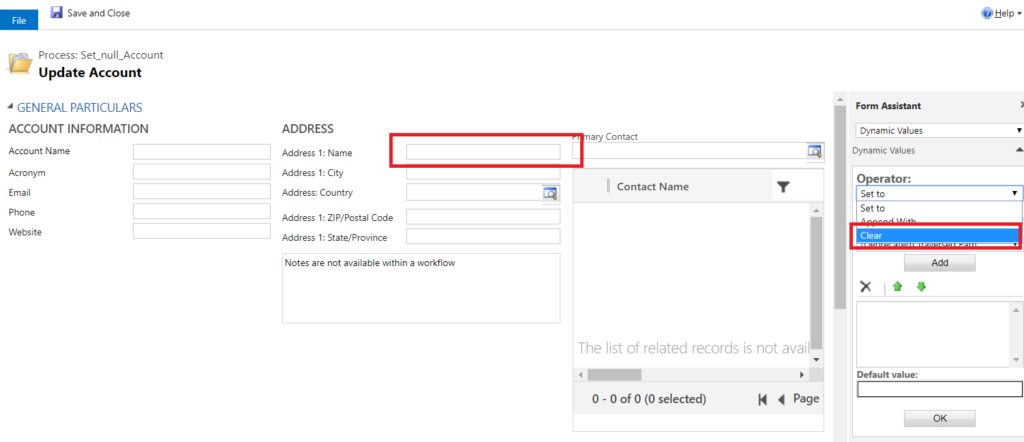
3. Set clear value for field which is you want to set the null value as shown as below.
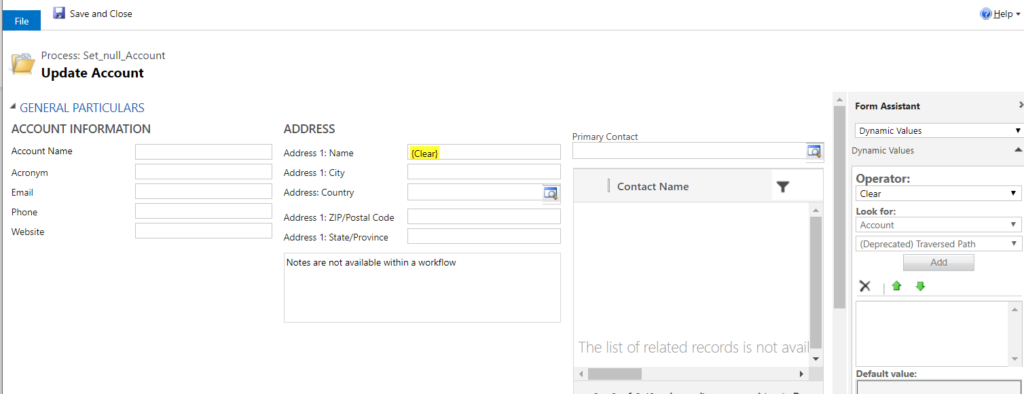
 4. Set the value and save the work flow.
Conclusion
Hope this helps while setting null value using the flow.
Related posts:

Resolving SSL/TLS Secure Channel Trust Errors in Dynamics 365 Finance and Operations

How to change a Bill of material (BOM) item on a production order
![Shopify Meets Dynamics 365 Finance and Operations: A Guide to Integration [Part 2]](https://www.cloudfronts.in/wp-content/uploads/2024/12/DALL·E-2024-12-14-12.29.44-A-professional-illustration-depicting-the-integration-between-Shopify-and-Dynamics-365-Finance-and-Operations.-The-image-shows-Shopify-on-one-side-wit-150x150.webp)
Shopify Meets Dynamics 365 Finance and Operations: A Guide to Integration [Part 2]
