

How to set a default chart in a view’s Chart Pane
Introduction:
This blog explains how to set a default chart in a view’s Chart Pane
Scenario:
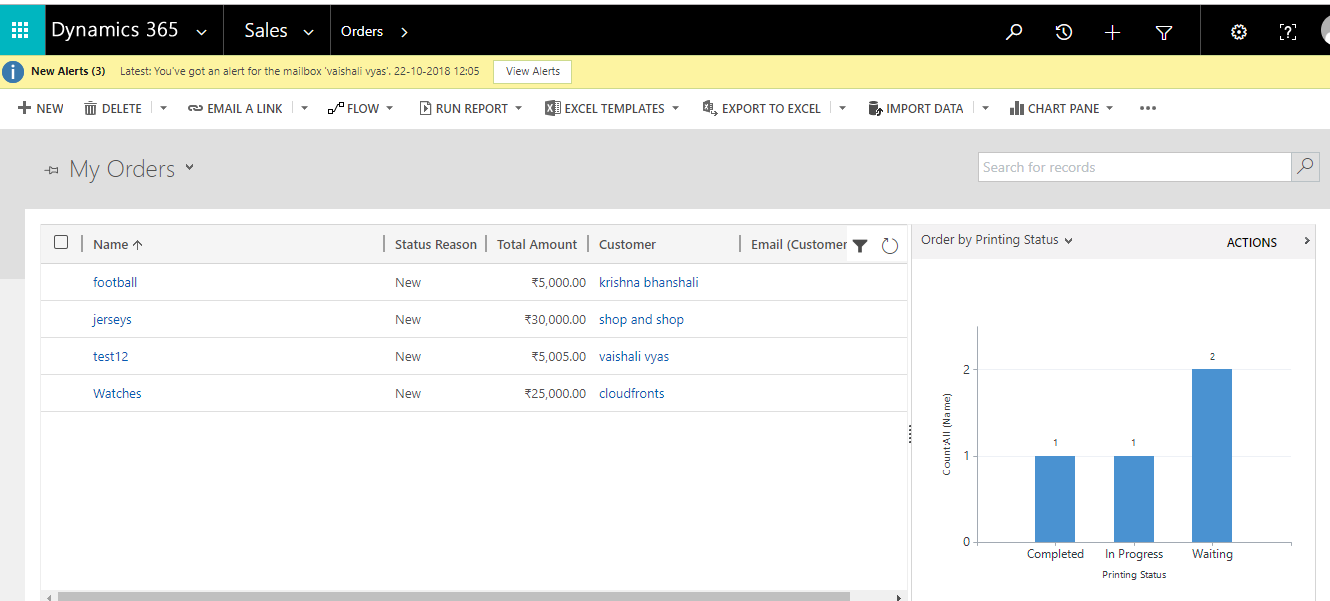
We have created custom chart on order named as Order by printing status.
We want this chart should get open when user click on charts pane
Steps:
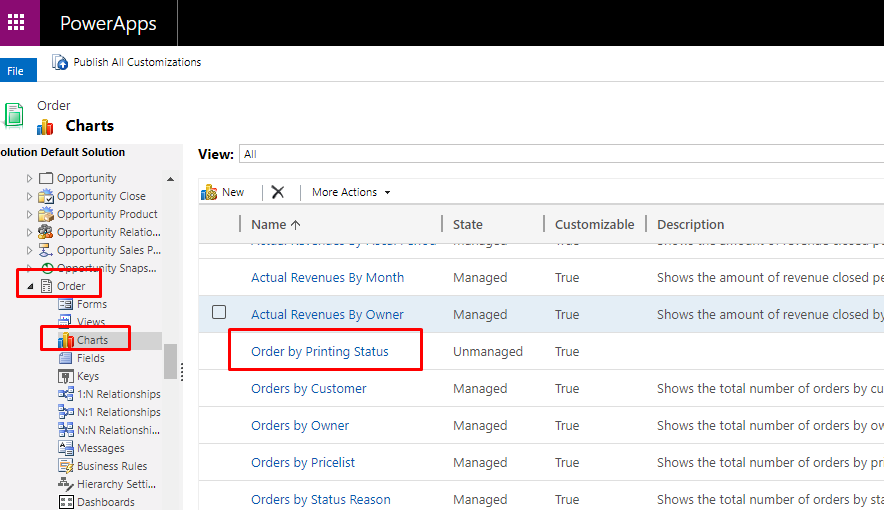
- Go to Customization –> Order –> Charts.
- Click on More Actions –> Export Chart.
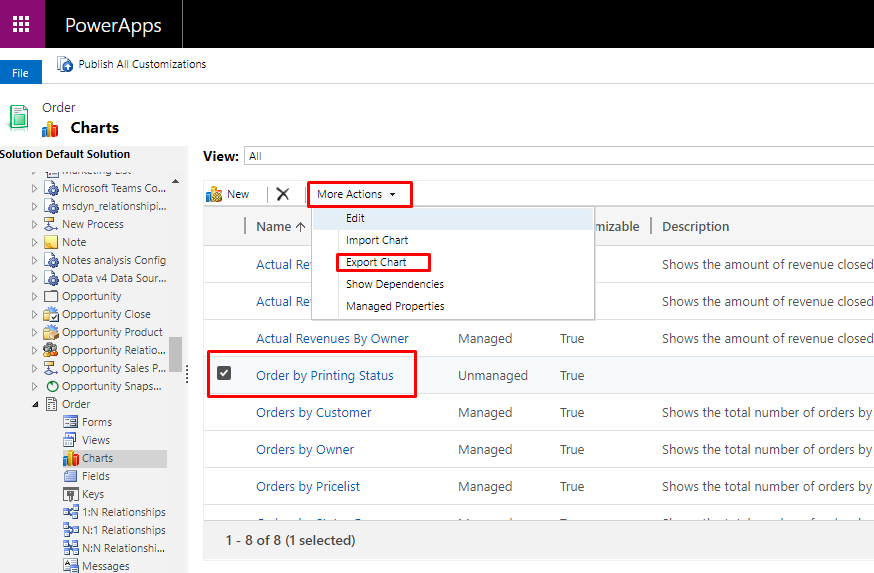
- .xml file will get download.
- Open that file with notepad.
- Search isdefault and set its value to true.
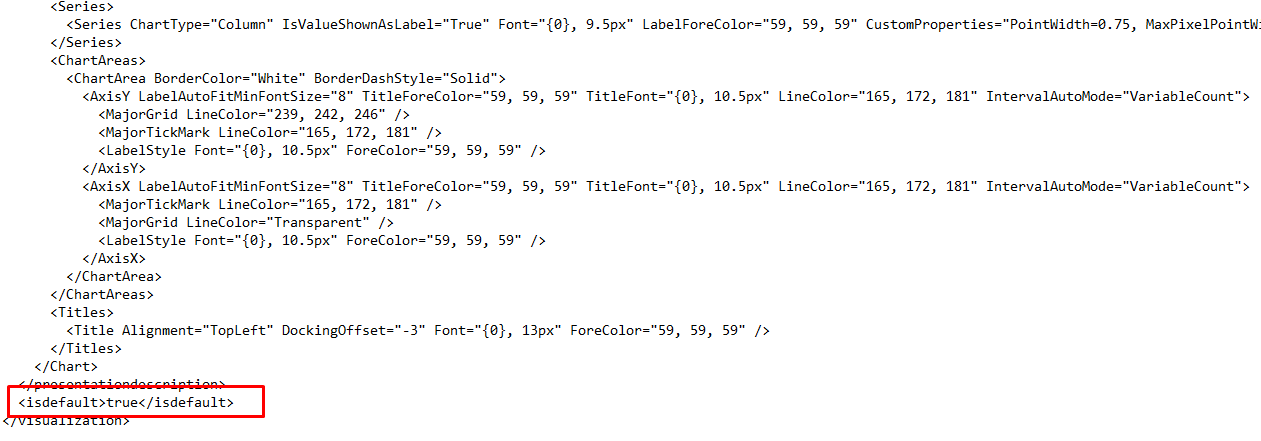
- Save
- Click on More Actions –> Import Chart

- Import the customized chart.
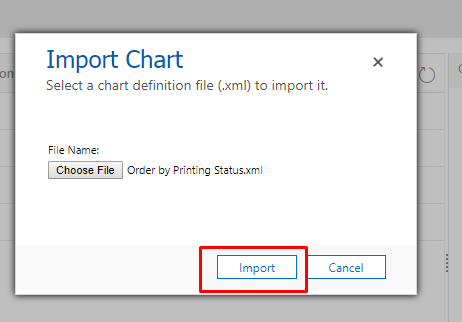
- Replace and Import Chart.
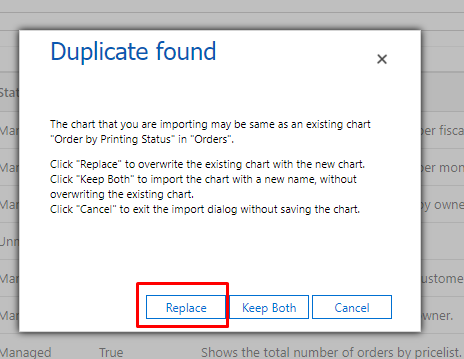
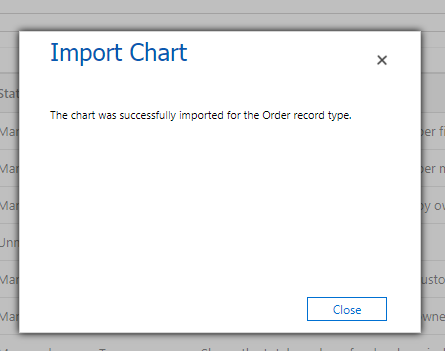
- Publish Customization.
- Now you can see that chart as default chart.
Related posts:

Resolving SSL/TLS Secure Channel Trust Errors in Dynamics 365 Finance and Operations

How to change a Bill of material (BOM) item on a production order
![Shopify Meets Dynamics 365 Finance and Operations: A Guide to Integration [Part 2]](https://www.cloudfronts.in/wp-content/uploads/2024/12/DALL·E-2024-12-14-12.29.44-A-professional-illustration-depicting-the-integration-between-Shopify-and-Dynamics-365-Finance-and-Operations.-The-image-shows-Shopify-on-one-side-wit-150x150.webp)
Shopify Meets Dynamics 365 Finance and Operations: A Guide to Integration [Part 2]
