

Change Currency format in D365 Customer Engagement
In this blog we will see how we can change the currency format in D365 CE.
We are using the Currency field named Price on Account form and we wanted to price in XX,XX,XXX.XX format
Let see how we can achieve this.
Solution:
Go to Settings and click on Personalization settings.
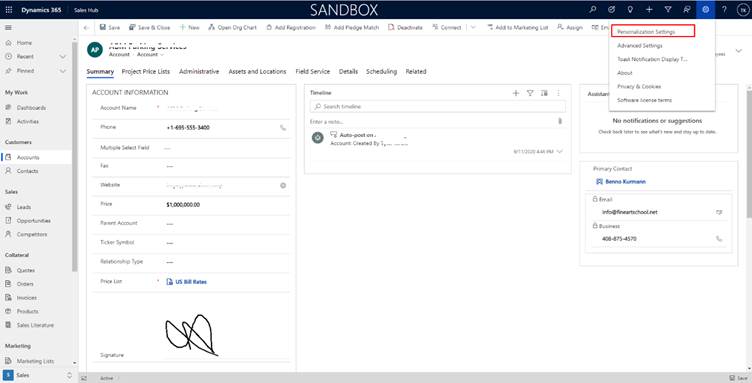
After clicking on Personalization setting, In Set Personal Options click on Format.
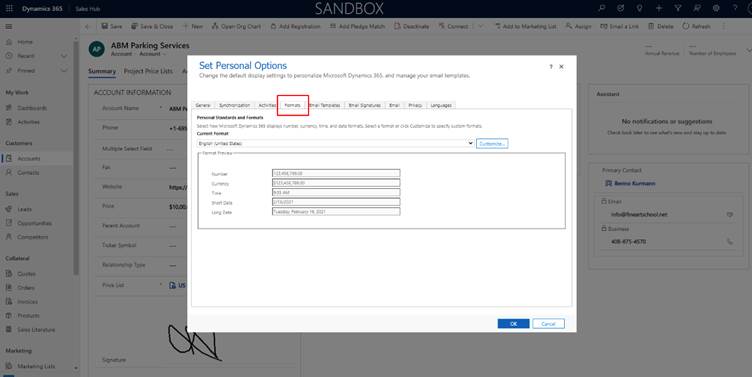
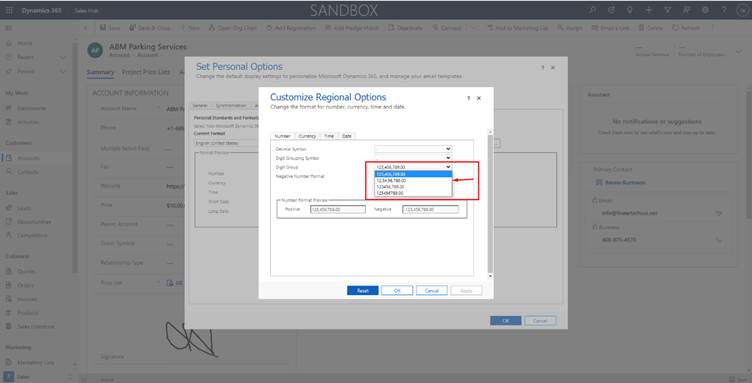
Click on Customize -> in Number, Digit group change the format as per requirement.
After updating click on Apply and Ok.
In our requirement, we wanted currency in XX,XX,XXX.XX format on Account Entity.
Price field Before Changing –
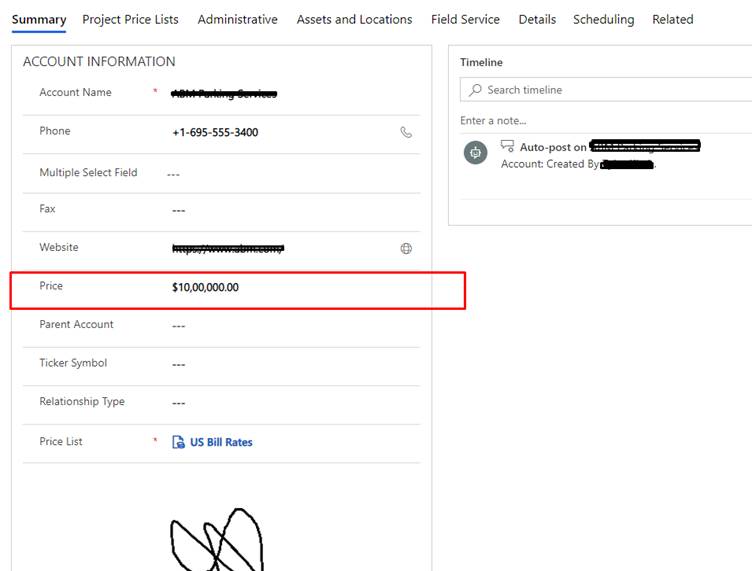
Price field after changing –
Related posts:

Resolving SSL/TLS Secure Channel Trust Errors in Dynamics 365 Finance and Operations

How to change a Bill of material (BOM) item on a production order

How to Set Up a Local Development Environment for D365 Finance and Operations Without Azure Costs
![Shopify Meets Dynamics 365 Finance and Operations: A Guide to Integration [Part 2]](https://www.cloudfronts.in/wp-content/uploads/2024/12/DALL·E-2024-12-14-12.29.44-A-professional-illustration-depicting-the-integration-between-Shopify-and-Dynamics-365-Finance-and-Operations.-The-image-shows-Shopify-on-one-side-wit-150x150.webp)
