

Upcoming Auto Save Indicator in D365 BC
D365 BC product is being improved continuously and following is the expected improvement coming in April Updates.
Auto Save Indicator
The lack of a save button in Business Central may be a source of confusion for those without prior Business Central experience. Like many other modern web applications, Microsoft plans to add a saved indicator to the application. Here’s what it looks like when a change to a vendor record is underway:
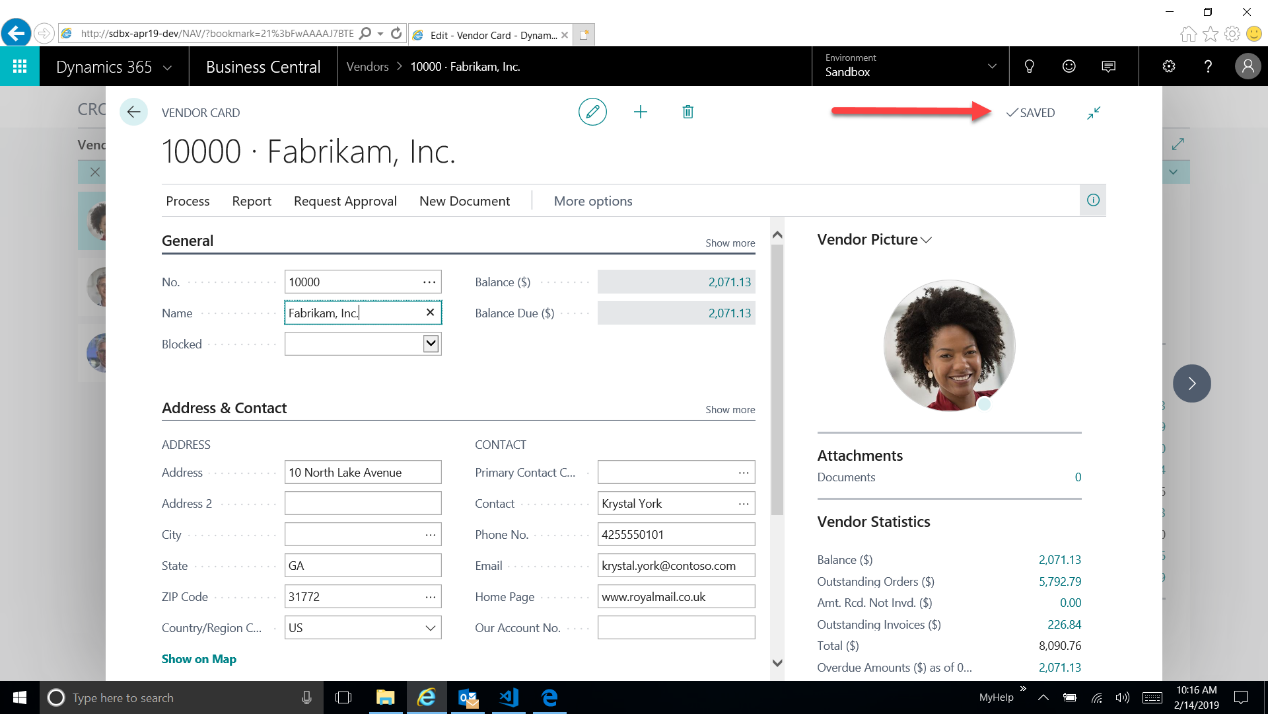
Notice the saved indicator when a page is initially opened (in this case the Vendor Card page).
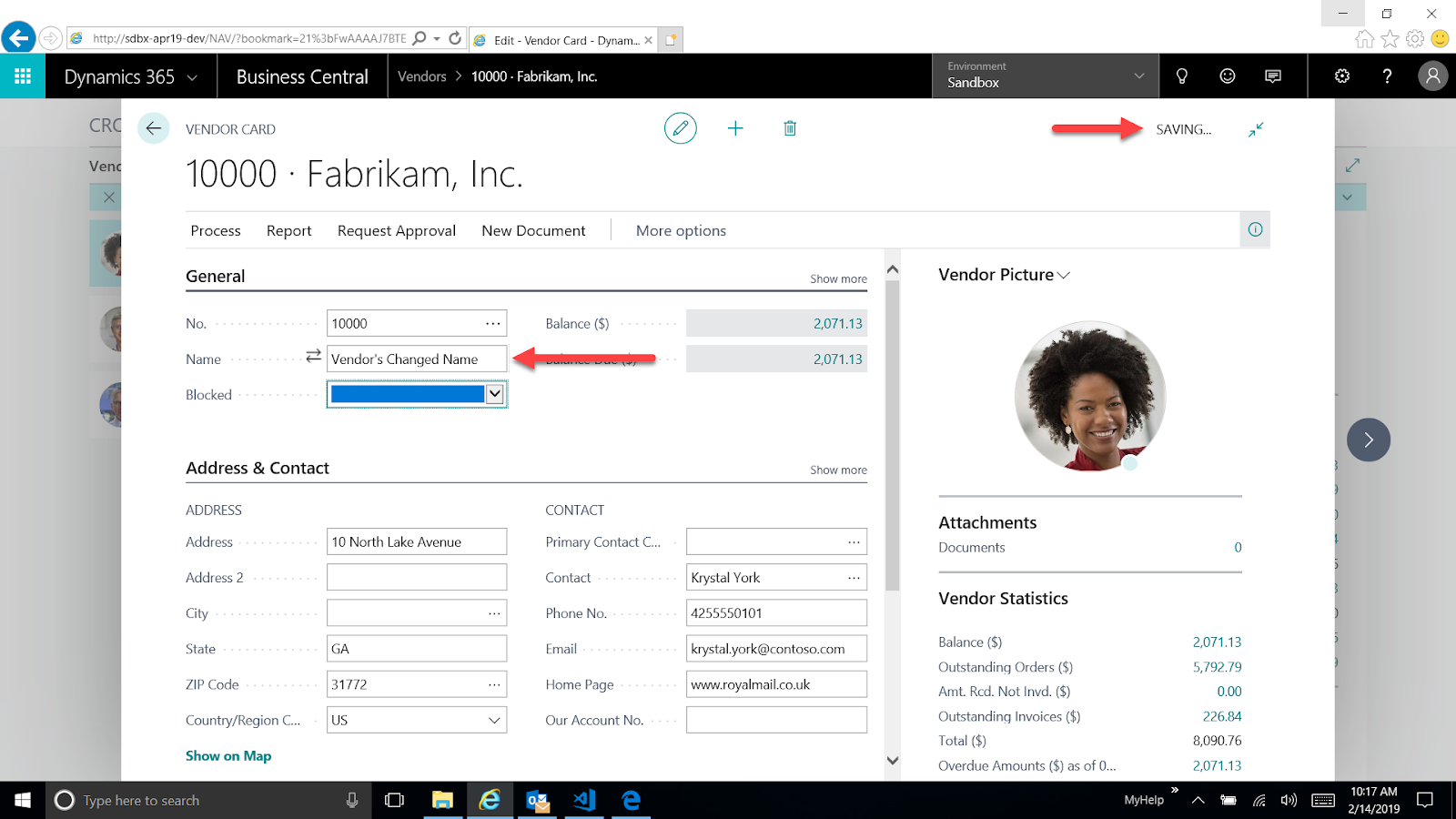
Now I’ll change the vendor’s name. Notice below how the autosave indicator updates automatically.
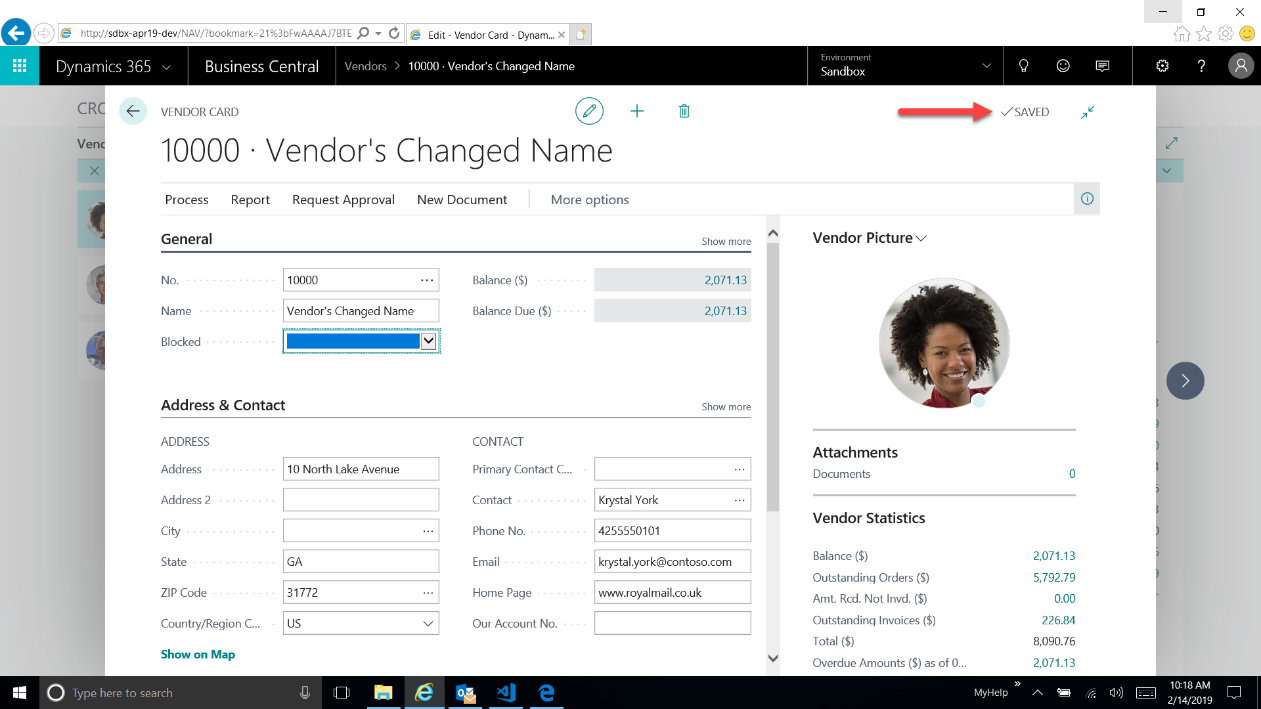
When Business Central has finished updating the record, the autosave indicator updates once more, showing this update has been saved in the application.
Related posts:

Resolving SSL/TLS Secure Channel Trust Errors in Dynamics 365 Finance and Operations

How to change a Bill of material (BOM) item on a production order
![Shopify Meets Dynamics 365 Finance and Operations: A Guide to Integration [Part 2]](https://www.cloudfronts.in/wp-content/uploads/2024/12/DALL·E-2024-12-14-12.29.44-A-professional-illustration-depicting-the-integration-between-Shopify-and-Dynamics-365-Finance-and-Operations.-The-image-shows-Shopify-on-one-side-wit-150x150.webp)
Shopify Meets Dynamics 365 Finance and Operations: A Guide to Integration [Part 2]
