

Record Deletion Tool in Business Central
Introduction:
After a successful Go-Live in Business Central, we somehow need to delete a record from Backend.
There is no way of doing this until you write a code to delete the specific record.
I also had a word with Microsoft Support Team who recommend taking this approach.
Thus I have created a Generic Record Deletion Tool where you have to put your Table Number and Primary Keys to delete the specific record.
Record Deletion Tool : https://github.com/olisterr/Data-Deletion-Tool/blob/master/Report%2050199%20DataDeletionReport.al
Pre-requisites:
Microsoft Dynamics Business Central
Books & References:
https://forum.mibuso.com/discussion/6922/how-to-setrange-and-find-a-record-with-recordref-datatype
Demonstration:
NOTE: This tool is available for free without any warranties. Use it at you own risk.
1. Global Search for the Tool:
 |
| Searching for the Record Deletion Tool |
2. Filter records by Table No. and Primary Keys:
 |
| Filling in the Table No. and Primary Keys |
3. During Record Deletion:
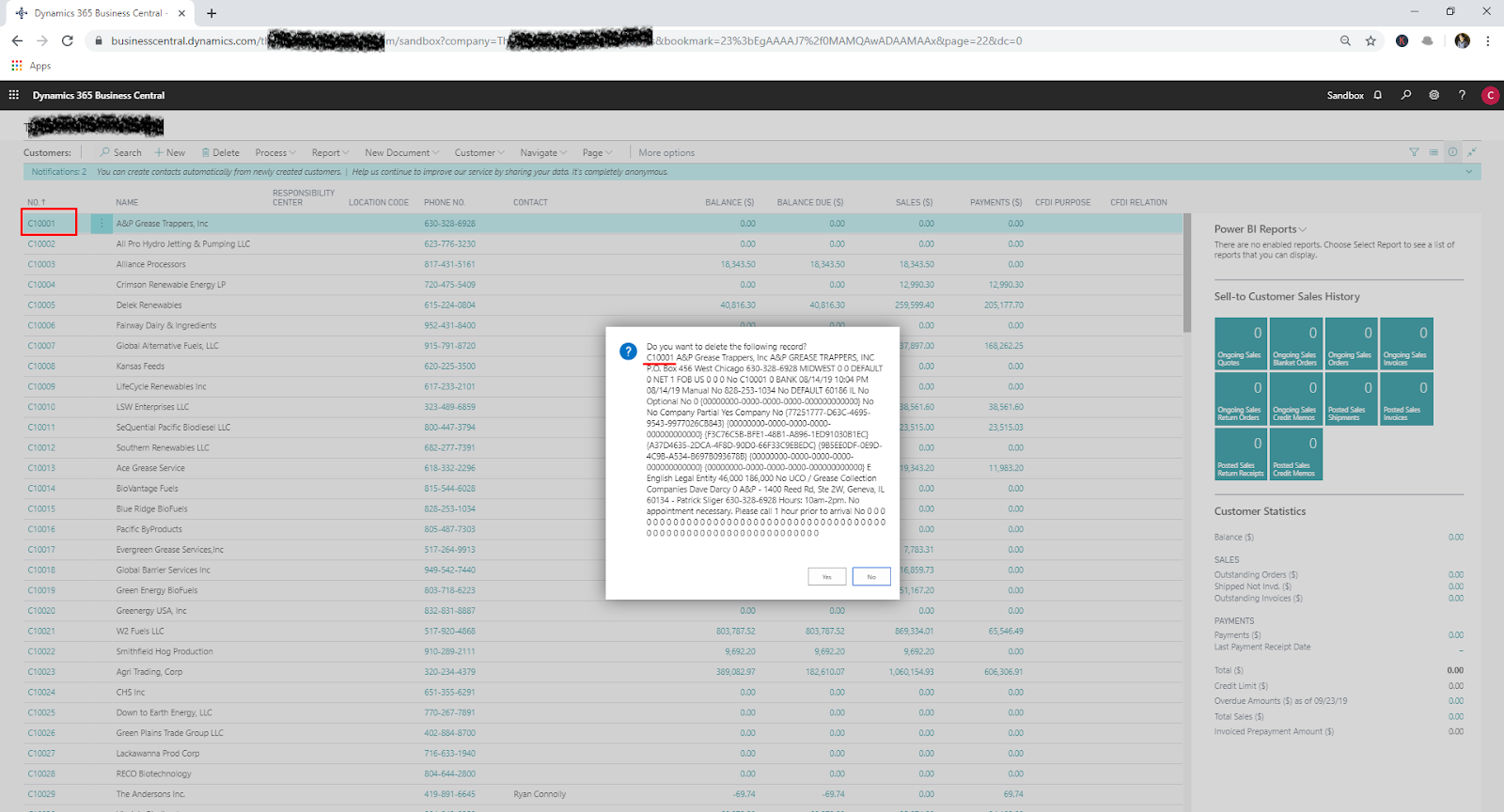 |
| Shows the Record Deletion Confirmation |
4. After Record Deletion:
 |
| After the Record is Deleted. |
Conclusion:
This Record Deletion Tool I have added as an extension to Olof Simren’s Data Deletion Toolkit (https://github.com/olisterr/Data-Deletion-Tool).
This tool can be used after Post Go-Live to delete a record in Business Central Production Environment.
Also, it can help you browse through the Table Data inorder to find a record.
Hope this is useful to you. Let me know in comments.
Related posts:

Resolving SSL/TLS Secure Channel Trust Errors in Dynamics 365 Finance and Operations

How to change a Bill of material (BOM) item on a production order
![Shopify Meets Dynamics 365 Finance and Operations: A Guide to Integration [Part 2]](https://www.cloudfronts.in/wp-content/uploads/2024/12/DALL·E-2024-12-14-12.29.44-A-professional-illustration-depicting-the-integration-between-Shopify-and-Dynamics-365-Finance-and-Operations.-The-image-shows-Shopify-on-one-side-wit-150x150.webp)
Shopify Meets Dynamics 365 Finance and Operations: A Guide to Integration [Part 2]
