

General Journal Views in Microsoft Dynamics Business Central
Introduction:
Recently In Business Central, I have observed the format for General Journals where the unnecessary fields are hidden in order to avoid confusion.
Pre-requisites:
Microsoft Dynamics Business Central
Demonstration:
There are 2 Views of General Journal in Business Central.
1. Limited field view:
 |
| Limited Column View |
2. All field view:
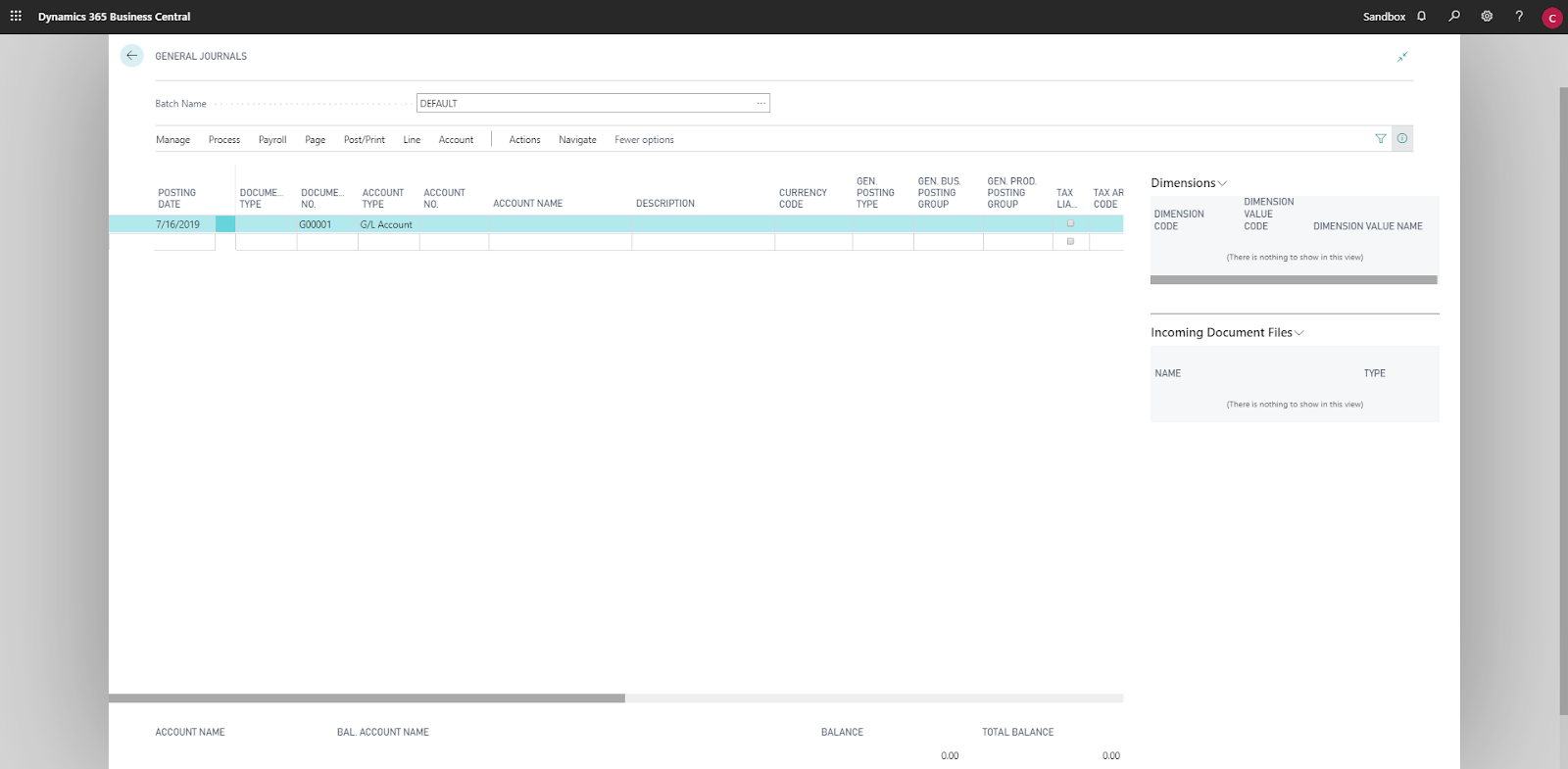 |
| Full Column View |
3. Switching to Limited Field View:
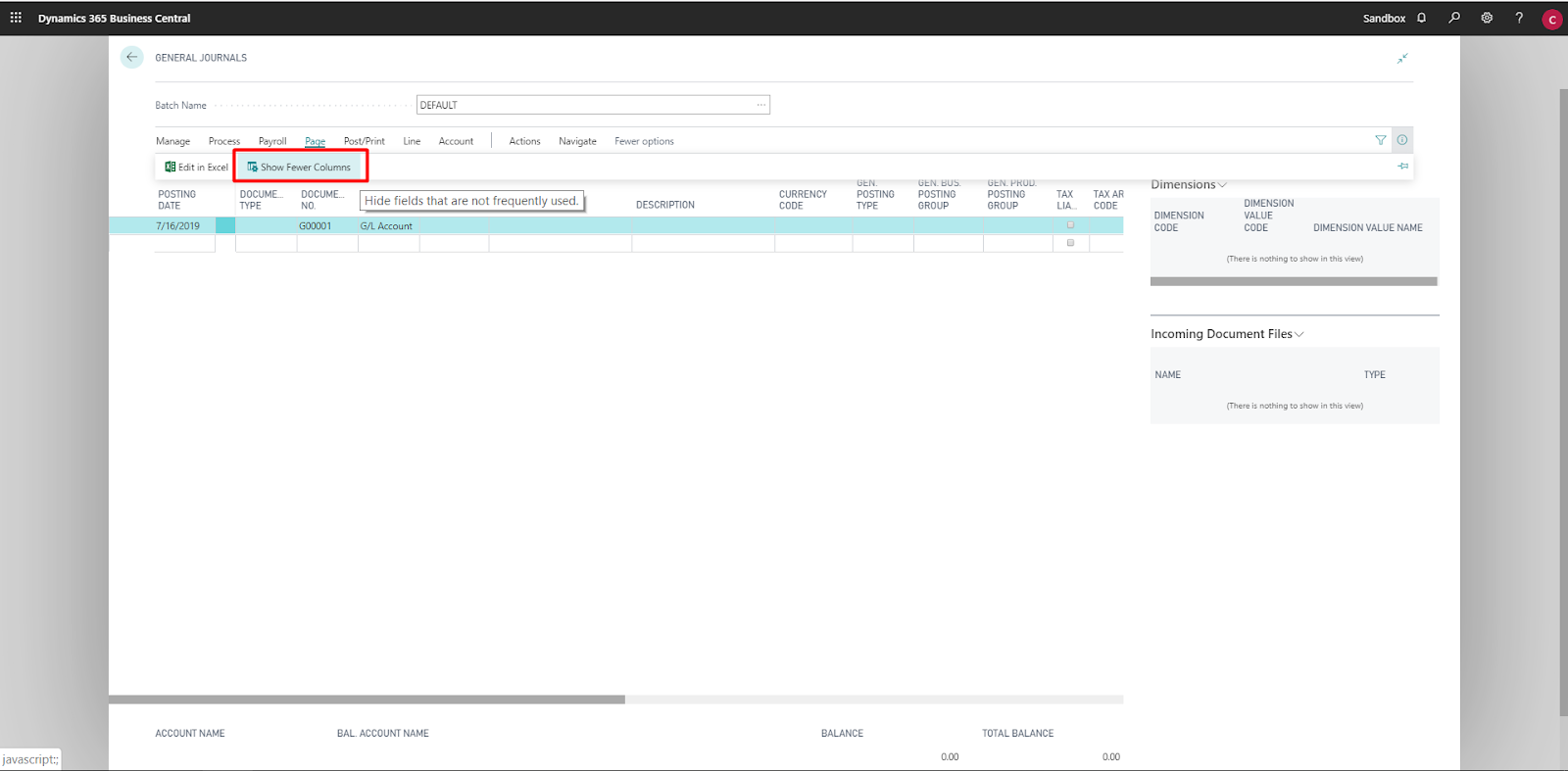 |
| Switching to Limited Field View |
4. Switching to All Field View:
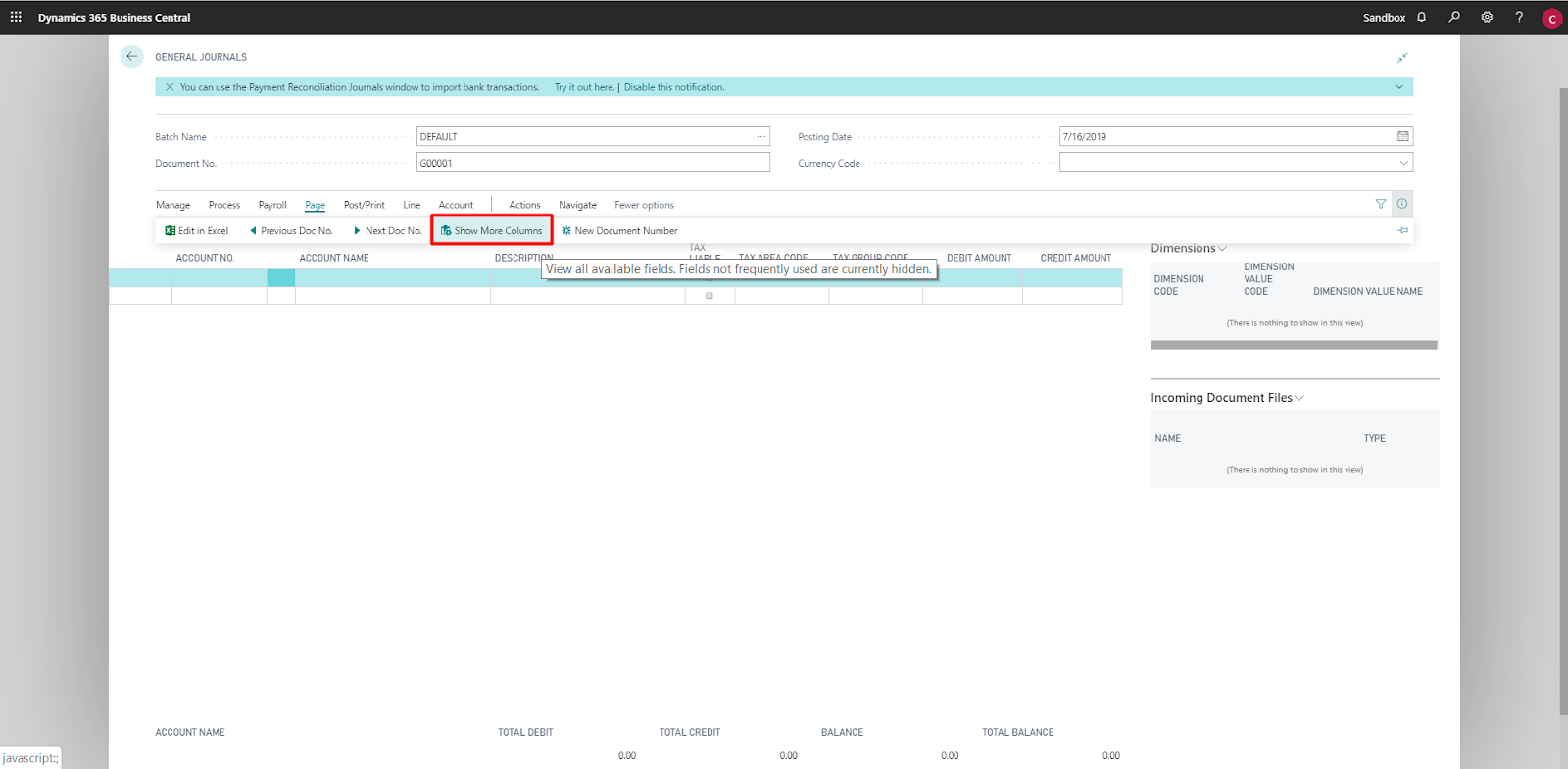
Conclusion:
Thus, this limited view from all field view is helpful to avoid confusion during data entering but it has drawback.
If you are entering Account No. as G/L Account and want to switch the Customer as Account Type, there is no way of doing it from Limited field view.This is because in General Journal functionality, Business Central automatically selects the Account Type from previous entry causing this drawback.
Related posts:

Resolving SSL/TLS Secure Channel Trust Errors in Dynamics 365 Finance and Operations

How to change a Bill of material (BOM) item on a production order
![Shopify Meets Dynamics 365 Finance and Operations: A Guide to Integration [Part 2]](https://www.cloudfronts.in/wp-content/uploads/2024/12/DALL·E-2024-12-14-12.29.44-A-professional-illustration-depicting-the-integration-between-Shopify-and-Dynamics-365-Finance-and-Operations.-The-image-shows-Shopify-on-one-side-wit-150x150.webp)
Shopify Meets Dynamics 365 Finance and Operations: A Guide to Integration [Part 2]
